Mockup vs Prototype: What’s the Difference?
The terms mockup and prototype are often confused in design conversations, sometimes used interchangeably when they represent distinctly different stages of the design process. A mockup is a static, high-fidelity visual representation — it shows what a design will look like but does not function. A prototype is an interactive simulation — it demonstrates how a design will behave and respond to user input. Before both comes the wireframe, a low-fidelity structural blueprint that maps out layout and content hierarchy.
Understanding the mockup vs prototype difference — along with where wireframes fit in — is essential for designers, developers, and stakeholders. Each stage serves a specific purpose, answers different questions, and requires different tools and levels of investment. This guide explains all three, compares them clearly, and helps you determine when to use each in your workflow.
What Is a Wireframe?
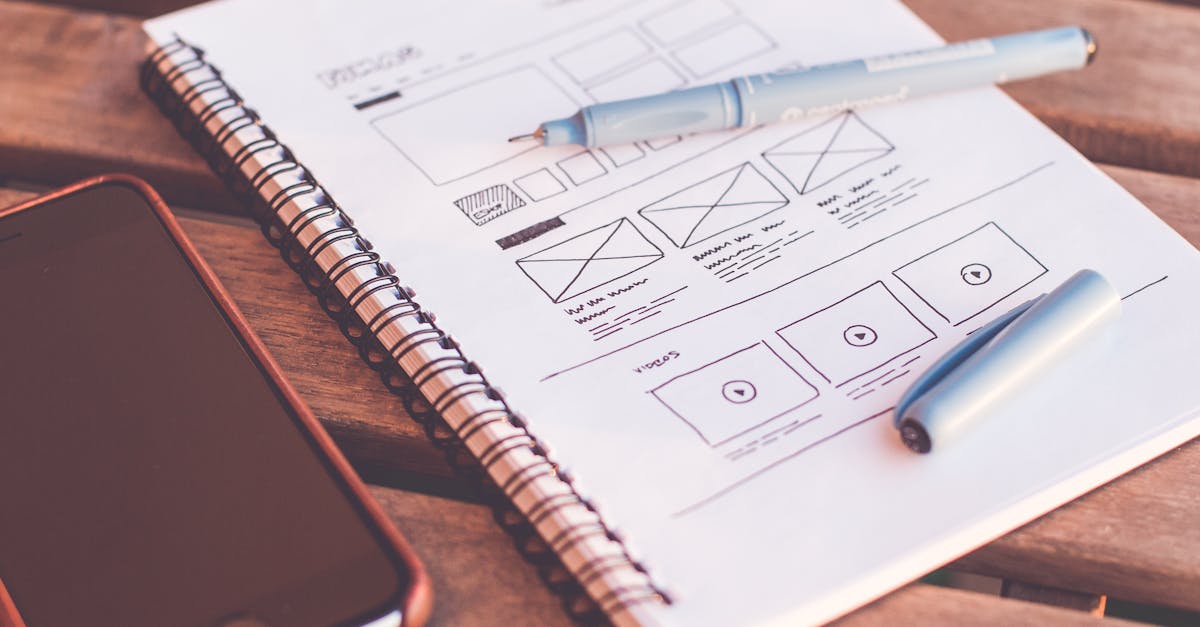
A wireframe is the structural foundation of a design. It is a low-fidelity representation that focuses entirely on layout, content placement, and information architecture. Wireframes use simple shapes — rectangles for images, lines for text, basic labels for navigation — to map out where elements will appear on a page or screen without any visual styling.
Think of a wireframe as the architectural floor plan of a building. It shows where the rooms are, how they connect, and how people will move through the space. It says nothing about paint colors, furniture styles, or decorative finishes. Similarly, a wireframe communicates structure and flow without addressing color, typography, imagery, or brand styling.
Wireframes are quick to create and easy to modify. They are typically produced early in the design process during the information architecture and design thinking phases, when the priority is getting the structural logic right before investing in visual details. Designers use wireframes to test content hierarchy, navigation patterns, and page layouts with stakeholders and users before committing to high-fidelity work.
Characteristics of Wireframes
Wireframes are grayscale or monochromatic. They use placeholder content rather than real copy or images. They do not include brand elements, color schemes, or typographic styling. They emphasize spatial relationships and functional structure. Their speed and simplicity make them ideal for brainstorming, rapid iteration, and early stakeholder alignment.
What Is a Mockup?
A mockup is a high-fidelity static design that shows exactly what the final product will look like. It includes real colors, typography, images, icons, spacing, and brand elements — everything needed to evaluate the visual design before any interactivity is built. A mockup looks like a finished product but does not function as one. You cannot click buttons, scroll through content, or navigate between screens.
Mockups answer the question: “What will this look like?” They allow designers, clients, and stakeholders to evaluate aesthetics, visual hierarchy, brand consistency, and overall design quality. Feedback at the mockup stage is focused on visual details — Does this color palette work? Is the typography readable? Does the layout feel balanced? Does it align with the visual hierarchy principles we established?
The mockup stage is where graphic design principles come into full play. Color choices draw on color psychology. Typography selections reflect the brand personality and readability requirements. Imagery and iconography reinforce the visual language established in the brand guidelines. Every pixel matters because the mockup represents the intended final appearance.
Characteristics of Mockups
Mockups are full-color and fully styled. They use real or near-final content including actual text, images, and brand assets. They present individual screens or pages as static images. They are suitable for client presentations, design reviews, and handoff to development. They do not include any interactivity, animation, or functional behavior.
What Is a Prototype?
A prototype is an interactive model that simulates how the final product will function. It allows users to click, tap, scroll, and navigate through the design as if it were a working application or website. Prototypes demonstrate user flows, transitions, animations, micro-interactions, and the overall experience of using the product.
Prototypes answer the question: “How will this work?” They shift the focus from appearance to experience. Can users find what they need? Does the navigation make sense? Do transitions feel smooth? Is the flow from one screen to the next logical and intuitive? These are questions that static mockups cannot answer — they require interaction to evaluate.
Prototypes exist on a spectrum of fidelity. A low-fidelity prototype might link wireframes together with simple click-through navigation. A high-fidelity prototype might use fully designed mockup screens with realistic animations, conditional logic, and input validation. The level of fidelity depends on what needs to be tested and at what stage of the process.
Characteristics of Prototypes
Prototypes are interactive and clickable. They simulate navigation, transitions, and user flows. They can range from low to high fidelity depending on purpose. They are used for usability testing, stakeholder demonstrations, and development specification. They represent the closest pre-development simulation of the actual product experience.
Key Differences
The progression from wireframe vs mockup vs prototype represents an increase in both fidelity and interactivity. Each stage builds on the previous one and adds a new dimension of completeness.
A wireframe is low-fidelity and non-interactive. Its purpose is structural planning. A mockup is high-fidelity and non-interactive. Its purpose is visual validation. A prototype is variable-fidelity and interactive. Its purpose is experiential testing. The three are complementary stages, not competing alternatives.
The investment required also increases at each stage. Wireframes take hours to produce. Mockups take days. Prototypes take days to weeks depending on complexity. This escalating investment is deliberate — each stage filters out problems before more resources are committed. Structural issues are caught at the wireframe stage. Visual issues are caught at the mockup stage. Experiential issues are caught at the prototype stage. Fixing problems early is always cheaper than fixing them late.
What Each Stage Tests
Wireframes test whether the information architecture and content structure are sound. Do users understand the hierarchy? Is the navigation logical? Are the right elements prioritized? Mockups test whether the visual design is effective and appropriate. Does it communicate the right tone? Is it readable and accessible? Does it align with brand identity? Prototypes test whether the interactive experience is intuitive and satisfying. Can users complete key tasks? Are transitions clear? Does the flow feel natural?
The Design Process Flow
In a well-structured design process, these three stages flow sequentially, with each building on feedback from the previous one. The process typically follows this path:
Research and discovery establish project requirements, user needs, and business goals. Information architecture organizes content and defines navigation structures. Wireframing translates the architecture into spatial layouts, tested and iterated with stakeholders. Visual design (mockups) applies brand styling, color, typography, and imagery to approved wireframe structures. Prototyping connects the designed screens with interactive flows for usability testing and final validation. Development builds the actual product based on the validated prototype.
This sequence is not always strictly linear. Agile and iterative workflows may cycle through stages more fluidly. Some projects skip wireframing and go directly to mockups. Others use low-fidelity prototypes early in the process to test flows before investing in high-fidelity visuals. The right approach depends on the project’s complexity, timeline, and team preferences. The design thinking framework provides a structured methodology for navigating these stages effectively.
The UX vs UI design distinction is closely related to this progression. UX design is most active during wireframing and prototyping, where the focus is on structure, flow, and usability. UI design is most active during the mockup stage, where the focus is on visual aesthetics and interface styling. Both disciplines contribute throughout the process, but their peak influence aligns with different stages.
Tools for Each Stage
The tools available for each stage have expanded significantly, with many modern platforms supporting the full wireframe-to-prototype pipeline.
Wireframing Tools
Balsamiq is purpose-built for low-fidelity wireframes with a deliberately sketchy visual style that keeps focus on structure. Whimsical offers quick wireframing alongside flowcharts and mind maps. Figma, Sketch, and Adobe XD all support wireframing alongside their higher-fidelity capabilities. Even pen and paper remain effective for initial wireframe exploration.
Mockup Tools
Figma has become the industry standard for collaborative UI and mockup design. Sketch remains popular on macOS. Adobe XD integrates with the broader Adobe ecosystem. Photoshop is sometimes used for mockups with complex imagery or texturing, though dedicated UI tools are generally more efficient. These tools provide precise control over typography, color, spacing, and component design that mockups require.
Prototyping Tools
Figma includes built-in prototyping that connects mockup screens with interactive flows, smart animations, and component states. InVision specializes in turning static designs into clickable prototypes. Principle and ProtoPie offer advanced animation and interaction capabilities. Framer supports code-backed prototypes for the highest fidelity. For web projects, tools like Webflow can produce functional prototypes that double as production-ready code.
Choosing the Right Deliverable
Not every project requires all three stages. The decision about which deliverables to produce depends on context, complexity, and stakeholder needs.
For a simple landing page redesign, wireframes and mockups may suffice — the page structure is straightforward and the interactive elements are minimal. For a complex multi-screen application, all three stages are typically necessary to ensure the experience works before development begins. For a pitch or concept presentation, mockups alone might convey the idea effectively. For usability research, prototypes are essential regardless of whether formal wireframes or mockups were produced along the way.
The goal is always to answer the right questions at the right time with the minimum investment needed. Wireframes answer structural questions cheaply. Mockups answer visual questions with moderate investment. Prototypes answer experiential questions with the highest pre-development investment. Choose the stage that addresses your current uncertainties.
Frequently Asked Questions
Can a mockup be interactive?
Strictly speaking, no — interactivity is what distinguishes a prototype from a mockup. However, the line has blurred as modern tools make it easy to add clickable hotspots to static mockup screens. Some teams refer to basic click-through mockups as “interactive mockups” or “low-fidelity prototypes.” The label matters less than clarity about what the deliverable is testing: if you are evaluating visual design, it is functioning as a mockup; if you are evaluating user flow, it is functioning as a prototype.
Do I always need to create wireframes first?
Not always. Experienced designers working on familiar patterns sometimes move directly to mockups, especially for simpler projects. However, skipping wireframes on complex projects is risky. Without structural validation, visual design work may need significant rework if the layout or information architecture proves problematic. Wireframes are a low-cost investment that can save substantial time later.
How realistic does a prototype need to be?
Only as realistic as necessary to test what you need to learn. If you are testing navigation flow, linked wireframes may be sufficient. If you are testing whether users understand a particular interaction, you need enough fidelity to communicate that interaction clearly. If you are presenting to stakeholders who struggle to imagine the final product, high-fidelity prototypes with polished visuals are more convincing. Match the prototype’s fidelity to your testing goals.
What is the difference between a prototype and an MVP?
A prototype simulates functionality without real backend systems, data, or code — it is a design artifact for testing and validation. An MVP (minimum viable product) is a real, functional product with the minimum features needed to serve actual users and gather market feedback. The prototype precedes development; the MVP is the first stage of development. Prototypes test whether the design works; MVPs test whether the market wants the product.


