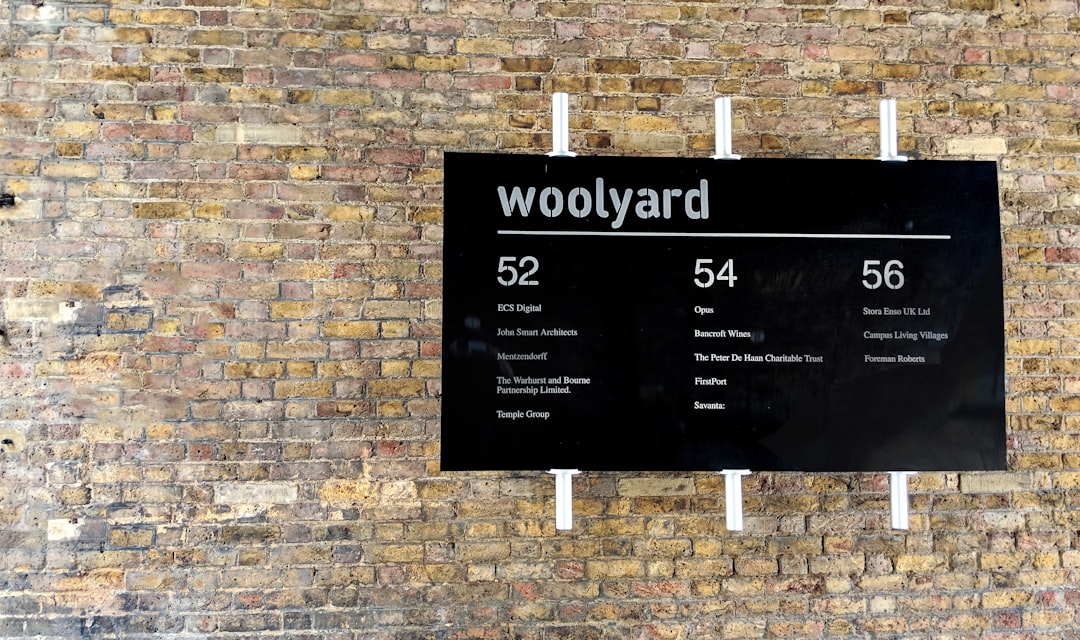
Signage Design: A Complete Guide for 2026
Signage design is graphic design that has to work from a moving car, across a crowded lobby, or from the far end of a parking lot — and it only succeeds when someone reads it correctly the first time. Good signs are not decoration; they are functional typography mounted on physical materials, governed by viewing distance, contrast, and accessibility law. This guide walks through the decisions that separate a sign that works from one that gets ignored.
What signage design actually is
Signage design covers everything from a hand-painted café A-frame to an airport’s entire wayfinding system. The discipline sits where graphic design, architecture, and manufacturing meet. You are not just choosing a typeface and a color — you are specifying how big the letters need to be at a given distance, what material survives outdoors for ten years, how the sign mounts to a wall, and whether it complies with the Americans with Disabilities Act (ADA).
Broadly, signs fall into a few functional categories:
- Identification signs — name a place: a storefront fascia, a room number, a building marker.
- Directional signs — get people somewhere: arrows, “Restrooms →”, parking guidance.
- Informational signs — hours, menus, instructions, safety notices.
- Regulatory and safety signs — fire exits, “No parking,” code-mandated warnings.
Each category has different legibility demands, and a full environment usually needs all four working as one consistent family. If you are designing an entire navigational system rather than a single sign, start with our guide to wayfinding design principles and examples, which covers routing logic and sign hierarchy in depth.
The one rule that governs everything: legibility at distance
Before typeface, before color, before material, comes cap height — the height of a capital letter — measured against the maximum distance a viewer needs to read the sign. The widely used industry rule of thumb is roughly 1 inch of cap height for every 25 feet of viewing distance for comfortable reading, and about 1 inch per 50 feet for the absolute maximum legible distance.
| Viewing distance | Minimum cap height (comfortable) | Typical use |
|---|---|---|
| 10 ft | ~0.5 in | Room ID, menu boards |
| 25 ft | ~1 in | Lobby directories, aisle signs |
| 100 ft | ~4 in | Storefront fascia signs |
| 250 ft | ~10 in | Monument and pylon signs near roads |
Two corollaries matter as much as the table itself. First, contrast drives legibility nearly as much as size — dark type on a light field (or the reverse) with a high luminance difference reads from farther away than a low-contrast pairing, no matter how large. Second, letter spacing for signage should be looser than for print body text; tight tracking that looks elegant on paper turns into a smear at distance.
Choosing type that performs at a distance
Signage rewards a narrow set of typefaces engineered for exactly this job. Save the display fonts for headlines you read up close.
- Frutiger — designed by Adrian Frutiger for the signage of Charles de Gaulle Airport, its open apertures and humanist forms stay distinct at speed and at angle. It is a paid typeface (Linotype/Monotype); the reference standard for wayfinding.
- Clearview — developed specifically to improve U.S. highway sign legibility, with taller lowercase letters that hold up under headlight glare. Licensed, transportation-focused.
- DIN (and DIN 1451) — the German industrial standard typeface used on road signs; geometric, no-nonsense, widely available (FF DIN is the popular commercial cut).
- Transport — the UK’s road-sign typeface, a benchmark in mixed-case legibility research.
What these share: open counters, generous apertures, a large x-height, and unambiguous letterforms (a “1,” “l,” and “I” you can tell apart). Avoid extreme weights at small sizes — hairline thins disappear and ultra-bolds clog up. A regular or medium weight is the safest default. For more on matching weights and styles into a coherent set, our font pairing guide applies the same contrast logic to type combinations.
Color and contrast for the real world
Pick colors for how they behave in sunlight, shade, and at night, not how they look on your calibrated monitor. A few practical rules:
- Aim for the highest luminance contrast you can between text and background; the ADA requires a non-glare finish and high contrast for tactile signs.
- Saturated reds and deep blues can “vibrate” against each other — avoid placing two strong saturated colors directly adjacent for text.
- Account for ambient light: an illuminated sign at night reads very differently than the same artwork in daylight. Test both.
- Brand colors often need a sign-specific variant. Many brand palettes were built for screen and print and need a higher-contrast version for the built environment.
Materials and fabrication basics
Signage design is incomplete until you know how it will be made. The material affects cost, lifespan, weight, and the look of the finished piece.
| Material | Best for | Notes |
|---|---|---|
| Acrylic | Interior signs, dimensional letters | Clean edges, can be backlit; scratches if outdoors and abused. |
| Dibond / ACM (aluminum composite) | Exterior flat signs, real estate, fascia | Lightweight, weatherproof, flat — the workhorse of outdoor flat signage. |
| Channel letters | Storefront fascia, illuminated branding | Fabricated 3D letters, usually LED-lit; high impact, higher cost. |
| Vinyl | Windows, vehicles, banners | Cut or printed; cast vinyl (e.g., 3M) for curves and longevity. |
| PVC / foam board | Temporary interior, event signs | Cheap, light, not for long-term exterior use. |
For storefront-specific material and permit advice, see our storefront sign design tips for small businesses. If your project is a painted wall rather than a fabricated panel, the workflow differs substantially — our mural design guide covers surface prep, scaling, and execution.
Setting up the artwork correctly
Signage is almost always produced from vector artwork so it can scale to any physical size without losing edge quality. Adobe Illustrator is the industry default. Keep these production habits:
- Build at scale or use a clean ratio (e.g., 1:10) and label dimensions on the artboard so the fabricator knows the true size.
- Outline your type before sending to a fabricator so the font is preserved exactly — but keep an editable copy.
- Use spot colors (Pantone) where color matching across panels matters; CMYK shifts between print runs.
- Set up cut paths separately from print artwork for routed or vinyl-cut work; the RIP software at the print shop reads these as distinct layers.
- Mind bleed and safe areas just as in print, plus mounting hardware clearance.
“RIP” (Raster Image Processor) is the software that translates your file into instructions for a large-format printer or cutter. You rarely touch it directly, but designing with it in mind — clean paths, correct color profiles, adequate resolution for any raster elements — prevents costly reprints.
ADA and accessibility requirements
In the United States, permanent identification signs (room names, restrooms, exits) must meet ADA standards. The core requirements are concrete and non-negotiable:
- Tactile characters raised 1/32 inch, in a sans-serif font, 5/8 to 2 inches in cap height.
- Grade 2 Braille below the tactile text.
- Non-glare finish on both characters and background, with high contrast between them.
- Mounting height of 48–60 inches to the baseline of the tactile text, mounted on the latch side of doors.
- Avoid decorative, italic, script, or highly condensed fonts for required tactile signage.
Accessibility is not only a legal box to tick — the same principles (high contrast, simple letterforms, predictable placement) make every sign easier for everyone to use.
A practical signage design workflow
- Audit the environment — map sightlines, viewing distances, lighting, and decision points.
- Define the sign family — identification, directional, informational, regulatory.
- Set the type and grid system — one or two typefaces, consistent margins, an arrow library.
- Spec sizes from distance — apply the cap-height rule to each sign type.
- Choose materials and confirm with a fabricator early, not after design lock.
- Prototype — print a full-size mockup and view it at the real distance and lighting.
- Check codes and ADA before production.
- Produce, install, and document for future additions.
Specialized signage formats follow the same fundamentals but add their own constraints. For exhibitions, our trade show booth design guide covers sightlines on a busy floor, and for moving “signage” on the road, our vehicle wrap design guide handles curved surfaces and 3M wrap vinyl.
Frequently Asked Questions
What font is best for signage design?
Use a humanist or grotesque sans-serif built for distance, such as Frutiger, DIN, Clearview, or Transport. These have open apertures, large x-heights, and unambiguous letterforms that stay legible at speed and at an angle. Avoid thin weights, condensed widths, and decorative scripts for any text that must be read from far away.
How big should letters be on a sign?
A reliable rule is one inch of capital-letter height for every 25 feet of viewing distance for comfortable reading, or one inch per 50 feet for maximum legible distance. A sign read from 100 feet needs roughly 4-inch caps. Always confirm with a full-size mockup viewed at the actual distance and lighting.
What materials are used for outdoor signs?
Dibond (aluminum composite) is the workhorse for flat exterior signs because it is lightweight and weatherproof. Acrylic suits dimensional and backlit letters, channel letters provide illuminated storefront branding, and cast vinyl handles curves and windows. Match the material to lifespan, budget, and whether the sign is illuminated.
Does signage design have to meet ADA rules?
In the U.S., permanent identification signs must meet ADA standards: raised tactile characters, Grade 2 Braille, a non-glare high-contrast finish, sans-serif type, and mounting 48–60 inches from the floor on the latch side of doors. Directional and temporary signs have lighter requirements, but high contrast and clear type benefit every viewer.
What software do I use to design signs?
Adobe Illustrator is the industry standard because signage artwork must be vector to scale cleanly to any physical size. Set up dimensions to scale, use Pantone spot colors for accurate matching, outline fonts before handoff, and separate cut paths from print artwork so the fabricator’s RIP software interprets the file correctly.