Game Logo Design: Tips and Examples
Game logo design has one job most other logos don’t: it has to survive being shrunk to a 60-pixel icon on a crowded store shelf and then blown up to a stadium banner — while instantly signaling what kind of game it is. A great game logo is part brand mark, part genre signal, and part typography exercise. Get the title treatment right and it carries the title screen, the box, the store listing, and every piece of marketing.
This guide breaks down the anatomy of a strong game logo, how genre shapes the design, the legibility rules that matter most, and a working process you can follow. It’s part of our broader game UI design guide, which covers how the logo lives alongside the rest of a game’s interface.
Wordmark, emblem, or both?
Most game logos fall into one of three structures, and choosing the right one early saves a lot of dead ends.
- Wordmark — the title set in custom or heavily styled lettering, no separate symbol. This is the most common game logo type because the title is the brand. The lettering does all the heavy lifting, so it has to be distinctive on its own.
- Emblem — a self-contained mark, often a crest, badge, or icon that encloses or replaces the text. Great for franchises that need a compact symbol for icons and merchandise.
- Combination mark — a wordmark plus a separable symbol or monogram. This is the most flexible structure: use the full lockup for the title screen and the symbol alone where space is tight, like an app icon or a watermark.
If your game will ever need a recognizable mark at tiny sizes — and almost every game does, the moment it hits a store — design a combination mark or at least a monogram you can extract. Relying on a full wordmark alone leaves you with nothing legible at 48 pixels.
Let genre do half the work
Players read genre from a logo before they read a single word, and your typography is the strongest signal. Lean into the conventions; subverting them is a deliberate choice, not a default.
| Genre | Typographic cues | Feel |
|---|---|---|
| Horror | Distressed, hand-scratched, irregular, cold | Dread, instability |
| Fantasy / RPG | Serifs, blackletter influence, ornate ligatures, metallic treatment | Epic, weighty, old-world |
| Sci-fi / shooter | Wide or condensed sans, sharp angles, tech detailing | Speed, force, precision |
| Cozy / casual | Rounded, soft, bouncy baseline, warm color | Friendly, low-stakes, inviting |
| Retro / arcade | Pixel or chrome 80s lettering, bold outlines | Nostalgia, energy |
These cues are why a horror title in a soft rounded font feels wrong and a cozy farming sim in jagged metal lettering feels off. Match the lettering to the promise, and the logo starts selling the game before the trailer plays.
The non-negotiables: scalable and legible
Two technical requirements outrank everything aesthetic.
Build it in vector. Design the logo in Illustrator (or a vector tool) so it scales from favicon to billboard without degrading. You can add raster texture, glow, or metallic treatment afterward in Photoshop, but the underlying letterforms should be clean vector. A logo locked to a single raster resolution will fail you the first time marketing needs it large.
Test legibility small, in grayscale, and in silhouette. Three quick tests catch most problems:
- Small-size test. Shrink the logo to roughly the size it’ll appear in a store grid. If letters merge or the title becomes unreadable, simplify — fewer effects, more contrast, heavier strokes.
- Grayscale test. Strip the color. A logo that only works because of a flashy gradient is fragile; the structure should read in flat black and white.
- Silhouette test. Fill it solid. If the shape is still recognizable, your mark has strong bones — the same principle that makes a good app icon or in-game symbol work.
The silhouette principle ties directly into the symbol layer of a game — the same readability discipline applies to inventory and store icons. We go deep on that in the game icon design guide.
Composition and the title lockup
A game title is often more than one word, and stacking them well is most of the battle. A few reliable moves:
- Establish a hierarchy. The hero word gets the size and personality; subtitles, “edition” tags, and platform marks shrink and calm down. Don’t let a subtitle compete with the main title.
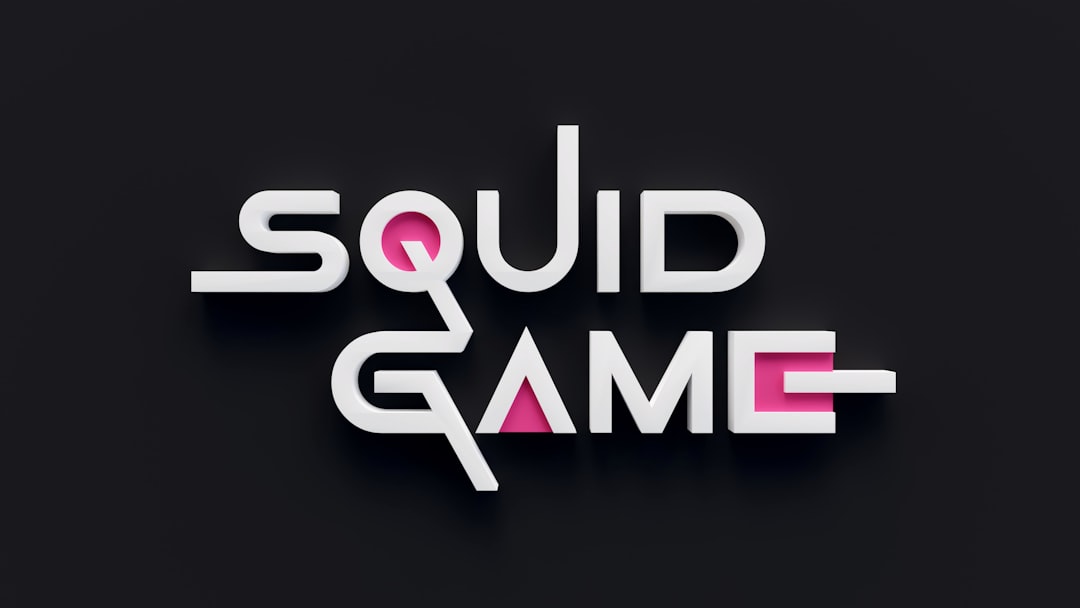
- Stack to a strong shape. Multi-word titles usually read best stacked into a compact, roughly rectangular or shield-like block rather than one long line — it holds up better when scaled down and fits more layouts.
- Control the negative space. Tight, intentional spacing between stacked words reads as designed; loose, accidental gaps read as a template.
- Design a clear-space rule. Define the minimum padding around the logo so partners and your own team don’t crowd it.
A working process
You don’t have to invent a method — a dependable game logo process looks like this, and it mirrors the fundamentals in our general logo design process guide:
- Brief and pillars. Nail down genre, tone, audience, and the one feeling the logo must convey. Write it down before sketching.
- Reference and positioning. Study competitor logos in the genre — not to copy, but to find the conventions and the gap you can own.
- Sketch broadly. Many rough thumbnails, exploring wordmark vs emblem vs combination, before committing to one direction.
- Vector the strongest directions. Refine two or three in Illustrator, get the letterforms and lockup right in black and white first.
- Add treatment. Color, texture, glow, metallic finish — only after the structure is solid.
- Stress-test. Run the small-size, grayscale, and silhouette tests, and check it on the actual contexts: title screen, store icon, box, dark and light backgrounds.
- Deliver a system. Export the full lockup, a stacked variant, a symbol/monogram alone, light and dark versions, and a clear-space spec.
Common mistakes to avoid
- Effects over structure. A pile of bevels, glows, and gradients masking weak letterforms collapses the moment you flatten or shrink it.
- One version only. Shipping a single full-color, horizontal lockup leaves you stranded on dark backgrounds, small icons, and merchandise.
- Trend-chasing. The blurred-gradient or extreme-condensed look dates fast. Genre cues age slower than trends.
- Ignoring the icon. If you never plan a compact symbol, your store presence and avatars will suffer. This overlaps heavily with esports logo design, where a mark must read on a jersey and a stream avatar at once.
Frequently Asked Questions
Should a game logo be a wordmark or an emblem?
Most game logos are wordmarks because the title is the brand, but a combination mark — a wordmark plus a separable symbol or monogram — is the most flexible. It gives you a full lockup for the title screen and a compact symbol for app icons and merchandise where a wordmark would be illegible.
What makes a game logo scalable?
Build the logo in vector using a tool like Illustrator so it scales from a favicon to a billboard without degrading. Add raster texture and effects afterward, but keep the underlying letterforms as clean vectors. Then test it small, in grayscale, and as a solid silhouette to confirm the structure holds up.
How does genre affect game logo design?
Genre dictates typographic cues: horror uses distressed irregular lettering, fantasy leans on ornate serifs and metallic treatment, sci-fi favors sharp condensed sans, and cozy games use soft rounded type. Players read genre from these cues before reading the title, so matching them makes the logo sell the game instantly.
What tools are used for game logo design?
Letterforms and the core lockup are built in a vector tool such as Adobe Illustrator for clean scalability, then color, texture, glow, and metallic finishes are added in Photoshop. Keeping structure in vector and treatment in raster lets you produce both small icons and large marketing assets from one source.
How do I make a multi-word game title work as one logo?
Establish a clear hierarchy so the hero word dominates and subtitles shrink, then stack the words into a compact, roughly rectangular or shield-shaped block. Tight, intentional spacing reads as designed; loose gaps read as a template. A compact stacked shape also scales down far better than a single long line.