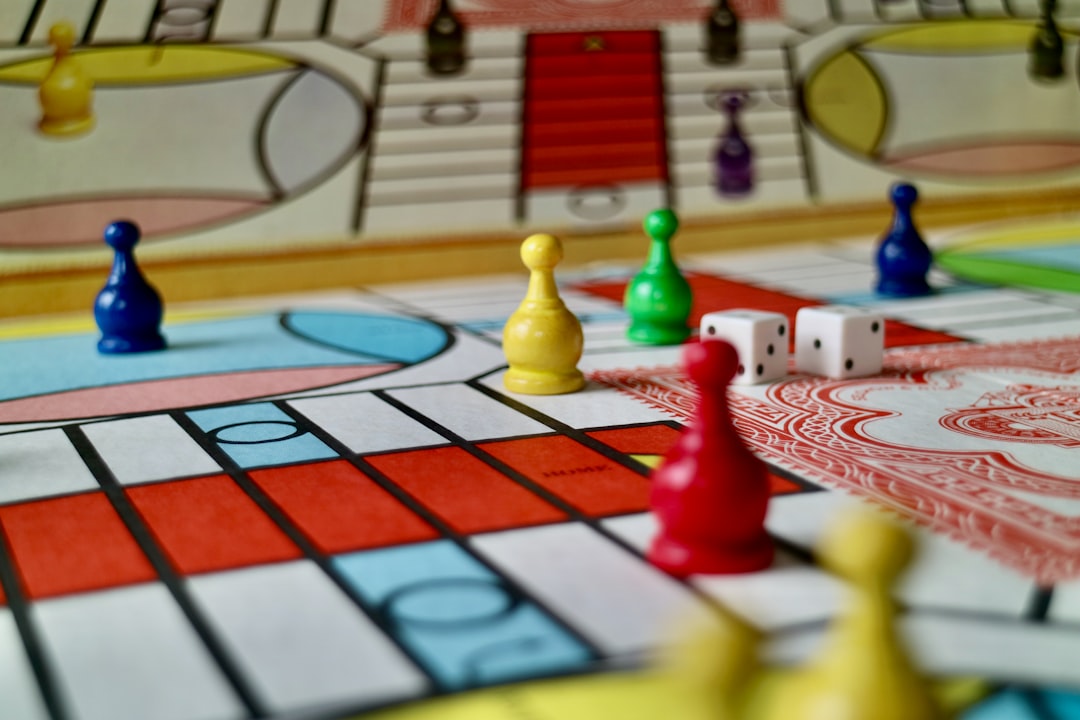
Board Game Design: Graphics and Components
Board game design, from a graphic-design standpoint, is the craft of making rules visible. A board game has no engine to animate feedback and no tooltip on hover — every piece of information lives in printed components a player must read across a table, often at an angle, sometimes upside down, frequently while colorblind. The graphics are not decoration; they are the interface.
This guide focuses on the visual and information-design side of tabletop games: iconography systems, card layout, board and token legibility, the rulebook and box, and color choices that work for everyone. The same legibility-first discipline runs through digital games too — see our game UI design guide for the screen-based cousin of these problems.
An iconography system, not a pile of icons
The single most important graphic asset in most board games is the iconography system — the visual language that lets a card or board communicate effects without a paragraph of text. Done well, it replaces rules text, speeds up play, and crosses language barriers so the game can be sold internationally with minimal translation.
Treat it as a system from day one:
- Consistent visual grammar. Decide once how resources, actions, conditions, and modifiers look — and stick to it. A coin always reads as a coin; a “gain” always uses the same plus convention.
- Distinct silhouettes. Icons must be told apart at a glance and at small sizes. If two icons share a silhouette, players will misread them under pressure. Run the same silhouette test you’d use for game icon design in digital games.
- Combinable units. Design icons that compose — “spend 2 wood to gain 1 victory point” should read as a small visual equation, not a sentence.
- A reference key. Always provide an iconography reference, on a player aid card and in the rulebook. Even a great system needs a glossary the first few plays.
Card layout: a tiny, dense interface
A card is one of the hardest layout problems in graphic design: a great deal of information on a surface a few centimeters wide, read quickly, often fanned in a hand so only the top edge is visible. Principles that consistently work:
- Top-corner identity. Put the card’s most identifying info — name, cost, type, or suit — in the top-left (and ideally also top-right) so it reads when cards are fanned in a hand.
- A clear zone hierarchy. Divide the card into consistent zones: title bar, art, ability/text box, footer. Every card in the deck uses the same zones so players’ eyes learn where to look.
- Type that survives at size. Ability text is often set small. Use a legible text face with a generous x-height, and don’t let the art or background reduce contrast against the text.
- Frame by category. Color-coded frames or type bands help players sort card types fast — but back the color with an icon or label so the cue isn’t color-only.
Board and token legibility
The board and the physical pieces have their own rules. The board is viewed from multiple seats around a table, so symmetry and rotational readability matter — text and icons should be placed so they’re not permanently upside down for half the players. Keep the playable zones uncluttered; ornamental art is welcome, but never at the cost of reading a space’s function.
For tokens, meeples, and player components, the constraints are physical:
- Shape and color together. Players differentiate components by both shape and color. Two factions distinguished only by red and green will fail colorblind players — give factions distinct shapes or symbols too.
- Readable at table distance. Numbers and symbols printed on small tokens must be legible from a normal seated distance, not just in your hand.
- Front/back clarity. If a token is double-sided, the two states must be unmistakable at a glance.
Color that works for everyone
Color is a primary information channel in tabletop games and the most common accessibility failure. Roughly 1 in 12 men has a color vision deficiency, and many board games still lean on red/green or similar problem pairs to distinguish factions and resources.
Build colorblind-safe design in from the start:
- Choose palettes that stay distinguishable under common color blindness — there are simulators that let you preview your art as a colorblind player would see it.
- Never encode critical information in color alone. Pair every color with a shape, icon, pattern, or label so the meaning survives without hue.
- Maintain strong value contrast between adjacent elements, since value differences read even when hue does not.
This is the same dual-channel principle that governs digital HUDs and icons — color plus a second cue — applied to ink on cardboard.
The rulebook and player aids
A rulebook is a piece of instructional design, and a confusing one can sink an otherwise great game. Good rulebook layout:
- Front-loads setup and the goal so players can get to the table quickly, then teaches the turn structure in the order it actually happens.
- Uses diagrams and worked examples generously — a labeled illustration of a turn beats three paragraphs of prose every time.
- Keeps a consistent visual hierarchy with clear headings, callouts for edge cases, and the iconography reference repeated where it’s needed.
- Includes player-aid cards that summarize the turn and the iconography, so the rulebook can stay in the box after the first game.
The box: your only shelf advertisement
The box is the game’s storefront. On a crowded shelf or a thumbnail listing, it has a second or two to communicate genre, weight (how complex), player count, and appeal. The title logo has to read at thumbnail size — the same legibility rules as game logo design for digital titles apply directly. Show the spirit of play through the cover art, and put the practical specs (player count, age, play time) where buyers expect them. The box spine matters too: on a shelf, it may be all a buyer sees.
Tools of the trade
Most board game graphics are produced in Illustrator for vector iconography, logos, and scalable layouts, and Photoshop for raster art and box covers. Card and rulebook layouts are often assembled in InDesign for proper multi-page and data-merge workflows — generating hundreds of cards from a spreadsheet is far saner than building them by hand. Always design to your printer’s template, including bleed and safe margins, so artwork isn’t clipped at the cutting stage.
Frequently Asked Questions
What is the most important graphic element in board game design?
The iconography system is usually the most important graphic asset. A consistent visual language for resources, actions, and effects replaces rules text, speeds up play, and crosses language barriers. Design it as a system with consistent grammar, distinct silhouettes, and a printed reference key on a player-aid card.
How do I make board game cards readable?
Put identifying information in the top corners so cards read when fanned in a hand, divide every card into the same consistent zones (title, art, text, footer), and use a legible text face with strong contrast against the background. Consistent layout lets players’ eyes learn where to look.
How do I make a board game colorblind-friendly?
Never encode critical information in color alone — pair every color with a shape, icon, pattern, or label. Choose palettes that stay distinguishable under common color vision deficiencies, preview your art with a colorblind simulator, and maintain strong value contrast, since value differences read even when hue does not.
What makes a good board game rulebook?
A good rulebook front-loads the goal and setup, teaches the turn in the order it happens, and leans on labeled diagrams and worked examples instead of dense prose. Consistent headings, callouts for edge cases, and player-aid cards that summarize the turn and iconography keep play moving after the first game.
Which tools are used for board game graphic design?
Illustrator handles vector iconography, logos, and scalable layouts; Photoshop handles raster art and box covers; and InDesign is ideal for multi-page rulebooks and data-merged card layouts that generate many cards from a spreadsheet. Always work from the printer’s template with proper bleed and safe margins.


