Die Cutting in Print Design Explained
Die cutting uses a custom steel-rule die to cut printed paper into shapes that a guillotine never could — rounded tags, folder pockets, windows, slots, and stickers. It is how packaging, hang tags, and shaped cards get their form. This guide explains how the process works, the crucial difference between kiss-cut and through-cut, and exactly how to build a dieline so the blade lands where you intend.
Die cutting is the main converting finish in our complete guide to print finishing. Read that pillar for the broader picture; this page focuses on cutting and dieline setup.
How die cutting works
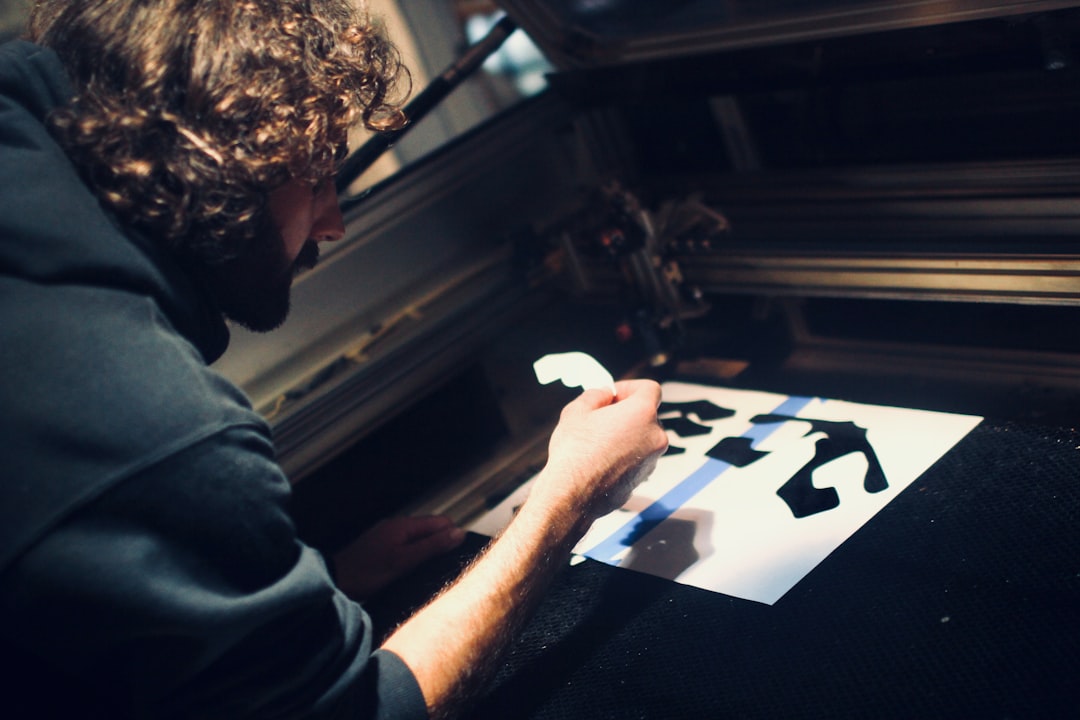
A steel-rule die is made by bending sharp steel blades into your shape and mounting them, edge-up, on a plywood board. The board is pressed against the printed stock — like an industrial cookie cutter — so the blades cut (and, with creasing rules, fold) the paper exactly along your outline. For long packaging runs, harder rotary or magnetic dies are used, but the steel-rule die is the workhorse for most jobs.
Because the die is custom-built per shape, die cutting carries a tooling cost. The same die can run thousands of pieces, so it is economical at volume but adds setup for short runs. The die can also include crease/score rules for folds and perforation rules for tear-off sections, all in a single pass.
Kiss-cut vs through-cut
This is the single most important distinction in die cutting, especially for stickers and labels.
| Type | What it cuts | Typical use |
|---|---|---|
| Kiss-cut | Only the top layer, leaving the backing/liner intact | Stickers and labels you peel off a sheet |
| Through-cut | All the way through the stock | Tags, shaped cards, packaging blanks |
Many sticker products use both: a kiss-cut around each sticker so it peels easily, plus a through-cut around the whole sheet to separate it from the print run. When you order, specify which lines are kiss-cut and which are through-cut so the die maker builds the right blade depths.
What die cutting is used for
- Packaging — folding cartons, sleeves, and boxes with tabs, slots, and glue flaps.
- Presentation folders — angled or curved interior pockets and business-card slits.
- Hang tags and labels — rounded corners, string holes, and custom silhouettes.
- Windows — cut-out apertures, often paired with a clear film, to reveal a product or inner page.
- Stickers and decals — kiss-cut shapes on a liner.
Die cutting pairs well with other finishes. A die-cut shape with a foil-stamped logo and a spot-UV accent is a common premium combination — see foil stamping and spot UV coating for how those layers are set up.
How to set up a dieline
The press cuts to a dieline — a vector outline that describes every cut, crease, and perf. Building it correctly is what makes die cutting reliable.
- Create a dedicated layer just for the dieline, and a spot color to mark it (a common convention is naming it “Dieline” or “CutContour”). Never put it on the artwork layer.
- Draw cut lines as clean vector paths in that spot color. Use distinct line styles or separate spot colors for cut vs crease vs perforation so the die maker can tell them apart.
- Set the dieline to overprint so it does not knock a white outline out of the artwork.
- Add full bleed — extend artwork at least 3mm (about 0.125in) past every cut edge so no white slivers appear if the cut shifts slightly.
- Keep a safety margin. Pull important text and logos away from the cut line to allow for cutting tolerance.
- Supply the dieline as a separate proof and confirm it with your printer before the die is built — die changes after tooling are expensive.
Choosing stock for die cutting
Most stocks die-cut well, but weight and coating affect the result. Heavier cover weights (300–400gsm) hold a clean shape for tags and packaging, while lighter stocks can tear at tight corners. Very heavily coated or laminated stocks may show slight cracking on creases — score generously and test. For the full weight and coating breakdown, see our guide to paper types for printing.
Cut, crease, perforate, and score in one die
A steel-rule die is not limited to cutting. By mounting different rules on the same board, a single pass can also fold, tear, and emboss-score. The four jobs you can combine are:
- Cut rules — sharp blades that sever the stock, for the outline and any windows.
- Crease/score rules — blunt rules that press a fold line into the paper without cutting, so heavier stock folds cleanly instead of cracking.
- Perforation rules — intermittent blades that create a tear-off line for coupons, tickets, and reply cards.
- Bleed/registration relief — the die can be built to allow for the bleed and tolerance your artwork provides.
Because all of these share one die, you must distinguish them in your file — typically with separate spot colors or line styles for cut, crease, and perf — so the die maker knows which rule goes where. Labeling them clearly on a separate dieline proof prevents costly tooling errors.
Cost, run length, and tooling
Die cutting carries a one-time tooling charge per shape because the steel-rule die is custom-built for your design. That makes it economical at volume — the same die runs thousands of pieces — but it adds setup cost and lead time to short runs. Complex shapes with many tight curves take longer to build and cost more. If a design will repeat, the die is reusable, improving the economics each reprint. As with other finishes, die cutting is a separate production pass, so factor extra days into your schedule and confirm the dieline before tooling is made.
Common die-cutting mistakes
- No bleed past the cut. Without bleed, any registration shift exposes white paper at the edge.
- Dieline on the artwork layer. It will print as a visible line. Always isolate it as a spot color on its own layer.
- Type too close to the edge. Cutting tolerance can clip text; keep a safety margin.
- Overly intricate shapes. Very tight curves and thin spurs are hard to die and weak in the final piece; simplify.
- Not labeling cut vs crease. The die maker needs to know which lines fold and which cut.
Frequently Asked Questions
What is die cutting in printing?
Die cutting uses a custom steel-rule die — sharp blades bent into a shape and mounted on a board — to cut printed paper into non-rectangular forms such as tags, windows, packaging blanks, and stickers. The same die can also crease for folds and perforate for tear-off sections in a single pass.
What is the difference between kiss-cut and through-cut?
A kiss-cut slices only the top layer of stock and leaves the backing intact, which is how stickers peel off a sheet. A through-cut goes all the way through the material, used for tags, shaped cards, and packaging blanks. Sticker sheets often combine both kiss-cut and through-cut lines.
How do I create a dieline for die cutting?
Draw the dieline as clean vector paths on a dedicated layer using a clearly named spot color such as “Dieline,” set it to overprint, and add at least 3mm of bleed past every cut edge. Use separate line styles or spot colors to distinguish cut, crease, and perforation, and confirm it with your printer.
How much bleed do I need for a die-cut shape?
Extend your artwork at least 3mm (about 0.125 inch) past every cut edge of the dieline. This bleed ensures that if the cut shifts slightly during production, no white paper slivers appear at the edge. Also keep important text and logos inside a safety margin away from the cut.
Does die cutting work on any paper?
Most stocks die-cut well, but heavier cover weights around 300–400gsm hold custom shapes cleanly, while very light stock can tear at tight corners. Heavily coated or laminated stocks may crack along creases, so score generously and test. Match the stock weight to the structural demands of the piece.