Flat vs 3D Illustration: Which Style to Use
The flat vs 3D illustration decision comes down to a trade-off you cannot dodge: flat is fast, scalable, and cheap to maintain, while 3D is rich, premium, and expensive to produce. Neither is “better”, they solve different problems. This guide compares the two on the factors that actually decide projects (speed, scalability, cost, brand fit, animation) and gives you a clear framework for choosing, so you are not picking a style based on whatever looks trendy this quarter.
Both styles are part of the wider visual toolkit; for the full range from line art to painterly, see our pillar on illustration styles every designer should know. Here we put the two heavyweights head to head.
What Flat Illustration Actually Is
Flat illustration uses solid color shapes, minimal or no gradients, no perspective, and clean outlines. In its modern “flat 2.0” form it adds subtle shadows and depth cues, but it remains fundamentally two-dimensional and vector-based. Its defining traits are simplicity and economy: a flat illustration is a set of editable shapes that recolor, resize, and rearrange in seconds.
That vector foundation is the source of flat’s biggest practical advantage. Because the art is built from mathematical paths rather than rendered pixels, it scales infinitely and stays crisp from favicon to billboard. If the why behind that is unclear, our explainer on vector graphics covers it, but the headline is: flat art is cheap to scale and change.
What 3D Illustration Actually Is
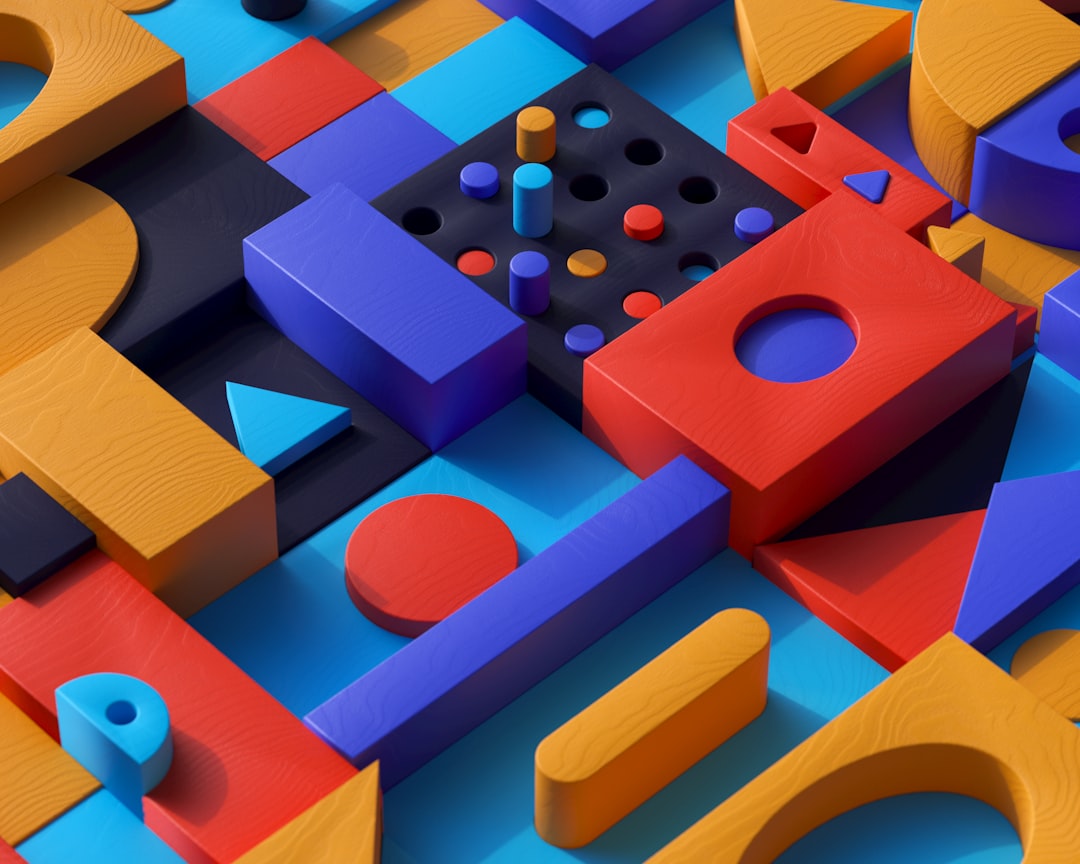
3D illustration is built and rendered in three-dimensional software, Blender, Cinema 4D, or the browser-based Spline, producing objects with real depth, lighting, shadow, and material. The result is the soft, claymation-like or glossy, tactile look that flooded tech branding through the 2020s. It feels premium and immersive because it mimics how light behaves on real surfaces.
The catch is that 3D output is rendered, raster, imagery. A render is a fixed-resolution image, so it does not scale infinitely the way vector flat art does; you re-render at the size you need. And building the scene, modeling, texturing, lighting, rendering, takes far longer than drawing a flat equivalent.
Head-to-Head Comparison
| Factor | Flat Illustration | 3D Illustration |
|---|---|---|
| Production speed | Fast | Slow |
| Scalability | Infinite (vector) | Fixed resolution (re-render) |
| Learning curve | Moderate | Steep |
| Cost to maintain a system | Low | High |
| Perceived premium feel | Approachable, modern | Premium, immersive |
| File size | Small (SVG) | Larger (rendered PNG) |
| Best at | Clarity, large systems, UI | Depth, hero moments, product feel |
Speed and Cost
This is usually the deciding factor. A skilled designer can produce a flat spot illustration in a fraction of the time a comparable 3D scene takes, and revisions are near-instant in vector. 3D demands modeling, material work, lighting, and render time, plus iteration cycles where each change means another render. Over a project of 30 or 40 illustrations, that gap compounds dramatically.
If you are building a large, evolving illustration library, an entire product’s worth of empty states, feature graphics, and onboarding art, flat’s economics win decisively. 3D makes sense when you need a small number of high-impact pieces, not a sprawling system.
Scalability and Maintenance
Flat art’s vector nature means one file serves every size and stays editable forever; change a brand color and you batch-update the set. 3D renders are fixed images, so adapting them to new sizes or aspect ratios often means returning to the source scene and re-rendering. Maintaining a 3D system over years is a real ongoing cost that teams routinely underestimate.
For anything that must live across many breakpoints, devices, and pixel densities, especially in UI, flat is simply lower-friction. Reserve 3D for contexts where you control the size and can afford to re-render.
Brand Fit and Emotional Tone
Style is communication, so the right choice depends on what you want the audience to feel:
- Flat signals clarity, friendliness, efficiency, and modernity. It suits SaaS, fintech, education, and anything where comprehension matters most.
- 3D signals premium quality, innovation, playfulness, and tactility. It suits product launches, consumer tech, gaming, and brands wanting a high-end, immersive impression.
3D also stands out in a crowded flat landscape, which is exactly why it surged: when everyone went flat, dimensional work felt fresh. But “stands out” is not free, and chasing the trend without the budget to sustain it leads to inconsistent, half-finished systems.
Animation Considerations
Both styles animate, differently. Flat illustrations animate efficiently with tools like Lottie (lightweight, vector-based, perfect for UI micro-interactions and loading states). 3D enables richer motion, rotating products, dynamic lighting, camera moves, but those animations are heavier files and more demanding to produce and play back. If you need lots of small in-product animations, flat plus Lottie is the pragmatic path; if you need a few showpiece motion moments, 3D delivers more spectacle.
A Decision Framework
Cut through the debate with these prompts:
- Choose flat if: you need many illustrations, a tight budget or timeline, infinite scalability, UI-embedded art, or a clear, approachable tone.
- Choose 3D if: you need a few high-impact hero pieces, a premium or immersive feel, product realism, or visual differentiation from flat-saturated competitors, and you have the budget and skills to sustain it.
- Choose a blend if: you want the best of both, a common 2026 pattern is a flat system for the bulk of UI and editorial work, with a handful of 3D hero images for landing pages and launches.
The blended approach is increasingly the smart default for well-resourced brands: flat carries the volume cheaply, while selective 3D delivers the wow factor where it counts. The mistake is committing to all-3D without reckoning with the production and maintenance cost, or defaulting to flat when a single striking 3D hero would have done more for the brand. Decide deliberately, and let the project’s real constraints, not the trend cycle, make the call.
Frequently Asked Questions
Is flat or 3D illustration better?
Neither is universally better; they solve different problems. Flat illustration is faster, infinitely scalable, and cheaper to maintain, making it ideal for large systems and UI. 3D illustration offers depth, realism, and a premium feel for high-impact hero pieces, at a higher production and maintenance cost. Match the style to your budget, scale, and brand tone.
Why did 3D illustration become so popular?
3D illustration surged in the 2020s for two reasons: tools like Spline and Blender made it far more accessible, and it stood out against a landscape saturated with flat design. Its premium, tactile, immersive look gave brands a fresh way to differentiate, especially in consumer tech and product marketing.
Is 3D illustration more expensive than flat?
Yes, generally. 3D requires modeling, texturing, lighting, and rendering, each revision means another render, so it takes far longer than drawing a flat equivalent. Across a large illustration system, the cost gap compounds. Flat’s vector workflow makes both initial production and ongoing maintenance significantly cheaper.
Can you combine flat and 3D illustration?
Yes, and many brands do in 2026. A common approach uses a flat system for the bulk of UI and editorial work, where speed and scalability matter, plus a small number of 3D hero images for landing pages and launches where impact matters. The blend captures flat’s economy and 3D’s wow factor.
Does 3D illustration scale like flat art?
No. Flat illustration is vector-based and scales infinitely without quality loss. 3D illustration outputs rendered, raster images at a fixed resolution, so adapting it to new sizes usually means returning to the source scene and re-rendering. This is a key reason flat is preferred for responsive, multi-size UI work.