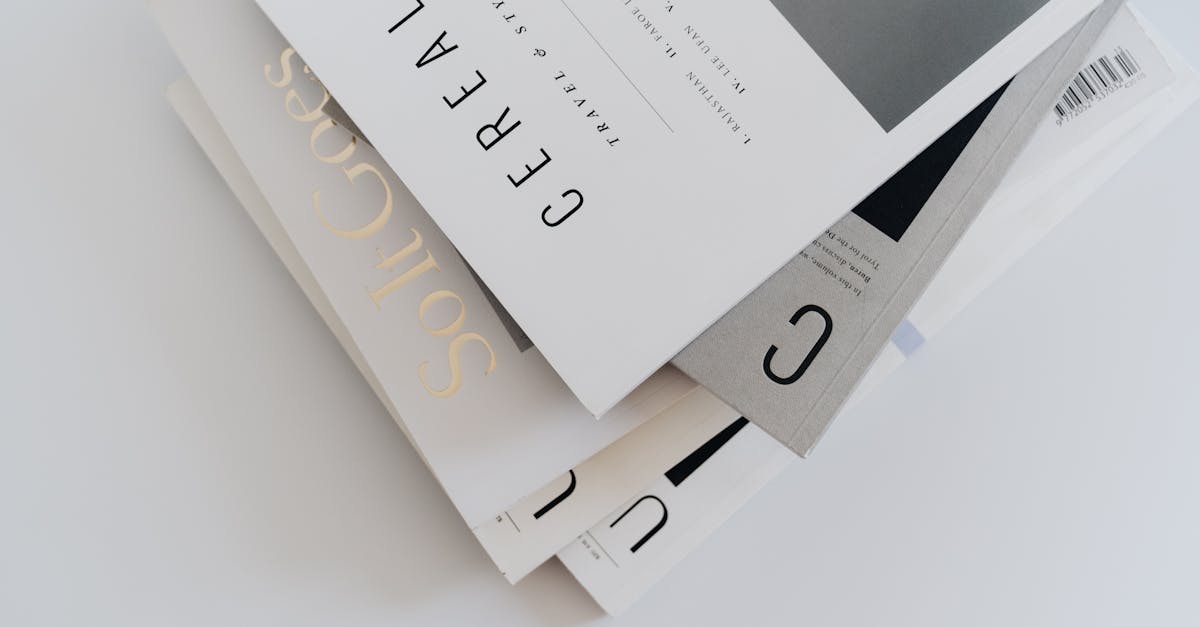
Font Pairing: The Complete Guide to Combining Typefaces
Font pairing is the practice of selecting two or more typefaces that work together in a design. Get it right and your layout feels effortless — the headings command attention, the body text reads smoothly, and the whole composition holds together as a coherent visual system. Get it wrong and the result looks like a ransom note, or worse, like nothing was chosen at all.
The challenge is that there are tens of thousands of typefaces available today. The number of possible two-font combinations runs into the hundreds of millions. No designer can evaluate them all by trial and error. What you need are principles — a reliable framework for understanding why certain font combinations work and others fail, so you can make confident decisions on any project without wading through endless permutations.
This guide covers everything: the underlying theory of font pairing, the most reliable combination strategies, 20+ tested pairings you can use immediately, common mistakes that trip up even experienced designers, and a step-by-step process for choosing fonts for your next project. Whether you are designing a website, a brand identity, or a printed publication, the principles here will serve you for the rest of your career.
Why Font Pairing Matters
A single typeface can handle many jobs. But most designs benefit from at least two, because a single font doing everything — headings, body text, captions, navigation, pull quotes — creates visual monotony. Even with weight and size variation, a one-font design lacks the contrast that guides readers through a visual hierarchy and creates the subtle texture that makes a layout feel considered rather than default.
Font pairing creates contrast with cohesion. The right combination introduces enough visual variety to establish clear hierarchy and keep the reader’s eye engaged, while maintaining enough shared DNA that the fonts feel like they belong in the same design system. This is the fundamental tension of all font pairing: different enough to be interesting, similar enough to be harmonious.
Beyond aesthetics, font pairing is a practical tool. A display serif that looks stunning at 72px may become unreadable at 16px. A sans-serif that performs beautifully in UI elements may feel flat and characterless in a headline. Pairing lets you assign the right tool to each typographic job — one font optimized for impact at large sizes, another optimized for comfort at reading sizes.
The Core Principles of Font Pairing
Every successful font combination follows the same underlying principles. Learn these and you will be able to evaluate any pairing — including ones you have never seen before — and know whether it will work.
1. Contrast, Not Conflict
The single most important principle. The fonts you pair should be clearly, obviously different from each other. If the difference is subtle — two similar-looking sans-serifs, or two serifs from the same classification — the pairing feels like a mistake rather than a choice. Readers subconsciously sense that something is off without being able to articulate why.
Effective contrast comes from differences in classification (serif vs. sans-serif), construction (geometric vs. humanist), weight (light vs. bold), proportion (condensed vs. wide), or personality (formal vs. casual). The more dimensions of contrast you introduce, the more dynamic the pairing — but one strong contrast is usually enough.
2. Shared Structural DNA
Contrast alone is not enough. Two fonts that are very different but share no structural relationship will feel random, like they were pulled from different designs and duct-taped together. The best pairings have at least one point of structural alignment:
- Similar x-height. Fonts with matching x-heights feel naturally scaled to each other. When a heading font and a body font have very different x-heights, the size relationship feels off even when the point sizes are correct.
- Compatible proportions. If both fonts have a similar width character — both medium, both slightly condensed — they feel like they belong together even when their details diverge.
- Aligned era or spirit. A typeface from the 1920s Bauhaus tradition pairs naturally with other modernist designs. A humanist serif pairs well with a humanist sans-serif. Shared historical or philosophical DNA creates coherence beneath surface-level contrast.
3. Clear Role Assignment
Every font in a pairing needs a defined job. The most common arrangement is one font for headings and another for body text. But you might also assign roles like: one for navigation, one for content. Or one for the brand voice, one for functional text. What matters is consistency — each font appears in the same contexts throughout the design, and the reader quickly learns what each one signals.
Avoid using both fonts interchangeably. If Font A sometimes appears in headings and sometimes in body text, and Font B does the same, the system breaks down. Readers rely on typographic consistency to navigate content, even if they are not consciously aware of it.
4. Limit Your Count
Two typefaces is the sweet spot for most projects. Three can work when you have a clear structural reason — say, a display font for hero headlines, a sans-serif for UI and navigation, and a serif for long-form body text. Four or more is almost never necessary and usually indicates a lack of typographic discipline.
Remember that a single well-chosen typeface family with multiple weights and styles (regular, italic, bold, bold italic, condensed, etc.) already offers enormous variation. Before reaching for a third font, ask whether weight, size, or style variation within your existing two can solve the problem.
The Five Pairing Strategies That Always Work
These are the reliable approaches that professional designers return to again and again. Each strategy produces different results, but all of them are structurally sound.
Strategy 1: Serif Headings + Sans-Serif Body
A display or text serif for headlines paired with a clean sans-serif for body text. The serif adds character and authority to the headings while the sans-serif provides clean, neutral readability at smaller sizes. This combination works for editorial design, luxury branding, and any project that needs to balance personality with practicality.
Why it works: The contrast between serif detail and sans-serif simplicity creates instant hierarchy. The serif commands attention; the sans-serif recedes into comfortable reading texture.
Best for: Magazine layouts, fashion brands, editorial websites, portfolio sites, book marketing.
Strategy 2: Sans-Serif Headings + Serif Body
The inverse of Strategy 1, and arguably the most popular combination on the modern web. A bold or geometric sans-serif grabs attention in headings, while a readable serif provides warmth and rhythm for extended reading. This is the default approach for blogs, content platforms, and any site where long-form readability matters.
Why it works: Sans-serif headings feel modern and direct. Serif body text has the stroke variation and rhythmic texture that makes long passages comfortable to read. The combination balances contemporary energy with traditional readability.
Best for: Blogs, news sites, SaaS landing pages, corporate communications, documentation.
Strategy 3: Contrasting Sans-Serifs
Two sans-serif typefaces from different sub-categories — for example, a geometric sans (like Futura) for headings and a humanist sans (like Inter) for body text. This works because the structural differences between geometric and humanist sans-serifs are significant enough to create real contrast, even though both lack serifs.
Why it works: Geometric sans-serifs are bold and architectural. Humanist sans-serifs are warm and readable. The heading font makes a statement; the body font lets content breathe.
Best for: Tech products, startups, mobile apps, design systems, minimal websites.
Strategy 4: Display + Text Workhorse
A high-personality display font — something with character, flair, or distinctive features — paired with a neutral, reliable text font. The display font does the emotional heavy lifting at large sizes (hero sections, posters, packaging), and the text font handles everything else without competing for attention.
Why it works: Display fonts are designed to be noticed, not to be read at length. Text fonts are designed to disappear into comfortable reading. Each does its best work when the other handles what it cannot.
Best for: Event branding, packaging, posters, creative campaigns, restaurant menus.
Strategy 5: Superfamily
Choose a typeface superfamily that includes both serif and sans-serif members designed to work together. IBM Plex (Serif, Sans, Mono), Source (Source Serif, Source Sans, Source Code), Noto (Noto Serif, Noto Sans), and PT (PT Serif, PT Sans) are all excellent superfamilies. The serif and sans-serif members share the same x-height, proportions, and design philosophy, making the pairing guaranteed to succeed.
Why it works: The fonts were literally designed as companions. You get all the contrast of a serif/sans-serif pairing with zero risk of structural mismatch.
Best for: Design systems, large-scale corporate identities, multi-platform brands, projects where typographic consistency across many touchpoints is critical.
20 Tested Font Pairings You Can Use Today
Each pairing below has been evaluated for contrast, structural compatibility, readability, and real-world performance. They are grouped by the strategy they follow.
Serif + Sans-Serif Pairings
1. Playfair Display + Source Sans Pro
Playfair Display‘s high-contrast, didone-inspired letterforms are dramatic at headline sizes. Source Sans Pro’s clean, humanist structure provides a neutral, highly readable body. The extreme difference in stroke contrast between the two creates powerful visual hierarchy. Both are free on Google Fonts.
Best for: Editorial sites, lifestyle blogs, fashion-adjacent brands.
Heading: Playfair Display Bold (700) | Body: Source Sans Pro Regular (400)
2. Libre Baskerville + Montserrat
Libre Baskerville‘s classical elegance meets Montserrat‘s geometric modernity. Use Libre Baskerville for body text where its large x-height and sturdy serifs provide comfortable reading, and Montserrat for headings, navigation, and UI elements. This bridges traditional and contemporary seamlessly.
Best for: Agency portfolios, corporate sites, cultural institutions.
Heading: Montserrat SemiBold (600) | Body: Libre Baskerville Regular (400)
3. Lora + Inter
Lora is a contemporary serif with calligraphic roots and warm brushed curves. Inter is a UI-optimized humanist sans-serif with outstanding screen legibility. Together they create a pairing that works equally well on blogs, portfolios, and corporate sites. Both share a generous x-height and open counters.
Best for: Content-heavy websites, documentation, SaaS landing pages.
Heading: Inter SemiBold (600) | Body: Lora Regular (400)
4. Merriweather + Open Sans
Two Google Fonts workhorses designed for screen readability. Merriweather’s sturdy serifs and large x-height make it outstanding for body text, while Open Sans’s friendly, neutral character handles headings, navigation, and UI without distraction. This is the safe, reliable pairing that works for nearly any content-first website.
Best for: Blogs, news sites, government websites, educational platforms.
Heading: Open Sans Bold (700) | Body: Merriweather Regular (400)
5. Cormorant Garamond + Montserrat
Cormorant Garamond is a display serif inspired by Claude Garamond’s work but designed for large sizes on screen. Its delicate hairlines and graceful proportions create a luxurious atmosphere for headlines, while Montserrat grounds the design with practical readability for everything else.
Best for: Luxury brands, wedding sites, high-end real estate, wine and hospitality.
Heading: Cormorant Garamond Bold (700) at 36px+ | Body: Montserrat Light (300)
6. Georgia + Verdana
The original web-safe pairing. Both were designed by Matthew Carter specifically for screen readability, and their proportions and x-heights are deliberately harmonized. Georgia’s sturdy serifs and Verdana’s wide, open sans-serif forms create a combination that renders crisply on any screen without loading external font files. A bulletproof choice when performance is paramount.
Best for: Email newsletters, high-performance sites, system font stacks.
Heading: Verdana Bold | Body: Georgia Regular
7. DM Serif Display + DM Sans
A matched pair from the same design project (both commissioned by Google). DM Serif Display has slightly informal, rounded serif details that play well off DM Sans’s clean, geometric structure. Because they share proportional DNA, the pairing feels unified while maintaining strong contrast between serif display and sans-serif text.
Best for: Food and beverage, lifestyle brands, app marketing, modern editorial.
Heading: DM Serif Display Regular (400) | Body: DM Sans Regular (400)
Sans-Serif + Sans-Serif Pairings
8. Montserrat + Inter
Geometric meets humanist. Montserrat‘s bold, architectural headings contrast with Inter‘s warm, readable body text. The structural difference between Montserrat’s pure geometry and Inter’s humanist stroke variation provides the contrast this pairing needs to avoid the monotony of two similar sans-serifs.
Best for: Product interfaces, design system documentation, developer tools.
Heading: Montserrat Bold (700) | Body: Inter Regular (400)
9. Futura + Proxima Nova
Futura‘s pure geometry dates to 1927 and still feels modern. Proxima Nova bridges geometric and humanist traditions, making it more readable at body sizes than Futura itself. The result is a pairing that feels architecturally bold in headings and comfortably human in running text.
Best for: Architecture firms, luxury tech, fashion retail, museum sites.
Heading: Futura Bold | Body: Proxima Nova Regular
10. Oswald + Open Sans
Oswald is a condensed gothic redesigned for the web. Its tall, narrow letterforms create impactful headlines that take up minimal horizontal space — perfect for responsive layouts. Open Sans provides the contrasting width and humanist warmth needed for comfortable body reading. Width contrast is the engine here.
Best for: News sites, sports brands, promotional landing pages.
Heading: Oswald Bold (700) in uppercase | Body: Open Sans Regular (400)
11. Poppins + Nunito Sans
Both are geometric, but Poppins is rounder and bolder while Nunito Sans is subtler and more neutral. Used together — Poppins for headings and short labels, Nunito Sans for paragraphs and functional text — they create a friendly, approachable system that works beautifully for education, wellness, and consumer brands.
Best for: Education platforms, healthcare apps, non-profit websites, family brands.
Heading: Poppins SemiBold (600) | Body: Nunito Sans Regular (400)
12. Space Grotesk + Work Sans
Space Grotesk has a distinctive, slightly quirky personality — unusual letter shapes and a retro-futurist vibe. Work Sans is more conventional but shares a similar underlying geometry. The result is a pairing with personality in the headings and reliability in the body, both free on Google Fonts.
Best for: Creative agencies, co-working spaces, startup pitch decks, portfolio sites.
Heading: Space Grotesk Bold (700) | Body: Work Sans Regular (400)
Display + Text Pairings
13. Canela + Graphik
Canela‘s soft, flowing serif forms blend calligraphic warmth with contemporary structure — it is one of the most distinctive display serifs of the last decade. Graphik is a clean, versatile neo-grotesque that handles body text without competing for attention. This is a premium pairing used by top studios and editorial brands worldwide.
Best for: Fashion editorials, luxury hospitality, brand campaigns, art direction.
Heading: Canela Regular or Medium | Body: Graphik Regular
14. Recoleta + Inter
Recoleta‘s rounded, retro-inspired serif forms have a warm, nostalgic personality that stands out immediately in headlines. Paired with Inter‘s no-nonsense readability for body text, the combination balances character with clarity. Recoleta provides the vibe; Inter provides the function.
Best for: Lifestyle brands, food and wellness, boutique e-commerce, creative studios.
Heading: Recoleta Bold | Body: Inter Regular (400)
15. Sohne + Sohne Breit
Sohne by Klim Type Foundry is a contemporary reinterpretation of Akzidenz-Grotesk. Sohne Breit is its wide companion. Using the standard width for body and the wide width for impactful headlines creates contrast through proportion alone — same design DNA, different spatial character. Elegant and systematic.
Best for: Design-forward brands, tech companies, editorial layouts, portfolios.
Heading: Sohne Breit Bold | Body: Sohne Regular
16. Gotham + Mercury
Gotham‘s geometric authority — it powered the Obama 2008 campaign — paired with Mercury’s robust, workhorse serif creates a combination that is both commanding and readable. Both are by Hoefler&Co. and share a pragmatic, American design sensibility. The pairing has powered newspapers, political campaigns, and corporate identities.
Best for: Political campaigns, corporate communications, newspapers, institutional branding.
Heading: Gotham Bold | Body: Mercury Text Roman
Superfamily Pairings
17. IBM Plex Sans + IBM Plex Serif
IBM’s open-source superfamily was designed as a cohesive system. Plex Sans for headings and UI; Plex Serif for body text and editorial content. Both share identical x-heights, proportions, and design philosophy. Add Plex Mono for code blocks and you have a complete three-font system with zero risk of mismatch. All weights are free.
Best for: Design systems, large-scale corporate identities, documentation, developer platforms.
Heading: IBM Plex Sans SemiBold (600) | Body: IBM Plex Serif Regular (400)
18. Source Sans Pro + Source Serif Pro
Adobe’s open-source superfamily shares structural DNA between its sans and serif members. Source Sans Pro handles navigation, labels, and UI text; Source Serif Pro provides comfortable reading for long-form content. The proportions match precisely, making the pairing feel effortlessly cohesive.
Best for: Corporate sites, documentation, white papers, fintech products.
Heading: Source Sans Pro SemiBold (600) | Body: Source Serif Pro Regular (400)
19. PT Sans + PT Serif
Designed by Alexandra Korolkova for the Public Type project, with exceptional Cyrillic support. PT Sans and PT Serif were conceived together, sharing proportions and character. This is the best free superfamily pairing for multilingual projects that include Russian, Ukrainian, or other Cyrillic-script languages.
Best for: Multilingual sites, Eastern European markets, government and education platforms.
Heading: PT Sans Bold (700) | Body: PT Serif Regular (400)
20. Noto Sans + Noto Serif
Google’s Noto project aims to support every writing system in the world. Noto Sans and Noto Serif cover Latin, Cyrillic, Greek, Arabic, Chinese, Japanese, Korean, Devanagari, and hundreds more scripts — all designed to work together harmoniously. For global brands and multilingual platforms, there is no more practical superfamily.
Best for: Global brands, multilingual platforms, UN/NGO communications, international e-commerce.
Heading: Noto Sans Bold (700) | Body: Noto Serif Regular (400)
The Most Common Font Pairing Mistakes
Knowing what to avoid is as valuable as knowing what to do. These are the mistakes I see most often, even from experienced designers.
Pairing Fonts That Are Too Similar
This is the number one error. Two typefaces from the same classification and era — Helvetica and Arial, Garamond and Caslon, Montserrat and Poppins — create an uncanny valley effect. They are different enough that the reader notices two fonts are present, but not different enough for the difference to feel intentional. The solution is to increase contrast: pair across classifications or across construction models.
Using Too Many Typefaces
Every additional typeface adds visual complexity and reduces coherence. Two fonts plus their weight/style variants give you all the typographic range most projects need. If you find yourself reaching for a third or fourth font, first try solving the problem with weight, size, color, or spacing within your existing pair.
Ignoring Weight Compatibility
If your heading font at Regular weight looks roughly the same visual weight as your body font at Regular weight, you have a problem — there is no natural hierarchy. Choose fonts where the heading font has a heavier presence, or use weight variants (Bold or SemiBold for headings, Regular or Light for body) to create clear separation.
Choosing Style Over Readability
A beautiful display font is only useful if the rest of the typography is readable. Designers sometimes fall in love with a characterful display face and then pair it with another characterful font, creating a design that is visually loud everywhere and comfortable nowhere. Give your body text font the same attention you give your headline font — just prioritize readability over personality.
Not Testing at Real Sizes
A pairing that looks great in a design tool at 100% zoom may fail on a phone screen at 16px body text. Always test your pairings at the actual sizes and on the actual devices where they will be used. Pay special attention to body text legibility — this is where most font pairing failures become apparent.
How to Choose Fonts for Your Project: A Step-by-Step Process
Here is the process I recommend for selecting font pairings for any project, from a single-page website to a complete brand identity.
Step 1: Define the Typographic Jobs
List every role typography needs to play in your project. Common roles include: primary headings, secondary headings, body text, captions, navigation, buttons/CTAs, pull quotes, and metadata. For most projects, these roles can be served by two fonts — one for display/heading use and one for text/body use.
Step 2: Establish the Tone
What emotional territory does the project need to occupy? Formal or casual? Traditional or modern? Warm or clinical? Luxurious or accessible? Your answers will narrow the field dramatically. A law firm’s website calls for a different tonal range than a children’s education app, and the typefaces should reflect that.
Step 3: Choose Your Body Font First
This is counterintuitive — most designers start with the headline font because it is more exciting. But the body font does more work. It carries the content. It is what readers spend 90% of their time looking at. Choose a body font that is comfortable to read at 16-18px, has enough weight variants for flexibility, and supports the tone you established in Step 2. Then find a heading font that contrasts with it. Typography fundamentals like x-height, counter openness, and stroke contrast should guide this choice.
Step 4: Find Your Heading Font
With the body font locked in, look for a heading font that provides contrast on at least one dimension: classification (serif vs. sans), construction (geometric vs. humanist), proportion (condensed vs. standard), or personality (reserved vs. expressive). Test the pairing with real content at real sizes. Use tools like Fontjoy for initial inspiration, but always evaluate the results yourself.
Step 5: Test the Pairing in Context
Set up your shortlisted pairing in the actual design context — a real web page, a real document, a real layout. Set text at the sizes you will actually use. Check these specifics:
- Hierarchy clarity. Can you instantly tell headings from body text?
- Body readability. Can you read a full paragraph comfortably without straining?
- Size consistency. Do the two fonts appear to be at compatible visual sizes, or does one look disproportionately large or small?
- Tonal match. Does the overall feeling match the project’s intended tone?
- Performance. How many font files are required? Can you reduce the count by limiting weights?
Step 6: Stress-Test Edge Cases
Try your pairing with long headlines that wrap to multiple lines. Try it with very short headlines (a single word). Try it with dense paragraphs and with sparse, short paragraphs. Test on mobile screens. If the pairing holds up across all these scenarios, you have a winner.
Font Pairing for Web: Performance Considerations
Every font you load adds to your page weight and affects loading speed. Here are practical guidelines for keeping your font combinations fast:
- Load only what you use. Two weights per family (regular and bold) is usually sufficient. Each additional weight file adds 20-40KB.
- Use
font-display: swap. This ensures text is visible immediately using a fallback font while the web font loads, eliminating the flash of invisible text. - Consider variable fonts. A variable font file can contain an entire weight axis (Thin through Black) in a single file that is often smaller than three individual static weight files. Montserrat, Inter, and many other popular fonts are available as variable fonts.
- Self-host when possible. Serving fonts from your own domain eliminates the extra DNS lookup required by Google Fonts or other external services.
- Subset aggressively. If your site is English-only, subset to Latin characters and discard Cyrillic, Greek, and Vietnamese glyphs. This can cut file sizes by 50% or more.
/* Example: Loading a two-font pairing efficiently */
@import url('https://fonts.googleapis.com/css2?family=Inter:wght@400;600&family=Lora:wght@400;700&display=swap');

h1, h2, h3 {
  font-family: 'Inter', sans-serif;
  font-weight: 600;
}

body, p {
  font-family: 'Lora', serif;
  font-weight: 400;
  line-height: 1.7;
}

/* Variable font alternative for Inter */
@font-face {
  font-family: 'Inter';
  src: url('/fonts/Inter-VariableFont.woff2') format('woff2');
  font-weight: 100 900;
  font-display: swap;
}
Font Pairing Tools and Resources
These tools can help you discover and test pairings:
Fontjoy: Uses machine learning to generate font pairings based on contrast. A useful starting point for inspiration, though you should always evaluate the suggestions critically.
Google Fonts: The “Pairings” section on individual font pages shows popular combinations based on usage data from millions of websites. Filter by category to find serif/sans-serif companions for any Google Font.
Fontshare: A curated free font library from Indian Type Foundry with a “Font Pair” feature that suggests tested combinations from their collection.
Typewolf: Curates real-world examples of typefaces in use, including pairings spotted on live websites. Excellent for seeing how combinations perform in production.
Your browser’s developer tools: The simplest testing method. Open any webpage, inspect the text, and swap in different font-family values to preview pairings against real content instantly.
Beyond Two Fonts: When and How to Use Three
Most projects need only two fonts. But some genuinely benefit from three — typically when the design includes a distinct content type that neither the heading font nor the body font can serve well. Common scenarios:
- Code blocks. If your site includes code samples, a monospace font (like IBM Plex Mono, JetBrains Mono, or Fira Code) is a functional necessity alongside your heading and body fonts.
- Accent or brand mark. A distinctive display font used only for the logo, hero headlines, or a single recurring design element. This font appears sparingly — just enough to add character without disrupting the two-font system that carries the bulk of the content.
- Distinct content sections. A site with both editorial content and a web application might use a serif for articles, a sans-serif for the app interface, and a display font for marketing pages.
When using three fonts, keep the third one confined to a specific, limited role. If it starts appearing everywhere, your system is losing coherence.
Frequently Asked Questions
What is font pairing?
Font pairing is the practice of selecting two or more typefaces to use together in a design. The goal is to create visual contrast and hierarchy — making headings look different from body text, for example — while maintaining an overall sense of cohesion. A good font pairing uses fonts that are different enough to create interest but share enough structural DNA (similar x-heights, compatible proportions) to feel like they belong together.
How many fonts should I use in a design?
Two is the sweet spot for most projects. One font for headings and display use, one for body text and functional elements. Three can work when you have a clear structural need — such as adding a monospace font for code. More than three almost always creates visual noise and makes the design feel unfocused. Remember that a single font family with multiple weights and styles already offers significant variation.
What is the easiest font pairing strategy for beginners?
Use a superfamily. Typeface families like IBM Plex, Source (Source Sans + Source Serif), PT (PT Sans + PT Serif), and Noto include serif and sans-serif members that were designed to work together. The x-heights, proportions, and stylistic details are pre-matched, so the pairing is guaranteed to succeed. Once you are comfortable with superfamilies, branch out into cross-family pairings using the contrast principles in this guide.
Can I pair two serif fonts or two sans-serif fonts?
Yes, but it requires more care. The key is sufficient contrast within the category. Pair a geometric sans-serif (Futura, Montserrat) with a humanist sans-serif (Inter, Open Sans, Frutiger) — the structural differences are large enough to work. Or pair a high-contrast display serif (Bodoni, Didot) with a sturdy text serif (Georgia, Charter). What fails is pairing two fonts that are similar but not identical — the differences look like mistakes rather than deliberate choices.
Should I choose the heading font or body font first?
Choose the body font first. It does more work — readers spend the vast majority of their time looking at body text. Pick a body font that is comfortable at reading sizes (16-18px), has the right tone for your project, and offers enough weight variants for flexibility. Then find a heading font that contrasts with it. Starting with the heading font often leads to choosing something exciting but impractical, and then struggling to find a body companion that matches.
Where can I find free fonts for pairing?
Google Fonts is the largest free font library, with over 1,500 families. Fontshare offers a smaller but more curated selection of high-quality free fonts. Font Squirrel hosts free fonts with verified commercial-use licenses. For premium fonts that justify the investment, foundries like Klim, Commercial Type, Hoefler&Co., and Grilli Type produce some of the best typefaces available.


