Resume Design Principles That Work
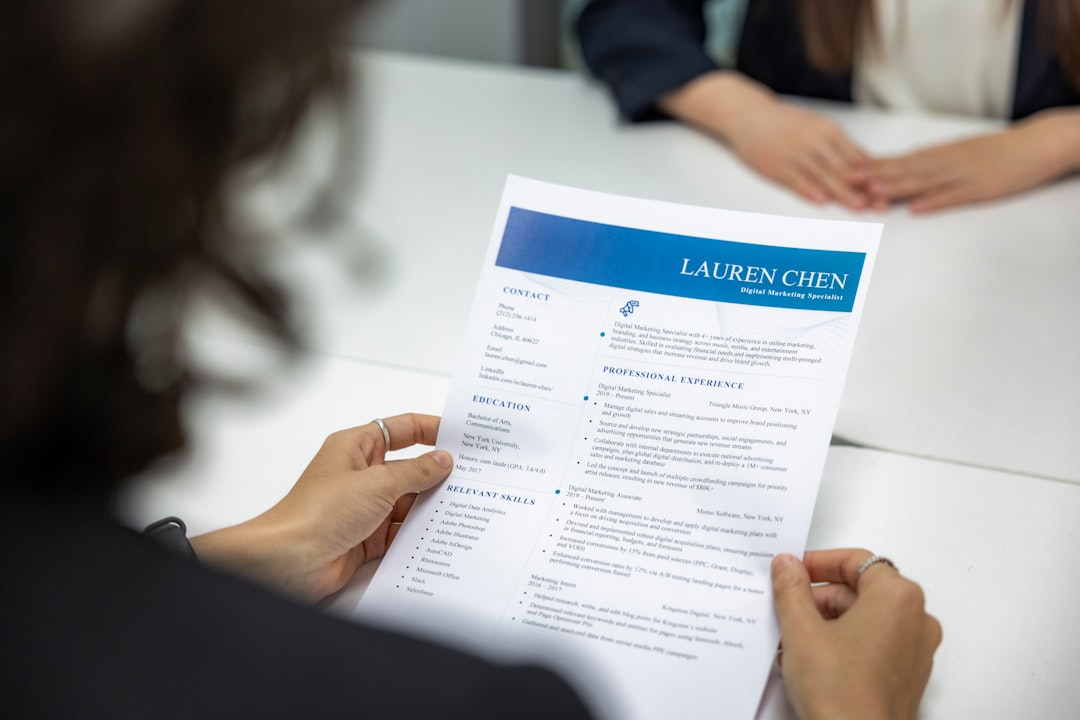
A resume is a one-page argument for your candidacy, and design decides whether that argument is read at all. Recruiters skim, applicant tracking systems parse, and hiring managers compare dozens of documents in a single sitting. Strong resume design principles remove every obstacle between your experience and the reader’s understanding. Resumes fail when they crowd the page, hide the structure behind decorative graphics, or use fonts and layouts that machines cannot read. They succeed when structure is obvious, text is legible, and the eye is guided straight to what matters.
The key principles of resume design
These seven principles work together. Hierarchy and white space make the page scannable; ATS-safe structure makes it machine-readable; restraint in type and graphics keeps it professional. Here is the quick reference.
| Principle | Why it matters |
|---|---|
| Clear hierarchy | Guides the recruiter’s eye from name to sections to details in seconds. |
| ATS-friendly layout | Single-column, text-based structure parses cleanly into applicant tracking systems. |
| One font family | A single typeface in two or three weights reads as polished, not cluttered. |
| Consistent alignment and spacing | Repeated grid and rhythm signal attention to detail. |
| Generous white space | Breathing room reduces fatigue and makes content feel manageable. |
| Legible body text | 10-12pt type ensures every line is readable on screen and in print. |
| One page (early-career) | Forces ruthless editing and respects the recruiter’s time. |
1. Clear hierarchy — name first, then sections, then details
Your name should be the largest element on the page, followed by section headers (Experience, Education, Skills), then job titles, then bullet details. This descending scale of size and weight creates an obvious reading order. A recruiter glancing at the top-left should immediately know who you are and what you do. Use size, weight, and spacing — not color alone — to express rank, because a strong visual hierarchy survives even when the document is printed in grayscale or parsed as plain text.
2. ATS-friendly layout — keep machines reading
Most applications pass through an applicant tracking system before a human sees them. These systems read top-to-bottom, left-to-right, and stumble on multi-column grids, text boxes, tables, and headers placed in the document margin. Use a single-column layout, standard section labels, and real text rather than text baked into images. Save and submit as a text-based PDF unless a Word file is requested. A beautiful resume that the ATS scrambles into nonsense never reaches the hiring manager.
3. One font family — restraint reads as competence
Choose one professional typeface and express variety through weight and size rather than mixing faces. A clean sans-serif such as a humanist grotesque works well on screen; a refined serif can suit traditional fields. Use bold for names and headers, regular for body text, and reserve italics for the occasional title or publication. Mixing three or four fonts signals indecision. If terms like weight, tracking, and leading are unfamiliar, our typography glossary explains the vocabulary you need to make confident choices.
4. Consistent alignment and spacing — the invisible grid
Every date, bullet, and header should align to the same invisible columns. If your job titles are left-aligned, keep dates consistently right-aligned across every entry. Maintain identical spacing between sections and identical indentation for bullets. Inconsistency — a stray tab, an extra blank line, a heading nudged out of column — reads as carelessness even when the reader cannot name what feels off. Set up a spacing system early and apply it everywhere.
5. Generous white space — let the page breathe
Cramming ten years of experience into dense, edge-to-edge text makes a resume exhausting to read. White space around sections and comfortable line spacing give the eye places to rest and make the document feel confident rather than desperate. Keep margins at least half an inch, and resist filling every gap. Strategic emptiness is a feature, not wasted space; learn how deliberate white space improves comprehension across any layout.
6. Legible body text — never sacrifice readability
Body text should sit between 10 and 12 points. Smaller than 10pt strains the eye and signals you are forcing too much onto the page; larger than 12pt wastes space and looks juvenile. Keep line length comfortable and line spacing slightly open so bullets do not collide. Bold a few key results — a metric, a promotion, a flagship project — but never bold so much that emphasis loses meaning.
7. One page for early-career — edit ruthlessly
If you have fewer than ten years of experience, aim for a single page. The constraint is a gift: it forces you to cut filler, lead with achievements, and quantify impact instead of listing duties. Senior professionals and academics may justify two pages, but every line must earn its place. A focused one-pager almost always outperforms a padded two-pager because it respects the six-second scan.
Common resume design mistakes to avoid
- Using multi-column layouts, sidebars, or text boxes that ATS software cannot parse correctly.
- Adding photos, charts, icons, or graphics that break parsing and distract from substance.
- Shrinking body text below 10pt or eliminating margins to fit more content.
- Mixing several fonts, colors, and alignment styles so the page looks busy and inconsistent.
Frequently Asked Questions
What are the most important resume design principles?
The most important principles are clear hierarchy, an ATS-friendly single-column layout, one font family, and generous white space. Together they make your resume both machine-readable and instantly scannable by a recruiter, ensuring your strongest qualifications surface within the first few seconds of attention.
What size and length should a resume be?
Use standard US Letter (8.5 x 11 inches) or A4 page size with margins of at least half an inch. Early-career candidates should keep to one page; professionals with extensive history may use two. Body text should be 10-12pt for reliable legibility on screen and in print.
Should a resume include color or graphics?
A single restrained accent color for headers is fine, but avoid heavy graphics, photos, charts, or icons. Many applicant tracking systems cannot read text embedded in images, and decorative elements distract from your accomplishments. Let typography and structure carry the design instead.
Which font is best for a resume?
Choose one clean, professional typeface and use it throughout. A humanist sans-serif reads well on screen and through ATS parsing, while a classic serif suits traditional industries. The specific font matters less than using a single family consistently in a few weights and sizes.
How do I make my resume pass an ATS?
Use a single-column layout, standard section headings like Experience and Education, real selectable text rather than images, and a text-based PDF. Avoid tables, text boxes, and margin headers. These choices follow broader design principles that keep documents both readable and parseable.