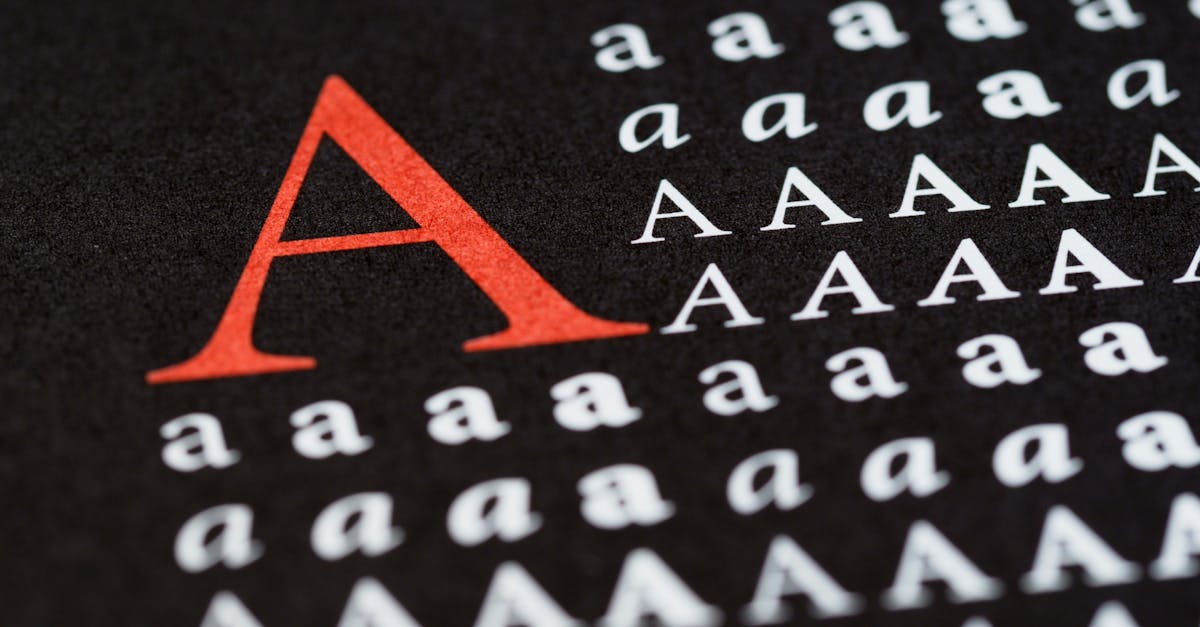
Switzer Font: The Free Swiss-Inspired Sans by Fontshare
The Switzer font has become one of the most quietly important releases in the free font space. Published by Fontshare in 2021, Switzer is a neo-grotesque sans-serif that draws directly from the Swiss typographic tradition — the same lineage that produced Helvetica, Univers, and Akkurat. What makes Switzer remarkable is not that it exists (there are hundreds of sans-serifs available for free), but that it exists at this level of quality: 18 styles, clean construction, a neutral but not lifeless personality, and enough polish to compete with commercial typefaces that cost hundreds of dollars. For designers who need a professional Swiss-style sans-serif without a licensing fee, Switzer is increasingly the answer.
But how good is the Switzer font in practice? How does it compare to Helvetica, Inter, and other neo-grotesque options? What are its strengths and limitations, and how should you pair it? This guide covers everything designers and developers need to know about Switzer.
Quick Facts About the Switzer Font
- Designer: Indian Type Foundry for Fontshare
- Year Released: 2021
- Classification: Neo-grotesque / Swiss sans-serif
- Foundry: Indian Type Foundry (distributed via Fontshare)
- Weights: Thin, Extra Light, Light, Regular, Medium, Semi-Bold, Bold, Extra-Bold, Black (9 weights)
- Styles: 18 total (9 uprights + 9 italics)
- Cost: Free (Fontshare license — free for personal and commercial use)
- Best For: Corporate design, editorial layouts, web typography, UI design, branding, presentations
The Story Behind Switzer: Fontshare’s Mission and the Free Font Revolution
Why Fontshare Exists
Switzer cannot be understood outside the context of Fontshare, the platform that created and distributes it. Fontshare is a free font service launched by the Indian Type Foundry (ITF), one of India’s most respected type design studios. ITF has been producing commercial typefaces for years, but Fontshare represents something different: a curated collection of high-quality fonts made available at no cost, with licensing terms that allow both personal and commercial use.
The idea behind Fontshare was to address a persistent gap in the free font ecosystem. Google Fonts had proven there was enormous demand for free typefaces, but many of Google’s offerings — particularly in the early years — were inconsistent in quality. Some were excellent; many were mediocre. Fontshare’s approach was more selective: fewer fonts, but each one designed to a professional standard. Switzer was one of the platform’s earliest and most successful releases, and it embodies this philosophy perfectly.
Switzer’s Design Intent
The name “Switzer” is a direct nod to Switzerland — and more specifically, to the Swiss Style of graphic design (also known as the International Typographic Style) that emerged from Basel and Zurich in the 1950s and 1960s. This movement, championed by designers like Josef Muller-Brockmann, Max Bill, and Adrian Frutiger, emphasized objectivity, mathematical grids, clean sans-serif typography, and the belief that design should communicate without personal expression getting in the way. Helvetica was its defining typeface.
Switzer was designed to carry this tradition forward into the digital age, but with a few key differences. Where Helvetica can feel rigid and slightly cold (especially at text sizes on screen), Switzer introduces subtle warmth through its proportions and spacing. The goal was not to replicate Helvetica but to capture the spirit of Swiss typography — clarity, neutrality, professionalism — in a typeface that works seamlessly in contemporary digital contexts.
Design Characteristics of the Switzer Font
Switzer’s design sits squarely in the neo-grotesque tradition, but the Indian Type Foundry team made specific decisions that distinguish it from both its historical predecessors and its contemporary competitors. Understanding these details helps explain why the Switzer typeface feels the way it does — and where it works best.
Clean Neo-Grotesque Construction
At its foundation, Switzer follows the neo-grotesque blueprint: minimal stroke contrast, an upright axis, and a general sense of geometric rationality without being purely geometric. The letters feel engineered rather than handwritten — there is almost no trace of the pen or calligraphic tradition in Switzer’s forms. This gives the typeface its characteristic sense of order and objectivity, making it suitable for contexts where design needs to recede and let content speak.
Even Stroke Weight
Across the entire character set, Switzer maintains remarkably consistent stroke thickness within each weight. The difference between thick and thin strokes is minimal — a defining trait of the grotesque and neo-grotesque tradition. This uniformity gives Switzer a sense of visual consistency that holds up across different sizes and applications. Whether you are setting a paragraph of body text or a headline at 72 pixels, the typeface maintains the same fundamental character.
Large x-Height
Like most modern sans-serifs designed with screen use in mind, Switzer features a large x-height relative to its cap height. This proportion increases the apparent size of lowercase letters, which in turn improves readability at small sizes — critical for body text on websites, mobile interfaces, and dense editorial layouts. The x-height is generous without being extreme; Switzer avoids the slightly cramped vertical feel that can occur when x-heights are pushed too high.
Slightly Squared Curves
One of the most distinctive design details in Switzer is its subtly squared curves. Look closely at the bowls of letters like “b,” “d,” “p,” and “q,” and at the rounded forms of “o,” “c,” and “e” — they are not perfectly circular. Instead, they carry a very slight squaring that gives the typeface a contemporary, engineered quality. This is a design choice shared by several modern grotesques (Akkurat uses a similar approach), and it helps Switzer feel current rather than like a strict revival of mid-century forms.
Professional Neutrality Without Sterility
The most difficult design challenge for any neo-grotesque is achieving neutrality without becoming boring. Helvetica, for all its strengths, can feel lifeless in certain applications — particularly in digital contexts at text sizes. Switzer threads this needle effectively. Its proportions are conventional enough to feel invisible (you rarely notice Switzer calling attention to itself), but the slightly squared curves, well-tuned spacing, and considered proportions give it just enough personality to avoid sterility. It is a typeface that designers describe as “clean” rather than “cold.”
The 18-Style Family
For a free typeface, Switzer’s weight range is exceptional. Nine weights from Thin to Black, each with a matching italic, give designers genuine flexibility. The Thin and Extra Light weights work well for large display text and elegant branding applications. The Regular and Medium weights handle body text across print and digital. Semi-Bold and Bold provide clear typographic hierarchy without switching typefaces. And the Extra-Bold and Black weights deliver impact for headlines, posters, and display contexts. Many free fonts offer four to six styles at most; Switzer’s eighteen styles put it on par with commercial families that typically cost several hundred dollars for a full license.
Switzer vs. Helvetica vs. Inter: A Practical Comparison
Three sans-serifs, three different philosophies — but all frequently compared. Here is how Switzer stacks up against Helvetica and Inter, the two typefaces it is most often measured against.
Switzer vs. Helvetica
Helvetica is the archetype of the neo-grotesque genre, designed by Max Miedinger and Eduard Hoffmann in 1957. Switzer draws from the same tradition but is not a Helvetica clone. Key differences: Switzer has slightly more open apertures than Helvetica, improving readability at small screen sizes. Switzer’s curves are subtly more squared, giving it a more contemporary feel. Helvetica’s spacing was designed primarily for phototypesetting and has been adapted (not always successfully) for digital use; Switzer was designed natively for digital environments, so its spacing and hinting are optimized for screens from the start.
The practical difference is cost and accessibility. Helvetica (specifically Helvetica Neue and Neue Haas Grotesk) requires a commercial license that can run into hundreds of dollars for full web and desktop use. Switzer is free. For many projects — particularly startups, small businesses, and independent designers — Switzer delivers 90 percent of Helvetica’s professional authority at zero percent of the cost.
Switzer vs. Inter
Inter is a humanist sans-serif designed specifically for screen interfaces, while Switzer is a neo-grotesque designed for broader applications. They serve different purposes. Inter has wider open apertures, a warmer character, tabular figures by default, and extensive OpenType features built for UI contexts. Switzer is cooler, more neutral, and more versatile across print and digital — it feels equally at home on a business card as it does on a website. Inter is the better choice for data-heavy interfaces and developer tools. Switzer is the better choice when you want Swiss-style authority and restraint across a full brand identity.
When to Choose Switzer
Choose Switzer when you need a typeface that conveys professionalism, neutrality, and European design sensibility without a licensing fee. Choose Helvetica when budget is not a constraint and you want the original — particularly for print-heavy brand work where Helvetica’s legacy carries cultural weight. Choose Inter when your primary use case is screen-based UI design and you need maximum legibility in data-dense interfaces.
Best Switzer Font Pairings
Switzer’s neutral character makes it an exceptionally flexible pairing partner. Its restraint means it rarely clashes with other typefaces, and its Swiss sensibility provides a clean foundation for more expressive companions. Here are the strongest combinations. Learn more about font pairing principles.
Switzer + Playfair Display
This pairing combines Switzer’s rationality with Playfair Display’s high-contrast elegance. Use Playfair Display for headlines and Switzer for body text to create an editorial layout that feels both sophisticated and readable. The contrast between Playfair’s ornate serifs and Switzer’s clean lines creates strong visual hierarchy. This combination is particularly effective for luxury branding, editorial websites, and premium content platforms.
Switzer + Libre Baskerville
Libre Baskerville is a free transitional serif with excellent screen readability. Paired with Switzer, it creates a classic serif-and-sans-serif combination with a slightly academic or institutional feel. Use Switzer for navigation, labels, and UI elements, and Libre Baskerville for longform body text — or reverse the roles for a more modern feel.
Switzer + Source Serif Pro
Adobe’s open-source serif paired with Switzer produces a combination that feels corporate but approachable. The two typefaces share a similar level of refinement and professionalism, making them feel like they belong together without being too similar. This pairing works well for annual reports, corporate websites, and business communications.
Switzer + Recoleta
For brands that want warmth alongside Swiss professionalism, pairing Switzer with Recoleta creates an interesting tension. Recoleta’s soft, rounded serifs and retro personality contrast sharply with Switzer’s crisp neutrality. Use Recoleta for display headlines and Switzer for everything else. The result feels contemporary and distinctive — particularly effective for lifestyle brands, creative agencies, and hospitality.
Switzer + Instrument Serif
Instrument Serif, another Fontshare release, pairs naturally with Switzer because both were designed with similar quality standards and digital-first intentions. Instrument Serif provides elegant, high-contrast headlines while Switzer handles supporting text with quiet efficiency. This all-Fontshare combination is entirely free and produces results that rival commercial pairings.
Switzer + Satoshi
Pairing two sans-serifs is risky, but Switzer and Satoshi (also from Fontshare) work because they occupy different parts of the sans-serif spectrum. Satoshi is a geometric grotesque with a distinctly modern, slightly quirky personality, while Switzer is a straight neo-grotesque. Using Satoshi for headlines and Switzer for body text creates a layout that is entirely sans-serif but still maintains clear typographic hierarchy.
Switzer + Bodoni Moda
For maximum contrast, pair Switzer with a Didone serif like Bodoni Moda. The extreme difference between Bodoni’s hairline serifs and dramatic stroke contrast and Switzer’s uniform, unadorned construction creates a striking visual dynamic. This is a pairing for fashion, luxury, and high-end editorial — contexts where drama and sophistication are expected.
Switzer + General Sans
General Sans, another Fontshare offering, shares Switzer’s Swiss roots but leans slightly more geometric and contemporary. Using General Sans for display and Switzer for text (or vice versa) creates a subtle tonal shift within the same design language. This is a good option for tech companies, startups, and digital products that want variety within a cohesive sans-serif system.
Where the Switzer Font Works Best
Corporate and Business Design
Switzer’s neutral, professional character makes it an obvious choice for corporate applications — business cards, letterheads, presentations, pitch decks, and internal documents. Its Swiss DNA communicates competence and reliability without being flashy or trendy. For small businesses and startups that cannot afford custom typography or expensive commercial licenses, Switzer provides a genuinely professional foundation at no cost.
Editorial and Content Design
With nine weights available, Switzer can handle the typographic complexity of editorial layouts. Use lighter weights for pull quotes, Regular for body text, and Bold or Extra-Bold for headlines. The consistent design quality across all weights means you can build an entire publication’s typographic system from Switzer alone, or pair it with a single serif for additional contrast.
Web Design and UI
Switzer’s digital-native design and screen-optimized spacing make it a strong choice for website typography. It performs well as a heading font, a navigation font, or a body text font — though designers who need extensive OpenType features for data-heavy interfaces may prefer Inter. For marketing sites, portfolios, blogs, and general web applications, Switzer’s clean character and fast loading (as a free font, it can be self-hosted without licensing complications) make it practical and effective.
Branding and Identity
The growing adoption of Switzer in brand identity work reflects designers’ recognition that the typeface carries Swiss design authority without the over-familiarity of Helvetica. While Helvetica’s ubiquity can make brands feel generic (it is used by everyone from American Airlines to Jeep to Crate & Barrel), Switzer offers a similar aesthetic position with more distinctiveness. As awareness of the typeface grows, this advantage may diminish — but for now, Switzer offers a way to look polished and European-influenced without defaulting to the obvious choice.
Alternatives to the Switzer Font
Depending on your project’s requirements, budget, and aesthetic goals, these typefaces occupy similar territory to Switzer and are worth considering. See our full list of the best sans-serif fonts for more options.
Inter (Free)
Inter is the strongest free alternative if your primary use case is screen-based UI design. It was built specifically for interfaces and includes features like tabular figures, contextual alternates, and case-sensitive punctuation that Switzer does not prioritize. Inter is warmer and more humanist than Switzer — less Swiss, more Silicon Valley. Choose Inter for apps, dashboards, and developer tools; choose Switzer for broader design applications where neutrality matters more than UI-specific optimization.
Helvetica (Commercial)
Helvetica remains the benchmark for neo-grotesque sans-serifs. If budget allows and the project demands the cultural weight and universal recognition that only Helvetica carries, nothing else truly substitutes. Neue Haas Grotesk — the refined version that returns to Helvetica’s original design intent — is the specific variant most comparable to Switzer in terms of quality and detail. But the licensing cost is significant, and for many projects, the practical differences between Helvetica and Switzer do not justify the expense.
Akkurat (Commercial)
Akkurat, designed by Laurenz Brunner and published by Lineto, is arguably the typeface that Switzer most closely echoes in spirit. Akkurat’s slightly squared curves, rational construction, and contemporary Swiss sensibility were influential across the design world in the 2010s, and traces of its approach are visible in Switzer’s design. Akkurat remains the premium option for designers who want this specific aesthetic and are willing to pay for it — its detailing and character are more refined than Switzer’s at close inspection.
Neue Haas Grotesk (Commercial)
Neue Haas Grotesk is Helvetica as it was originally intended — before decades of modifications, adaptations, and digitizations altered the design. Released by Commercial Type as a careful restoration, it is the most historically faithful Swiss neo-grotesque available. For projects that demand authenticity and heritage rather than modernity, Neue Haas Grotesk is the right choice. It is a commercial font with corresponding licensing costs.
Frequently Asked Questions About the Switzer Font
Is Switzer free for commercial use?
Yes. Switzer is available through Fontshare under a license that permits both personal and commercial use at no cost. You can use it in client projects, on commercial websites, in products, and in print materials without paying a licensing fee. The Fontshare license does have some specific terms (it is not the same as the SIL Open Font License used by Google Fonts), so designers should read the full license text on the Fontshare website to confirm compliance for specific use cases.
How do I use Switzer on a website?
You can download the font files from Fontshare and self-host them on your web server using standard CSS @font-face declarations. Fontshare also provides embed codes that let you link to their CDN, similar to how Google Fonts works. Self-hosting gives you more control over performance and loading behavior, while using the Fontshare CDN is simpler to implement. Either approach works well for production websites.
What is the difference between Switzer and Helvetica?
Both are neo-grotesque sans-serifs rooted in the Swiss typographic tradition, but they are distinct designs. Switzer has slightly more open apertures, subtly squared curves, and was designed natively for digital use. Helvetica was designed in 1957 for phototypesetting and has been adapted for digital contexts. Switzer is free; Helvetica requires a commercial license. In most web and digital applications, the practical differences are subtle, and Switzer performs as well as or better than Helvetica at screen sizes. Learn more about typographic classification and history.
Can I use Switzer in Figma, Adobe Illustrator, or other design software?
Yes. Download the desktop font files (OTF or TTF) from Fontshare and install them on your computer. Once installed, Switzer will appear in the font menus of Figma, Adobe Illustrator, Photoshop, InDesign, Sketch, Affinity Designer, and any other application that accesses your system’s installed fonts. All 18 styles will be available for use in your design projects immediately after installation.
Final Verdict: Is the Switzer Font Worth Using?
The Switzer font represents a genuine milestone in free typography. A decade ago, getting a Swiss-style neo-grotesque with this level of quality, this many weights, and this degree of professional polish required a commercial license costing several hundred dollars. Switzer delivers that level of typography at no cost, and it does so without the compromises — inconsistent spacing, limited weights, poor screen rendering — that used to define free alternatives.
Switzer is not perfect. It lacks the deep OpenType feature set of Inter, the cultural legacy of Helvetica, or the obsessive refinement of a boutique commercial release like Akkurat. Designers working at the highest end of brand identity and editorial design may still find these premium options worth their cost. But for the vast majority of design work — corporate communications, web design, UI, branding for startups and small businesses, editorial content, presentations — Switzer is not just good enough. It is genuinely good.
As part of Fontshare’s growing library, Switzer also represents something larger: a shift in the type industry toward high-quality free fonts that challenge the assumption that good typography requires a significant financial investment. For designers who care about Swiss-style design but work within real-world budgets, the Switzer font is one of the best options available today.


