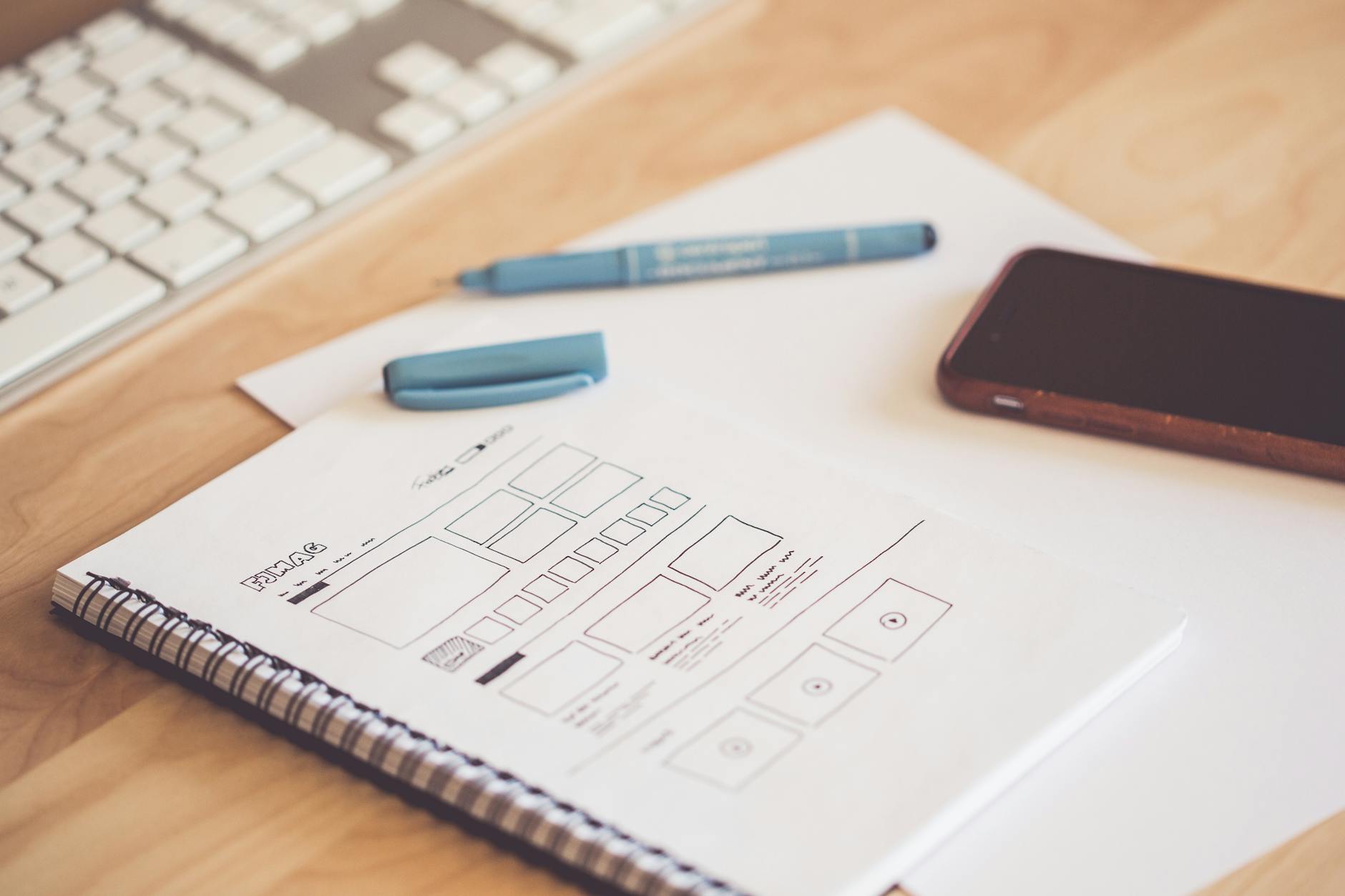
Wireframe vs Mockup: What’s the Difference?
In every design project, there is a point where ideas need to become visual. The question is how detailed that visual should be, and that is where understanding the wireframe vs mockup distinction matters. A wireframe is a low-fidelity skeleton that maps out structure and layout without visual design. A mockup is a high-fidelity, pixel-perfect representation that shows exactly how the final product will look. Both serve critical but different roles in the design thinking process, and skipping either one can lead to costly rework down the line.
What Is a Wireframe?
A wireframe is a simplified, low-fidelity representation of a page or screen’s layout. Think of it as the architectural blueprint of a design. It focuses entirely on structure, content placement, and user flow, deliberately leaving out colors, typography choices, images, and branding.
What a Wireframe Includes
- Layout structure: Where headers, content areas, sidebars, and footers are positioned
- Content hierarchy: Which elements are most prominent and how information is organized
- Navigation: How users move between pages or screens
- Placeholder content: Gray boxes for images, lorem ipsum or labels for text
- Functional annotations: Notes explaining how interactive elements should behave
What a Wireframe Leaves Out
- Colors (typically rendered in grayscale)
- Actual images and illustrations
- Typography choices (often uses a single generic font)
- Visual styling and branding
- Micro-interactions and animations
Wireframes are intentionally plain. By stripping away visual polish, they force conversations about functionality, information architecture, and user goals rather than subjective opinions about color or font choices.
Fidelity Levels
Wireframes themselves range in fidelity:
- Low-fidelity wireframes: Quick hand sketches or simple digital outlines. Ideal for brainstorming and early-stage exploration.
- Mid-fidelity wireframes: More refined digital layouts with accurate proportions and realistic content placement. These are the most common wireframes shared with stakeholders and developers.
What Is a Mockup?
A mockup is a high-fidelity, static visual design that represents the final look and feel of a product. It includes real colors, typography, images, icons, and branding elements. A mockup answers the question, “What will this actually look like when it is built?”
What a Mockup Includes
- Visual design: Final color palette, typography, and styling
- Real content: Actual images, copy, and data (or realistic placeholders)
- Brand elements: Logos, icons, and design system components
- Pixel-perfect detail: Exact spacing, alignment, and sizing
- Multiple states: How buttons look on hover, active inputs, error states
What a Mockup Does Not Include
- Interactivity (clicking buttons does not navigate anywhere)
- Animations or transitions
- Responsive behavior across screen sizes
A mockup is essentially a screenshot of the future product. It looks real but is not functional. This makes it an ideal artifact for getting visual design approval before investing in development or interactive prototyping.
Key Differences Between Wireframes and Mockups
The wireframe vs mockup difference comes down to purpose, fidelity, and timing in the design process.
- Fidelity: Wireframes are low to mid fidelity. Mockups are high fidelity.
- Focus: Wireframes focus on structure and function. Mockups focus on visual design and aesthetics.
- Timing: Wireframes come first in the design process. Mockups come after the structure is validated.
- Speed: Wireframes are fast to create and easy to change. Mockups take more time because every visual detail matters.
- Audience: Wireframes are primarily for the design team, developers, and product stakeholders. Mockups are often shared with clients, executives, and marketing teams who need to see the final vision.
- Feedback type: Wireframes generate feedback about layout, flow, and content priority. Mockups generate feedback about colors, typography, imagery, and brand alignment.
Wireframe vs Mockup vs Prototype
The full wireframe vs mockup vs prototype progression represents three stages of design fidelity:
- Wireframe: Low-fidelity structure. Answers “Where does everything go?”
- Mockup: High-fidelity visual. Answers “What does it look like?”
- Prototype: Interactive simulation. Answers “How does it work?”
A prototype builds on the mockup by adding interactivity. Users can click buttons, navigate between screens, fill out forms, and experience the product flow before any code is written. Prototypes are essential for usability testing and validating design decisions with real users.
Not every project requires all three artifacts. Simple landing pages might skip wireframes entirely. Internal tools might skip polished mockups. But for complex products, moving through all three stages reduces risk and ensures alignment between stakeholders, designers, and developers.
When to Create Each
Create Wireframes When
- You are starting a new project and need to explore layout options
- The information architecture or user flow is complex and needs validation
- You want to get stakeholder alignment on structure before investing in visual design
- The team needs to discuss functionality and content priority without getting distracted by aesthetics
- You are working on UX design and need to test navigation patterns
Create Mockups When
- The wireframes have been approved and the structure is finalized
- You need client or executive approval on the visual direction
- Developers need pixel-perfect specifications for implementation
- Marketing needs visuals for presentations, pitch decks, or pre-launch materials
- You are establishing or applying a visual design system
Tools for Wireframes and Mockups
Wireframe Tools
- Balsamiq: Purpose-built for wireframing with a deliberately sketch-like aesthetic that keeps the focus on structure
- Whimsical: Clean, fast wireframing with built-in flowcharts and mind maps
- Figma: While primarily a full design tool, Figma works well for wireframes using simple shapes and grayscale palettes
- Pen and paper: Still one of the fastest ways to explore early ideas
Mockup Tools
- Figma: The industry standard for collaborative interface design, supporting everything from wireframes to high-fidelity mockups and prototypes
- Sketch: A macOS design tool popular for creating detailed mockups with a robust plugin ecosystem
- Adobe XD: Combines mockup creation with prototyping features in a single application
- Photoshop: Still used for mockups that require heavy image editing or complex visual effects
Many teams use a single tool like Figma for the entire workflow, starting with low-fidelity wireframes and progressively adding visual detail until the file becomes a complete mockup. This approach keeps everything in one place and makes it easy to trace design decisions back to their structural origins.
Best Practices for Wireframes and Mockups
Regardless of the tools you use, following a few principles will improve the quality and usefulness of both deliverables.
Wireframe Best Practices
- Start on paper. Sketching with a pen before opening any software lets you explore ideas quickly without getting bogged down in alignment and pixel details.
- Use consistent placeholder styles. Gray rectangles for images, simple lines for text, and standard symbols for icons help stakeholders focus on layout rather than aesthetics.
- Annotate generously. Wireframes should include notes explaining what each element does, what content it contains, and how it behaves on interaction. Annotations prevent misinterpretation when the wireframe is reviewed without you in the room.
- Design for the most complex scenario. If a product listing page might have five items or fifty, wireframe the fifty-item version. Designing for edge cases at the wireframe stage prevents layout breakdowns later.
- Keep versions organized. Label wireframe iterations clearly (v1, v2, v3) and archive older versions rather than deleting them. This history is valuable when explaining design decisions to stakeholders or revisiting earlier ideas.
Mockup Best Practices
- Follow your design system. If you have an established component library, build mockups from those components rather than designing one-off elements. This ensures consistency and speeds up development.
- Show realistic content. Mockups with actual headlines, product images, and user data are far more useful than those filled with lorem ipsum. Realistic content reveals layout issues that placeholders hide.
- Design key states. A button needs hover, active, disabled, and loading states. An input field needs empty, focused, filled, and error states. Mockups that only show the default state leave developers guessing about everything else.
- Consider responsiveness. Even though mockups are static, creating versions for desktop, tablet, and mobile screen sizes communicates how the layout should adapt. This is essential for any project built on responsive web design principles.
- Organize your layers. Clean, well-named layers and groups in your design file make handoff to developers smoother and reduce back-and-forth questions during implementation.
Frequently Asked Questions
Can I skip wireframes and go straight to mockups?
You can, and some designers do, especially for small projects or when working with well-established design systems. However, skipping wireframes for complex projects risks investing significant time in visual polish before the structure is validated. If a layout problem is discovered at the mockup stage, fixing it requires redoing detailed design work rather than simply rearranging boxes.
Do I need to create wireframes for every page?
Not necessarily. Focus wireframing efforts on key pages and unique layouts. For pages that follow a standard template, like blog posts or product listing pages, one wireframe can represent the pattern. Prioritize wireframes for the homepage, main landing pages, complex forms, and any page with unusual functionality.
Should wireframes include real content?
Using real content in wireframes is ideal because it reveals problems that placeholder text hides, such as headlines that are too long, descriptions that do not fit the layout, or content sections that lack enough material to fill the space. When real content is not available, use realistic approximations rather than generic lorem ipsum.
What is the difference between a mockup and a prototype?
A mockup is a static image that shows what the design looks like. A prototype adds interactivity, allowing users to click, scroll, and navigate between screens. Mockups are for visual approval. Prototypes are for testing usability and user flows. Learn more in our detailed mockup vs prototype comparison.


