Typography Spacing: Kerning, Tracking and Leading
Typography spacing is the set of relationships that make type feel even and effortless to read: the space between individual letter pairs (kerning), the uniform space across a run of text (tracking), and the vertical space between lines (leading). Mixing up these terms is the single most common source of confused type advice. This guide defines each precisely, shows when to adjust it and when to leave it alone, and gives concrete values you can apply on screen or in print.
It’s part of our complete web typography guide, and it goes deeper on the vocabulary that the line height and letter spacing guide applies in practice.
The three kinds of spacing, defined
Get these straight and every spacing decision becomes clearer:
- Kerning — adjusting the space between two specific letters so problem pairs (like “AV”, “To”, “We”) don’t look gapped or crowded. It’s a per-pair fix.
- Tracking — adding or removing uniform space across a whole run of letters. On the web this is the
letter-spacingproperty. - Leading — the vertical space between baselines of consecutive lines. On the web this is
line-height. (The word comes from the strips of lead typesetters once inserted between lines.)
The quick distinction: kerning is between two letters, tracking is across many letters, leading is between lines. Word spacing — the gap between words — is a fourth, less-adjusted relationship.
Kerning: usually the font’s job
Modern fonts ship with kerning tables — built-in instructions for hundreds or thousands of letter pairs — so you rarely kern by hand. On the web, make sure the browser uses those tables: font-kerning: normal is the default in modern browsers, and enabling standard ligatures and kerning via text-rendering: optimizeLegibility or font-feature-settings can help in edge cases.
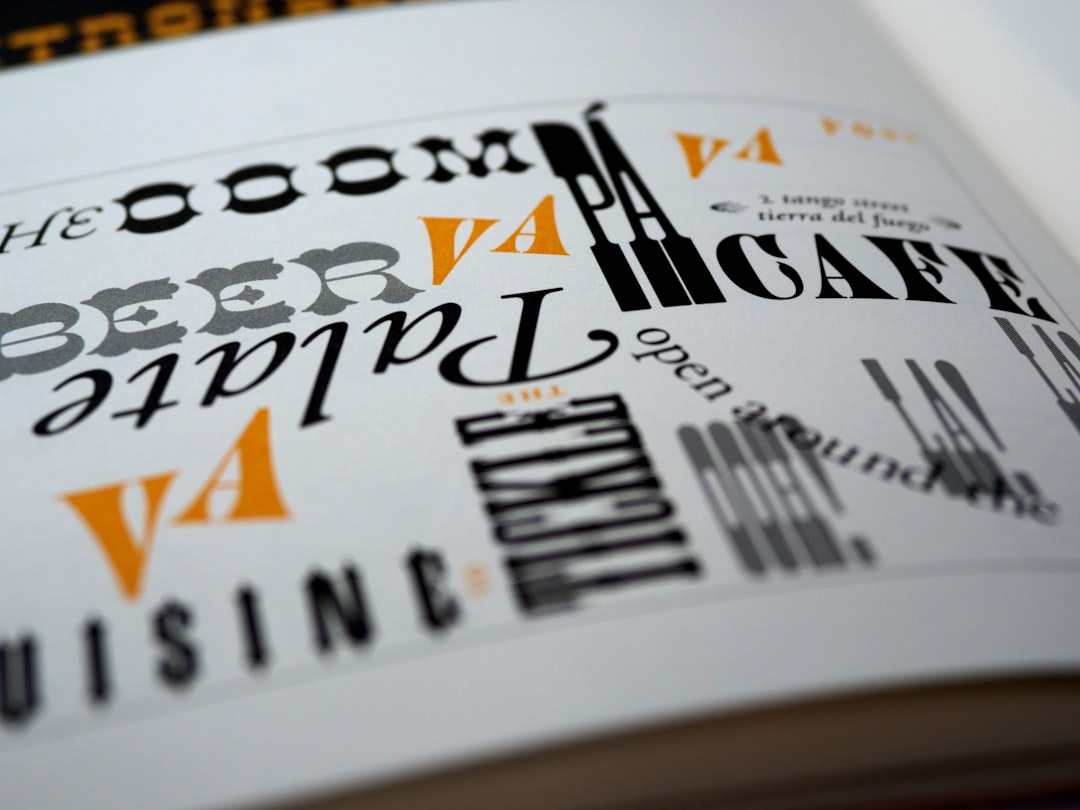
Manual kerning matters mainly for large display type and logos, where the gaps between specific pairs are big enough to see and to bother the eye. At body sizes, the font’s automatic kerning is more than good enough — trust it and move on. A classic tell of amateur logo work is a wordmark where “T” and “o” sit too far apart because no one closed the pair by hand.
Tracking: restraint at small sizes, taste at large
Tracking (CSS letter-spacing) follows a simple inverse rule of thumb: the larger the type, the more you can tighten it; the smaller the type, the more it benefits from a little extra space.
- Body text: leave it at
normal. The font is already spaced for reading at text sizes. - All-caps: add positive tracking, roughly
0.05em–0.1em. Capitals are drawn to live inside mixed-case words and look cramped when set solid. - Small text and labels: a small positive value (
0.01em–0.03em) can lift legibility. - Large display headings: a slight negative value (
-0.01em–-0.02em) tightens oversized type that otherwise looks loose.
Always use em units so the tracking scales with the font size. And resist the urge to track out body paragraphs for a “designed” look — it reduces word cohesion and slows reading.
Leading: the readability workhorse
Leading (CSS line-height) does more for readability than kerning and tracking combined. Set it unitless so it scales with font size:
- Body: 1.4–1.6 (1.5 default).
- Headings: 1.1–1.25 — big type needs tighter leading.
- Captions / small text: 1.4–1.5 — proportionally generous.
Leading interacts tightly with line length: the longer the measure, the more leading the eye needs to track back to the next line. Keep body measure to 60–75 characters and 1.5 leading and you’ve solved most readability problems at once. The full leading-and-measure rules are in line height and letter spacing best practices.
Word spacing and other relationships
Beyond the big three, a couple more spacing relationships occasionally need attention:
- Word spacing (
word-spacing) — rarely adjusted; the font’s default space glyph is usually correct. Tiny tweaks can help all-caps or condensed type. - Paragraph spacing — the gap between paragraphs (a margin), distinct from leading within a paragraph. A blank-line gap (~1–1.5em) is the web standard.
- Justification — on the web, avoid justifying body text; without print-grade hyphenation it opens uneven “rivers” of white space. Left-align.
Spacing in print vs on screen
The concepts are identical, but the controls and tolerances differ. In print (InDesign, Illustrator), kerning and tracking are measured in thousandths of an em and you have fine manual control plus optical kerning. On the web you have CSS properties (letter-spacing, line-height, word-spacing) and you should rely more on the font’s built-in metrics, because you can’t predict every rendering environment. The biggest practical difference: print is a fixed canvas, so you can hand-tune to perfection, while web type must hold up across devices, zoom levels, and font fallbacks.
Spacing for logos and display type
Spacing decisions get far more deliberate at large sizes and in logos, where every gap is visible. This is the one context where manual kerning genuinely matters. In a wordmark, the goal is optically even spacing — not mathematically equal gaps, but gaps that look equal to the eye, which often means closing pairs like “To”, “Va”, and “We” and opening up pairs like “II” or adjacent round letters. Set the word at a large size, blur your eyes, and look for spots that read as too tight or too loose; those are the pairs to fix.
Tracking also plays a role in display work: oversized headlines frequently benefit from slight negative tracking to counter the looseness that creeps in at large sizes, while all-caps lockups and taglines usually need positive tracking to breathe. The combination of hand-kerned pairs and considered tracking is a large part of what separates a professional wordmark from a default-spaced one.
How spacing affects tone and brand
Spacing isn’t only functional — it carries tone. Tight tracking and snug leading feel modern, confident, and editorial. Open tracking and generous leading feel luxurious, calm, and premium (think the airy spacing of high-end fashion and beauty brands). Cramped spacing reads as cheap or rushed; excessively loose spacing on body text reads as disconnected and hard to follow. Choosing spacing deliberately, in service of the brand’s voice, is part of treating typography as design rather than as default settings.
A quick spacing checklist
- Body leading 1.5, measure 60–75ch,
letter-spacing: normal. - All-caps tracked out to ~0.08em.
- Headlines leading 1.15, optional slight negative tracking.
- Logos / large display — kern problem pairs by hand.
- Captions — a hair of positive tracking, generous leading.
- Never justify web body text or track out paragraphs.
Frequently Asked Questions
What is the difference between kerning and tracking?
Kerning adjusts the space between two specific letters to fix awkward pairs like “AV” or “To”. Tracking adds or removes uniform space across a whole run of letters — the CSS letter-spacing property. In short: kerning is per-pair, tracking is across many letters at once.
What is leading in typography?
Leading is the vertical space between the baselines of consecutive lines of text — controlled on the web by line-height. The term comes from the lead strips typesetters once placed between lines. Set it unitless, around 1.5 for body text and 1.1–1.25 for headings, so it scales with font size.
Should I adjust kerning manually?
Rarely. Modern fonts include kerning tables that handle letter pairs automatically, and at body sizes that’s more than enough. Manual kerning matters mainly for large display type and logos, where the gaps between specific pairs are big enough to see and to look wrong if left uncorrected.
How much tracking should body text have?
None — keep body text at letter-spacing: normal. The font is already spaced for comfortable reading at text sizes, and adding tracking reduces word cohesion. Reserve positive tracking for all-caps and small labels, and slight negative tracking only for very large display headings.
Why does all-caps text need extra letter spacing?
Capital letters are designed to sit inside mixed-case words, so when set as all-caps they look cramped and run together. Adding roughly 0.05em to 0.1em of positive tracking gives them room to breathe and read clearly. Use em units so the spacing scales with the font size.
Try it live: Use our free type scale calculator to generate a modular font-size scale and copy the CSS variables.