Geometric Pattern Design: Tips and Tools
Geometric pattern design is the most precise corner of pattern work: instead of hand-drawn florals, you build repeats from shapes, grids, and mathematical symmetry. The payoff is that geometrics are clean, scalable, endlessly versatile as collection blenders, and — once you understand the underlying grid — often faster to make seamless than organic designs. This guide covers the construction methods, the symmetry that makes them tile, and the tools that do the heavy lifting.
For the full discipline of repeats, motifs, and selling, start with our complete guide to pattern design. Here we focus on the geometric approach.
What Makes a Pattern Geometric?
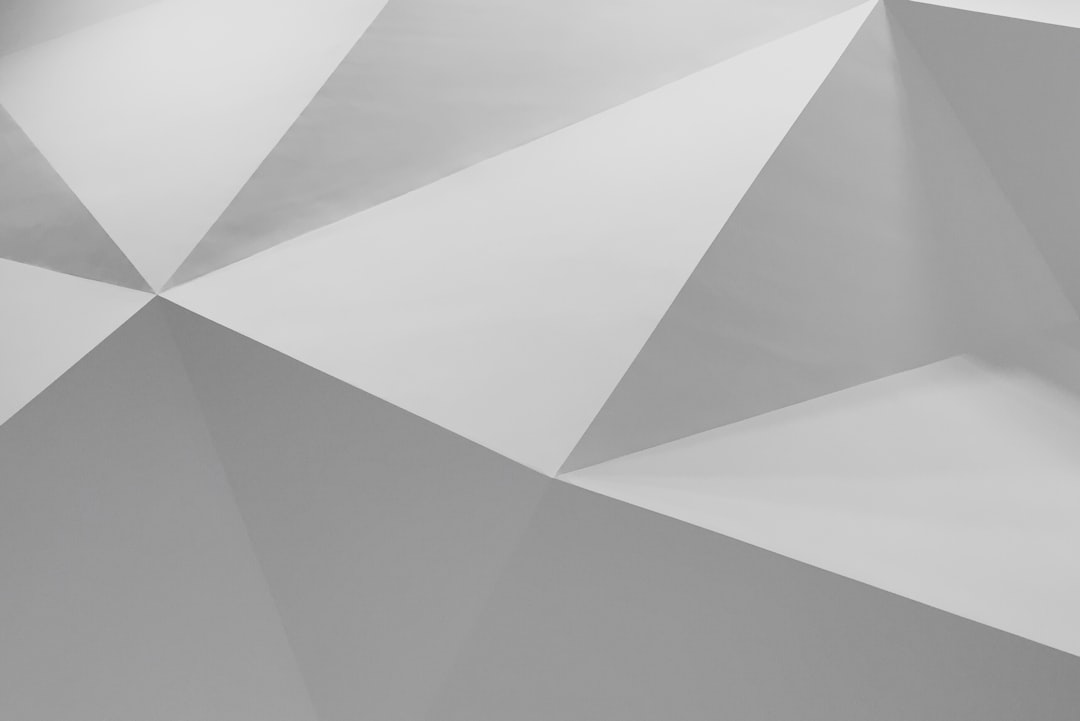
A geometric pattern is built from defined shapes — squares, triangles, hexagons, circles, lines — arranged with mathematical regularity rather than freehand placement. Think stripes, grids, chevrons, Greek keys, Islamic-style star tessellations, and Art Deco fans. Because the placement follows rules, geometrics reward precision tools: snapping, alignment, and exact measurements matter far more than drawing skill.
Tessellation: The Heart of Geometric Patterns
A tessellation is an arrangement of shapes that fills a plane with no gaps and no overlaps. Some shapes tessellate on their own:
- Equilateral triangles — tile in any direction; the basis of many complex geometrics.
- Squares — the simplest tessellation, the foundation of grids and checks.
- Regular hexagons — the honeycomb, efficient and visually rich.
More elaborate geometrics combine shapes — octagons with squares, or stars with diamonds — into semi-regular tessellations. The classic Islamic geometric patterns are built this way, from a strict underlying grid of intersecting circles and polygons. Mastering a few base tessellations gives you a structure on which almost any geometric design can be built.
Symmetry and Why Geometrics Tile So Cleanly
Geometric patterns lean on three kinds of symmetry, and understanding them is the key to seamless tiling:
- Translation — repeating a unit by sliding it; the basis of every repeat.
- Reflection — mirroring across an axis; powerful for kaleidoscopic and damask-like geometrics.
- Rotation — turning a motif around a point, commonly by 60, 90, or 120 degrees to fit the grid.
Because these operations are exact, geometric tiles often line up on the edges automatically — far less seam-healing than a tossed floral needs. A full-drop repeat suits grids and stripes, while a mirror repeat produces formal symmetry. For the full repeat breakdown, see repeat patterns explained with examples.
Tools for Geometric Patterns
Vector software is the natural home of geometric design because shapes stay crisp at any size and snapping keeps everything exact.
| Tool | Strength for geometrics | Cost model |
|---|---|---|
| Adobe Illustrator | Pattern tool, precise snapping, Transform Each, rotation around a point. | Subscription |
| Affinity Designer | Strong vector tools and snapping; no subscription. | One-time purchase |
| Adobe Photoshop | Useful for textured or pixel-grid geometrics via the Offset filter. | Subscription |
| Procreate | Drawing guides with symmetry (radial, quadrant) for sketching geometrics. | One-time purchase |
In Illustrator specifically, three features do most of the work: Smart Guides and snapping for exact alignment, the Rotate tool with a set anchor point for radial designs, and the Pattern tool (Object > Pattern > Make) with Hex or Grid tile types for true tessellated repeats.
How to Build a Geometric Pattern Step by Step
- Choose a base grid — square, triangular, or hexagonal. This is the scaffold everything snaps to.
- Build one unit precisely, using exact coordinates and snapping rather than eyeballing.
- Apply symmetry — reflect or rotate the unit to form a richer motif (e.g., rotate a wedge six times around a point for a hexagonal star).
- Set the repeat in the Pattern tool. Use Grid for straight geometrics, Hex for honeycomb-based designs.
- Check the edges. Drag elements across the tile boundary so they complete on the opposite side; geometrics usually need only light adjustment.
- Test at scale by tiling many copies and watching for unintended secondary patterns or moiré-like effects.
Design Tips for Stronger Geometrics
- Work to the grid, not by eye. A single misaligned point ruins a geometric; use exact values and snapping.
- Limit your palette. Two to four colors keep geometrics sharp; reuse them across a collection.
- Vary scale. Combining a large geometric with a fine one adds depth without clutter.
- Use line weight deliberately. Consistent strokes read as crisp; mixed weights can look accidental.
- Watch for secondary patterns. When tiled, negative space sometimes forms shapes you did not intend — use them or fix them.
Classic Geometric Styles to Know
A working vocabulary of geometric styles helps you communicate with buyers and gives you reliable starting points:
- Stripes and chevrons — the simplest geometrics, built on a full-drop or brick repeat; chevrons add directional energy with mirrored zigzags.
- Checks and plaids — intersecting bands on a square grid, equally at home as print or woven structure.
- Honeycomb and scales — hexagonal and overlapping-arc layouts that read as organic despite their strict grid.
- Islamic geometry — star-and-polygon tessellations built from intersecting circles, among the richest geometric traditions.
- Art Deco — fans, sunbursts, stepped forms, and bold symmetry, typically in a limited high-contrast palette.
- Memphis style — playful, irregular geometrics with bright colors and squiggles, deliberately breaking strict symmetry.
Each of these maps neatly onto the symmetry operations above: stripes are pure translation, Islamic stars rely on rotation, and Art Deco leans on reflection. Knowing the style tells you which construction method to reach for.
Where Geometric Patterns Shine
Geometrics are the backbone of any pattern collection. As blenders — simple coordinates that pair with a detailed hero print — they are often the most-used designs a surface designer produces. They also stand alone beautifully on wallpaper, tile, packaging, and apparel, and translate well to both print and woven structures. To build them into sellable collections and colorways, see our guide to surface pattern design for beginners.
Common Geometric Pattern Mistakes
- Misaligned anchor points from eyeballing instead of snapping — the fastest way to break a geometric.
- Too many colors muddying the crisp, structured look.
- Ignoring negative space — unintended secondary shapes can appear when tiled.
- Inconsistent stroke weights that make precise work look sloppy.
- Not testing at scale — moiré and unexpected patterns only show across many tiles.
Frequently Asked Questions
What is a geometric pattern?
A geometric pattern is a design built from defined shapes — squares, triangles, hexagons, circles, and lines — arranged with mathematical regularity rather than freehand. Examples include stripes, grids, chevrons, and tessellated star designs. Because placement follows precise rules, geometrics rely on exact construction and snapping more than on drawing ability.
What is a tessellation?
A tessellation is an arrangement of shapes that fills a flat plane with no gaps and no overlaps. Squares, equilateral triangles, and regular hexagons each tessellate on their own, and combinations of shapes create semi-regular tessellations. Tessellation is the structural foundation of most complex geometric patterns, including traditional Islamic geometric designs.
What software is best for geometric patterns?
Vector tools are ideal because shapes stay crisp at any size and snapping keeps alignment exact. Adobe Illustrator is the standard, with its Pattern tool, precise snapping, and rotation around a set anchor point. Affinity Designer is a strong one-time-purchase alternative, and Procreate’s symmetry guides are useful for sketching geometric ideas.
Are geometric patterns easier to make seamless?
Often yes. Because geometric patterns are built from exact symmetry — translation, reflection, and rotation on a fixed grid — their tile edges frequently line up automatically, requiring far less seam-healing than hand-drawn tossed florals. Using the Pattern tool’s grid or hex tile types and snapping to the grid keeps the repeat clean.
How do I avoid unwanted patterns when tiling?
When geometric tiles repeat, the negative space between shapes can form unintended secondary patterns or moiré-like effects. Always test your design tiled across many copies, not on a single tile. If unexpected shapes appear, either incorporate them deliberately into the design or adjust spacing, scale, and motif placement to remove them.