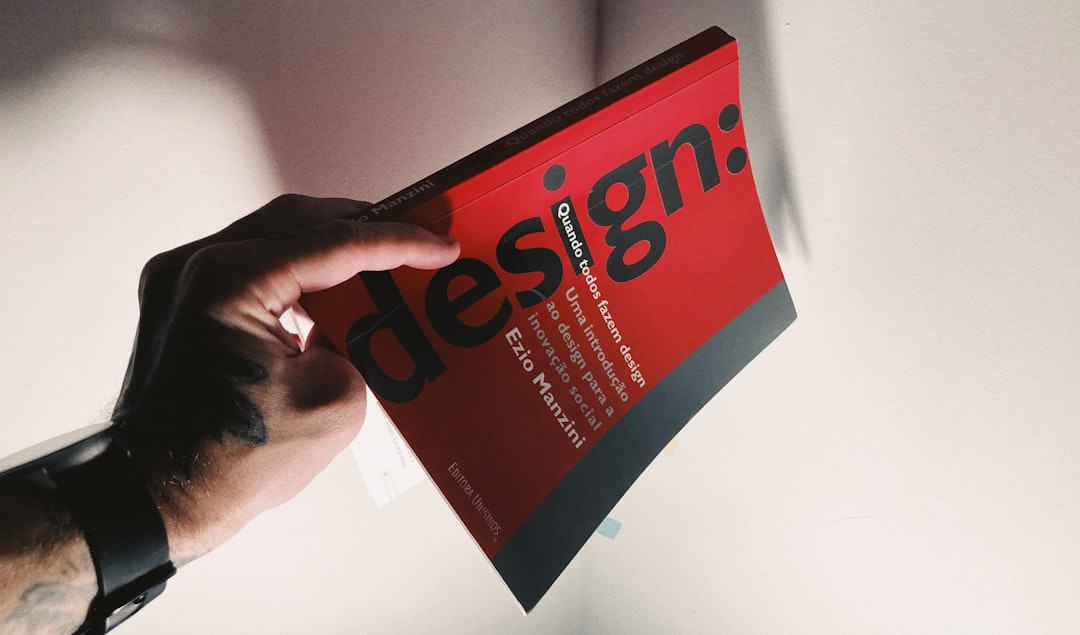
Book Design Principles: Layout and Type
The best book design principles aim for something paradoxical: the design should disappear so the reader notices only the words. A well-set book lets you read for hours without strain; a poorly set one tires the eye within pages. This guide covers the eight principles of book layout and typography that produce clean, professional, immersive reading.
These specialize the broader ideas in our guide to design principles for long-form print and ebooks. Book design is unusual among design disciplines in that its success is measured by what the reader doesn’t notice. There are no clicks to optimize and no shelf to win—only the quiet test of whether someone can read for hours in comfort. That standard makes the craft details below, often invisible individually, decisive in aggregate.
1. A consistent grid and baseline
Every well-designed book sits on a grid. The text block’s position, width, and the baseline grid—the invisible horizontal lines that lines of type rest on—keep pages even and aligned, including across spreads where left and right pages should mirror tidily. A consistent baseline means text on facing pages lines up, headings snap to predictable positions, and the whole book feels engineered rather than improvised. Establish the grid first; every other decision hangs off it.
2. Readable body type
Body type is the single most important typographic choice because the reader spends nearly all their time in it. For print, a serif text face at roughly 9–11pt is the long-standing default—serifs like Garamond, Minion, or Caslon are designed for extended reading and have the proven legibility that justifies their reputation. Set leading (line spacing) generously, often around 120–145% of the type size, so lines don’t crowd. Choose the size and leading by printing a real spread and reading it, not by judging on screen. For ebooks the rules shift slightly: the reader controls size and often the font, so the designer’s job becomes choosing a robust, screen-friendly default and ensuring the styling degrades gracefully when the reader overrides it. In both media, the goal is the same—type that the eye can travel across for an hour without fatigue.
3. Comfortable margins and measure
Margins are not wasted paper—they frame the text, give the thumb somewhere to rest, and let the eye relax. Inner (gutter) margins must account for the binding so text isn’t swallowed by the spine; outer and bottom margins are traditionally generous. Measure (line length) should land around 55–75 characters per line; lines that run too long lose the reader on the return sweep, while too-short lines fragment the rhythm. Margins and measure together set the book’s comfort.
4. Clear typographic hierarchy
Typographic hierarchy guides the reader through chapter openers, headings, subheads, body, captions, and folios (page numbers). It’s built with size, weight, style, spacing, and sometimes a complementary display face—not with many different fonts. Two well-chosen families (one for text, one for headings or display) are plenty. Chapter openers signal new sections and reset pacing; running heads and folios orient the reader. Restraint is the rule: hierarchy should feel calm and obvious, never busy.
5. Sensible pacing
Pacing is the rhythm of the reading experience across the whole book. Chapter openers with breathing room, section breaks, white space, and the occasional full-bleed image or pull quote give the reader natural resting points and shape momentum. In illustrated or nonfiction books, the interplay of text and image controls pace deliberately. Even in a straight novel, where a chapter starts on the page and how openers are handled affects how the book feels to move through.
6. Consistency throughout
Consistency is what makes a book feel professionally produced. The same styles apply to every chapter opener, every heading level, every caption, and every folio from page one to the end. Paragraph styles and a style sheet (in InDesign or your layout tool) enforce this and make global changes safe. Inconsistent indents, shifting margins, or headings that vary in spacing quietly signal amateur work even when readers can’t name what’s wrong.
7. Refined typesetting details
The details separate competent layout from polished typesetting. Eliminate widows and orphans (a lone line of a paragraph stranded at the top or bottom of a page), avoid more than two or three consecutive hyphenated line-ends, balance the rag on ragged-right text, use proper typographic quotes and em dashes, and watch for “rivers” of white space in justified text. These details are nearly invisible when right and quietly distracting when wrong. They are the craft layer of book design.
8. A cohesive identity, cover to content
A book is a unified object, so the cover, interior, and typography should share one identity. The display face on the cover and chapter openers, the palette, and the overall mood should feel of a piece, so the reader’s first impression carries through every page. The cover sells the book; the interior keeps the promise. Genre conventions matter too—a literary novel and a children’s picture book follow different rules, and meeting reader expectations is part of good design. Readers form expectations from the spine and cover before they open a page, and a jarring shift in personality between the two undermines trust. Even small touches—the chapter-opener treatment echoing a motif from the jacket, or the running-head type sharing the cover’s character—make a book feel like one considered object rather than two projects stapled together.
Book design principles at a glance
| Principle | What it does | How to apply it |
|---|---|---|
| Grid & baseline | Keeps pages aligned | Set a baseline grid; mirror facing pages |
| Body type | Enables long reading | 9–11pt serif text face, generous leading |
| Margins & measure | Frames and rests the eye | Account for the gutter; 55–75 chars per line |
| Hierarchy | Guides the reader | Two families, varied by size and weight |
| Pacing | Shapes momentum | Chapter openers, breaks, breathing room |
| Consistency | Signals professionalism | Paragraph styles and a style sheet |
| Typesetting details | Removes distraction | Kill widows/orphans, fix the rag, real quotes |
| Cohesive identity | Unifies the object | Match cover and interior type and mood |
Bringing it together
These principles compound into a single quality: a book you forget you’re reading. The grid and margins frame readable body type; hierarchy and pacing carry you through; consistency and typesetting details keep the surface calm; and a cohesive identity makes the whole thing feel intentional. For more on choosing and pairing text faces, see our book typography guide, and compare the layout logic of long-form editorial work in our editorial design guide.
Frequently Asked Questions
What are the main book design principles?
The main principles are a consistent grid and baseline, readable body type around 9–11pt, comfortable margins and measure, clear typographic hierarchy, sensible pacing, consistency throughout, refined typesetting details, and a cohesive identity from cover to content. Together they make a book comfortable to read for hours and feel professionally produced.
What font size should book body text be?
Print book body text is typically set between 9 and 11 points, depending on the typeface and trim size, with leading around 120–145% of the type size. The right size is best judged by printing a real spread and reading it, since on-screen previews don’t reflect how type performs on paper at actual size.
Why are margins important in book design?
Margins frame the text, give the reader’s thumbs somewhere to rest, and let the eye relax between lines and pages. The inner gutter margin must account for the binding so words aren’t lost in the spine. Generous, well-balanced margins are a hallmark of professional book design and directly affect reading comfort.
How many fonts should a book use?
Usually two: one readable serif for body text and one complementary face for headings, chapter openers, or display. Hierarchy comes from varying size, weight, style, and spacing within those families—not from adding more fonts. Using many typefaces makes a book feel busy and undermines the calm, invisible quality good book design aims for.
What are widows and orphans in typesetting?
A widow is the last line of a paragraph stranded alone at the top of a page; an orphan is the first line of a paragraph left alone at the bottom. Both disrupt reading and look unpolished. Careful book design eliminates them by adjusting spacing, tracking, or line breaks during final typesetting.


