Postcard Design: Sizes, Layout and Tips
Strong postcard design does two jobs at once: it survives the mail and it earns a few seconds of attention on a busy counter. That means committing to a standard size, setting up bleed correctly, and putting one clear message front and center. This guide walks through the sizes, paper, layout, and mailing specs that separate a postcard that gets read from one that gets tossed.
Postcards are one piece of a larger system. For the full picture of how they fit alongside cards and letterhead, see our complete stationery design guide.
Standard Postcard Sizes
Stick to standard postcard sizes to keep printing and postage affordable. Custom sizes cost more and can bump you into a higher mailing rate.
| Size | Dimensions | Best for |
|---|---|---|
| Standard | 4 × 6 in | Cheapest postage, quick promos |
| Midsize | 5 × 7 in | More visual room, invitations |
| Jumbo | 6 × 9 in | Maximum impact, real estate, menus |
| A6 (metric) | 105 × 148 mm | ISO standard mailers |
The 4 × 6 in card qualifies for the lowest postcard postage rate in the US, which is why it dominates direct mail. Go larger only when the message genuinely needs the space. Note that postal services set maximum dimensions and thickness for the postcard rate, so a jumbo 6 × 9 in card may be charged as a letter rather than a postcard — confirm the rate before committing to an oversize format for a mailing.
Paper Stock for Postcards
Postcards take a beating in transit, so weight matters. Choose 300–350 gsm (14 pt cover stock or heavier) so the card arrives flat and crisp rather than dog-eared.
- Gloss coated: punchy color, great for photography-led promos; harder to write on.
- Matte coated: elegant, low-glare, photographs well; accepts pen if you need a writable back.
- Uncoated: tactile and natural; best when recipients write a note or it is a personal mailer.
The Two-Sided Layout
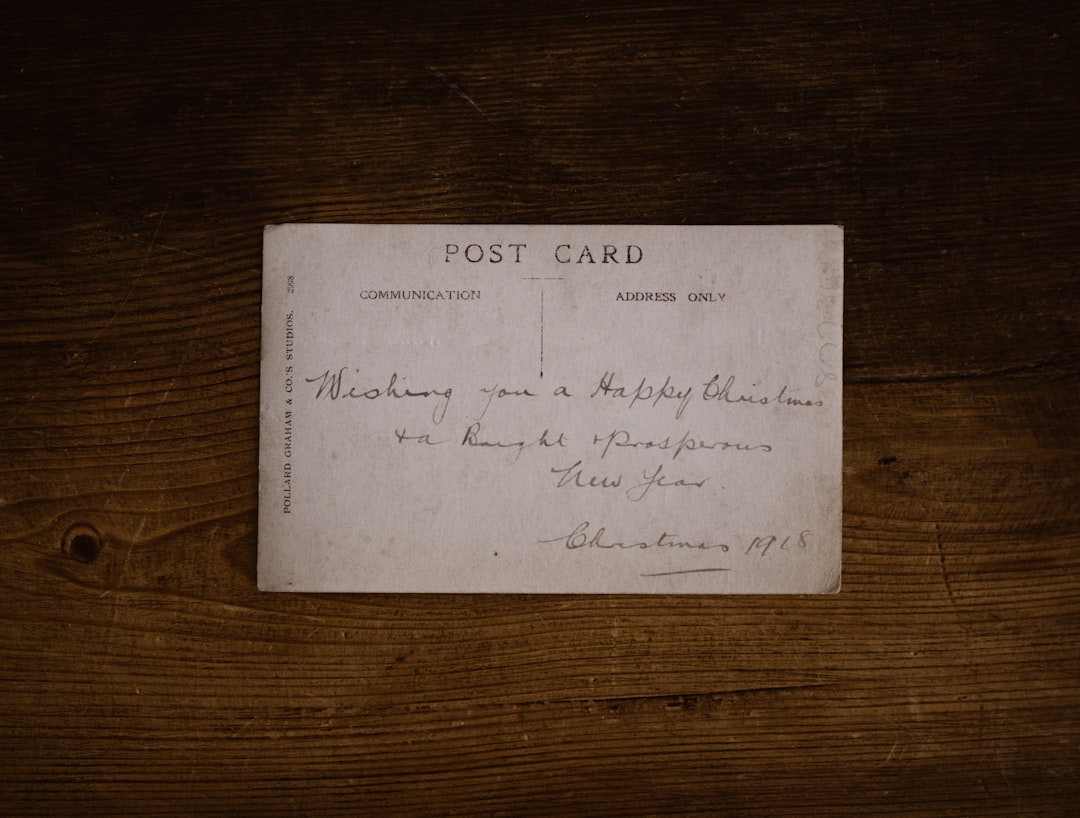
A postcard is two distinct canvases. The front is the hook — one image, one headline, minimal text. The back carries the details and, for mailers, must reserve space for the address and postage.
For mailed postcards, leave the right half of the back clear for the address block and indicia, keeping the left half (or a banner across the top) for your message and call to action. Confirm the exact reserved zone with your printer or postal service, because crowding the address area can get a mailing rejected.
Think of the front and back as a relay. The front stops the reader and creates curiosity; the back delivers the substance and tells them what to do. A common pattern that works well: a single striking image and a short, bold headline on the front, then a concise offer, a clear call to action, and contact details on the back. Avoid splitting one sentence or one idea across both sides — each face should make sense on its own, because you cannot control which side a recipient sees first.
Bleed, Safe Zone, and Print Specs
The same print rules apply as any printed piece. Build them into the document before designing.
- Bleed: extend edge artwork 0.125 in (3 mm) past the trim.
- Safe zone: keep text and logos at least 0.125 in inside the trim line.
- Resolution: images at 300 DPI at final size.
- Color: design in CMYK, export a press-ready PDF.
Design Tips That Make Postcards Work
- One message. A postcard is not a brochure. Lead with a single offer or idea.
- Headline first. Make the front headline legible from arm’s length — large, high-contrast type.
- One clear call to action. Tell the reader exactly what to do next, with a deadline or incentive if possible.
- Strong imagery. A single high-quality photo or bold graphic beats a collage every time.
- Brand consistency. Use the same typefaces and colors as the rest of your collateral.
- Readable contact details. Phone, URL, and QR code large enough to scan and dial.
Designing for Direct Mail vs Handouts
Where a postcard travels changes how you design it. A direct mail postcard has to clear two hurdles before anyone reads it: it must survive the mail stream and earn a glance in a stack of envelopes. That argues for heavier stock, a headline that works face-up in a mailbox, and a back layout that strictly respects the address and postage zone. Including a time-limited offer or a personalized element measurably lifts response, but keep the design clean enough that the offer is the first thing seen.
A handout postcard given out at an event or counter has different priorities. It does not need a reserved address area, so you can use the full back for content. It does benefit from a writable surface — a matte or uncoated finish — if you want recipients to jot a note or redeem a code by hand. In both cases, the front still does the heavy lifting: one image, one headline, one reason to keep the card.
Common Postcard Mistakes
- Crowding the address zone. Encroaching on the reserved area gets mailings rejected; confirm the spec and keep it clear.
- Tiny headlines. If the front does not read from arm’s length, the card gets ignored.
- No bleed. Edge-to-edge color without 0.125 in bleed leaves white slivers after trimming.
- Stuffing in everything. A postcard is a single message, not a brochure. Cut anything that competes with the main offer.
- Low-resolution images. Web images at 72 DPI print soft; use 300 DPI artwork at final size.
Tools and Templates
Set up postcards in InDesign or Affinity Publisher with bleed and margins defined in the document setup, or use Illustrator for vector-heavy single cards. For a fast start, Canva offers postcard templates at standard sizes with a bleed toggle — just switch the file to print-ready PDF before exporting. Whichever tool you pick, design the front and back as separate artboards or pages and proof both before printing.
Designing a wider promo campaign? Pair your postcard with a matching flyer design, or scale the message up into a brochure for prospects who need more detail.
Frequently Asked Questions
What is the best postcard size for mailing?
The 4 × 6 in postcard is the most economical because it qualifies for the lowest US postcard postage rate. Choose 5 × 7 in or 6 × 9 in jumbo only when the message needs more visual space, since larger cards cost more to both print and mail.
What paper weight should a postcard be?
Use 300–350 gsm (14 pt cover stock or heavier) so the postcard stays rigid and arrives without bent corners. Lighter stock feels cheap and damages easily in the mail. Add a matte or gloss coating for durability and color, or leave it uncoated if recipients will write on it.
How much bleed does a postcard need?
Add 0.125 in (3 mm) of bleed on every edge where artwork or background color reaches the trim line. Keep all text and logos at least 0.125 in inside the trim within the safe zone. This prevents white slivers and accidental cropping when the cards are cut.
What goes on the back of a mailing postcard?
The back must reserve clear space, usually the right half, for the recipient address and postage indicia. Use the remaining area for your message, call to action, and contact details. Confirm the exact reserved zone with your printer or postal service to avoid having the mailing rejected.