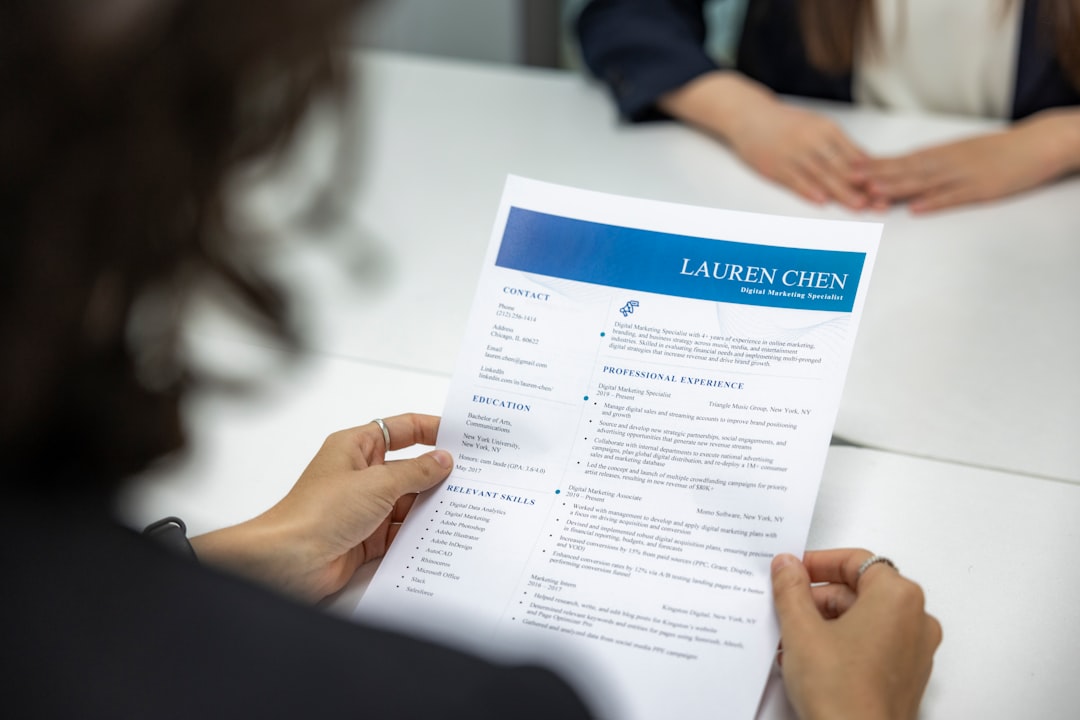
Resume Design: A Complete Guide for 2026
Good resume design is not decoration. It is a controlled act of hierarchy: deciding what a hiring manager reads first, what they read next, and what they can safely skip. A recruiter spends seconds on the initial scan, and an applicant tracking system spends milliseconds, so every layout choice either helps your strongest evidence surface or buries it. This guide covers the whole system, from page format and typeface to ATS rules and the specialized documents that branch off the resume.
We will work from the structure down to the details: how to format the page, which fonts actually read well in print and PDF, how to keep the file parseable by software, and when you need a CV instead of a resume. Treat it as the canonical reference for the cluster, and follow the links to the deep dives where each topic deserves its own page.
What Makes Resume Design Effective
An effective resume does three jobs at once. It passes the machine screen, it survives the six-second human scan, and it rewards a closer read with specific, quantified evidence. Most resumes fail the first two because the design fights the reader. Decorative columns split the scanning path, light gray body text strains the eyes, and dense paragraphs hide the one achievement that would have landed the interview.
The principle to internalize is visual hierarchy: the most important information should be the most prominent, and importance is signaled with size, weight, and white space, not with color or graphics. Your name is the largest element. Section headings are clearly larger or bolder than body text. Achievements sit in tight bullet lists, never in walls of prose. Everything else recedes.
- Scannability first. A reader should find your current role, top achievements, and skills without hunting.
- Consistency. One date format, one bullet style, aligned margins, and a single accent treatment used sparingly.
- Restraint. Two typefaces at most, one accent color at most, and generous margins. Empty space is a design element, not wasted real estate.
- Evidence density. Quantified results (“cut load time 40%”) beat duty descriptions (“responsible for performance”).
Choosing the Right Resume Format
Before any visual decision, choose a resume format, which controls how your experience is organized. There are three, and the right one depends on your career situation rather than your taste.
| Format | Best for | How it works |
|---|---|---|
| Reverse-chronological | Most candidates with steady history | Roles listed newest first; the default recruiters expect |
| Functional (skills-based) | Career changers, large gaps | Groups achievements by skill; downplays dates (treat with caution, ATS struggles with it) |
| Combination (hybrid) | Senior or specialist roles | Skills summary up top, then a full chronological history |
For 90% of applicants in 2026, reverse-chronological is correct. It is what humans and software both expect, which means less friction at every gate. Reserve the functional format for genuine narrative problems, and even then prefer the combination format so dates remain visible. The deeper trade-offs and field-tested starting points live in our guide to the best resume templates and how to use them.
Page Setup: Size, Margins, and Length
Page mechanics are where most homemade resumes quietly go wrong. Set them once and never think about them again.
- Page size: US Letter (8.5 × 11 in) for North America; A4 (210 × 297 mm) for Europe, the UK, and most of the world. Pick the one your target market uses.
- Margins: 0.5 to 1 inch on all sides. Go below 0.5 inch and the page feels cramped and prints unreliably; go above 1 inch and you waste space you need.
- Length: One page for early-career and most mid-career candidates; two pages once you have roughly ten-plus years of relevant experience. Never pad to fill a second page, and never shrink margins to cram onto one.
- File format: Export to PDF unless the job posting explicitly asks for a Word document. PDF locks your layout across devices; Word files re-flow unpredictably.
One caveat on PDF and software: export a true text-based PDF, not a flattened image. If a recruiter cannot select and copy the text in your file, neither can an applicant tracking system.
Resume Fonts That Actually Work
Typeface choice is the single most visible design decision, and the safe set is small for good reason. You want a font that is legible at 10 to 12 points, renders cleanly in PDF, and is parseable by ATS software. That rules out the cliché defaults (avoid Times New Roman, which reads as a non-decision, and never use Comic Sans) in favor of typefaces with clear letterforms and professional bearing.
| Font | Why it works | Type / source |
|---|---|---|
| Calibri | Humanist sans with soft, friendly curves; the modern Office default and highly legible at small sizes | Bundled with Microsoft Office |
| Helvetica | Neutral, authoritative grotesque; reads as confident and clean (use Arial as a free stand-in if unavailable) | System font on macOS |
| Georgia | Serif designed for screens; large x-height keeps it readable on-screen and in print | System font, widely available |
| Garamond | Classic old-style serif; elegant and space-efficient, ideal for fitting more onto one page | Bundled with Office; many free cuts exist |
| Inter | Open-source UI sans with a tall x-height and wide language coverage; crisp in digital-first applications | Free, Google Fonts / GitHub |
Set body text at 10 to 12 points and your name at roughly 18 to 24 points, with section headings sized between. You can pair a serif heading with a sans body (or vice versa) for contrast, but keep it to two families. For the underlying theory of how two typefaces should relate, our font pairing guide walks through contrast, mood, and tested combinations you can lift directly into a resume.
Designing for ATS: Rules You Cannot Break
An applicant tracking system parses your resume into a database before a human ever sees it. If parsing fails, your application is effectively invisible regardless of how good it looks. ATS-friendly design is not the opposite of attractive design; it is a set of constraints you build within.
- Use a single-column layout. Two-column designs scramble when parsed left-to-right; the system reads across both columns and merges them into nonsense.
- Use standard section headings. “Work Experience,” “Education,” and “Skills” are recognized; clever labels like “Where I’ve Made Impact” are not.
- Keep text as text. Never put your name, contact details, or skills inside an image, logo, or text box. If it is not selectable, the ATS cannot read it.
- Avoid tables and columns for content. They are fine for human eyes but routinely misparse. (The tables in this article are for explanation, not for resumes.)
- Use standard bullets. Solid round or square bullets parse cleanly; decorative glyphs and icons often drop out.
- Mirror the job description’s keywords. Use the exact terms from the posting where they truthfully apply, so the keyword match scores you in.
The visual-versus-machine tension is real, but it resolves cleanly: design a single-column, text-based resume with strong typographic hierarchy. You get a document that is both beautiful to a human and transparent to software.
Layout, White Space, and Visual Hierarchy
With format, fonts, and ATS rules settled, layout is about rhythm. Use consistent spacing between sections so the page breathes, and align everything to a clear left margin so the eye has a stable edge to track. Dates and locations can be right-aligned on the same line as the role for a tidy, scannable structure.
- Group related information. Keep a job title, employer, dates, and bullets visually bound together, with a clear gap before the next role.
- Lead bullets with strong verbs. “Launched,” “Reduced,” “Negotiated,” “Designed” front-load the action; cut “responsible for” entirely.
- Use one accent, sparingly. A single muted color for your name and headings can add polish. Keep body text near-black for contrast; light gray text fails accessibility and prints poorly.
- Limit bullets per role. Three to six per job; more and the reader stops reading.
Specialized Documents in Your Application Kit
A resume rarely travels alone. The same design discipline extends to the rest of your application materials, each of which we cover in depth.
- A strong cover letter design matches your resume’s typeface and header so the package reads as one coherent identity.
- Academic, scientific, and many international applications call for a CV design rather than a resume; the conventions differ in length and content.
- Your online presence matters too, starting with a polished LinkedIn banner design sized to the correct dimensions.
- All of it should ladder up to a coherent personal branding system that stays consistent across documents and profiles.
If you are weighing whether design work itself is worth pursuing as a career, our graphic design salary data study puts real numbers behind the field.
Tools for Building Your Resume
You do not need expensive software to produce a clean, ATS-safe resume. Match the tool to your needs and your comfort level.
- Google Docs: Free, collaborative, and exports clean PDFs. Its built-in resume templates are single-column and ATS-safe out of the box.
- Microsoft Word: The default many recruiters still request; reliable for text-based resumes when you avoid its heavy graphical templates.
- Canva: Excellent for visually rich designs, but its multi-column, image-heavy templates often break ATS parsing. Use it for creative or portfolio-adjacent roles, and export a text-based PDF.
- Adobe InDesign: Total typographic control for designers building a showpiece; overkill for a standard application and risky for ATS unless built as a clean single column.
- Figma: Increasingly popular among designers for resume layout; flexible and precise, with the same ATS caveats as any visual tool.
Frequently Asked Questions
What is the best font size for a resume?
Set body text between 10 and 12 points for comfortable reading in print and PDF. Your name can sit at 18 to 24 points, with section headings between body and name size. Going below 10 points to fit more content makes the resume harder to read and signals overcrowding.
Should a resume be one page or two?
One page suits early-career and most mid-career candidates. Move to two pages only once you have roughly ten or more years of relevant experience that genuinely needs the room. Never pad to fill a second page or shrink margins below half an inch to force everything onto one.
Is a single-column or two-column resume better?
Use a single column. Two-column layouts look modern but routinely confuse applicant tracking systems, which read across both columns and merge the text into nonsense. A single-column design with strong typographic hierarchy stays both attractive to humans and fully parseable by software.
What file format should I send my resume in?
Export a text-based PDF unless the job posting explicitly requests a Word document. PDF locks your layout so it looks identical on every device, while Word files can re-flow unpredictably. Ensure the PDF text is selectable, since a flattened image cannot be parsed by an ATS.
Which resume fonts are safe and professional?
Calibri, Helvetica (or Arial), Georgia, Garamond, and Inter all read cleanly at small sizes and parse reliably. They look professional without feeling like a non-decision. Avoid Times New Roman as a tired default and never use Comic Sans. Limit yourself to two type families across the whole document.