Best Fonts for Flyers
Choosing the best fonts for flyers is about instant impact: a flyer has seconds to stop someone, so the headline font must be bold, big, and readable from a distance, while the details stay legible up close. That means heavy display faces for the hook and a clean sans for the what-when-where. This guide names the typefaces designers reach for, notes free versus paid and where to get them, and shows how to pair loud with clear.
If you are matching a display headline to body details, our font pairing guide covers the balance. For the layout side see our notes on flyer design, and for a related print piece our roundup of the best fonts for brochures.
What makes a good font for flyers?
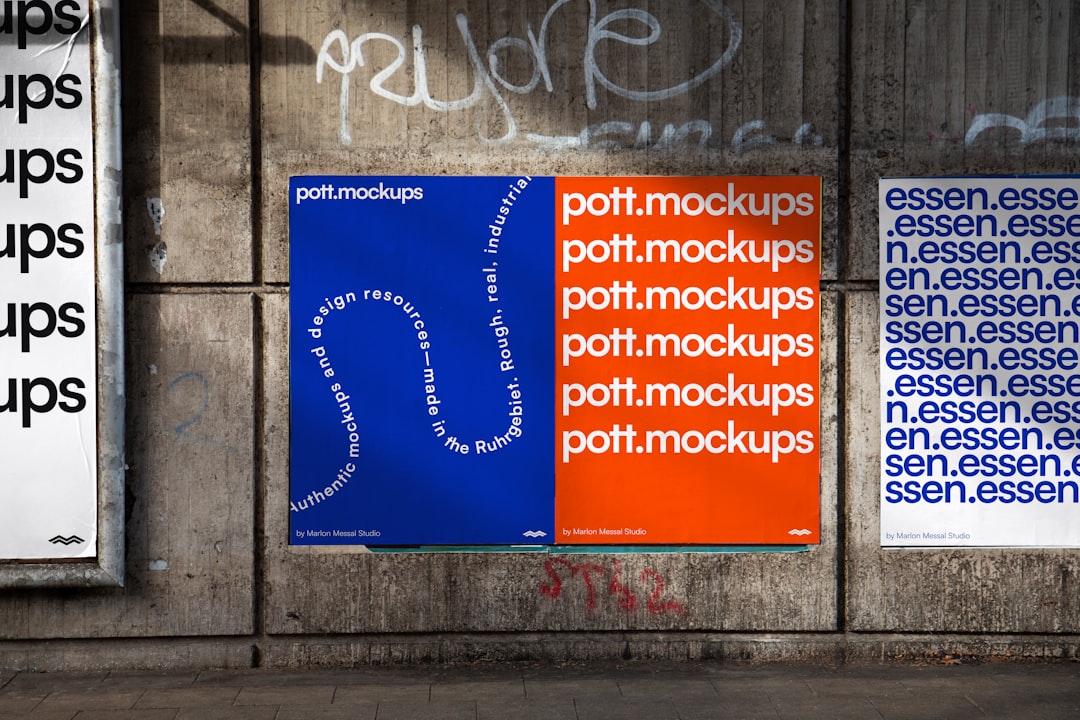
Flyers are read fast and often at a distance, so the headline font needs maximum impact: heavy weight, strong contrast against the background, and letterforms that stay legible when blown up large. Condensed faces pack big words into tight space; bold geometric and grotesque sans hit hard at a glance. The details — date, time, location, price, a URL — need a clean, legible body sans that survives small print sizes. A good flyer system is just two faces: one loud display headline and one quiet body. Heavy weights, all-caps, and high color contrast do the attention-grabbing; restraint keeps it from becoming noise.
Best flyer fonts
Bebas Neue (free)
Bebas Neue is the go-to free condensed all-caps display sans — tall, narrow, and punchy, it fits big headline words into a tight column and reads instantly. Ideal for event and gig flyers. Free on Google Fonts (OFL).
Anton (free)
Anton is a single ultra-bold grotesque cut designed for headlines — heavy, condensed, and impossible to miss. It hits hardest in all-caps at large sizes. Free on Google Fonts (OFL); pair with a light sans body.
Oswald (free)
Oswald is a condensed grotesque inspired by classic Alternate Gothic, with a full weight range so you can build hierarchy from one family. Versatile for headlines and subheads alike. Free on Google Fonts (OFL).
Montserrat Black (free)
Montserrat in its Black weight gives a clean, geometric, modern headline with real heft — great when you want bold impact without a condensed look. The lighter weights handle body text in the same family. Free on Google Fonts (OFL).
Archivo Black (free)
Archivo Black is a heavy grotesque drawn specifically for high-impact headlines and highlights, with a slightly wider, sturdy build that commands attention. Free on Google Fonts (OFL); pair with Archivo for body.
Teko (free)
Teko is a very tall, condensed display sans that packs maximum headline into minimal width — strong for sports, sale, and event flyers. Free on Google Fonts (OFL).
Fjalla One (free)
Fjalla One is a medium-contrast condensed display sans with a friendly, sturdy character — bold enough for headlines, a touch warmer than Anton. Free on Google Fonts (OFL).
Alfa Slab One (free)
Alfa Slab One is an ultra-bold slab serif for headlines that want a retro, poster-like punch. Heavy and attention-grabbing at large sizes. Free on Google Fonts (OFL).
Bungee (free)
Bungee is a bold display family built for signage and urban posters, with layered and vertical variants for playful, eye-catching headlines. Great for street, music, and event flyers that want character. Free on Google Fonts (OFL).
Staatliches (free)
Staatliches is a tall, condensed all-caps display sans with an inscriptional, poster-like feel — a free alternative to Bebas Neue with a touch more edge for headlines. Free on Google Fonts (OFL).
Inter / Open Sans (free, for body)
For the details, pair your display headline with a clean body sans like Inter or Open Sans — both legible at small print sizes for dates, times, and URLs. Free on Google Fonts (OFL).
| Font | Style | Free/Paid | Why it works |
|---|---|---|---|
| Bebas Neue | Condensed display caps | Free | Tall, punchy, fits big words |
| Anton | Ultra-bold grotesque | Free | Maximum headline impact |
| Oswald | Condensed grotesque | Free | Full weight range for hierarchy |
| Montserrat Black | Geometric sans | Free | Clean, modern heft |
| Archivo Black | Heavy grotesque | Free | Sturdy, commanding headlines |
| Teko | Tall condensed sans | Free | Max headline in min width |
| Alfa Slab One | Ultra-bold slab | Free | Retro poster punch |
| Inter | Humanist sans | Free | Legible body details |
Fonts to avoid for flyers
Avoid thin, light, and high-contrast Didone faces like Bodoni for headlines — they lack the weight to grab attention and their hairlines wash out at a distance. Skip script and novelty fonts for anything but a small accent; they slow reading when you need instant clarity. Never set body details in a heavy display face (it becomes an unreadable block), and steer clear of Comic Sans and default office fonts, which read as amateur. Resist stacking three or more loud fonts — competing headlines kill impact.
Tips and pairing for flyers
Use one loud display headline and one clean body sans — that contrast is the whole system. Reliable pairings include Bebas Neue or Anton headlines over Inter or Open Sans body, or Oswald headlines with Oswald light for subheads and a sans for details. Set the headline as large as the space allows, lean on all-caps and heavy weight, and keep high contrast between type and background so it reads across a room. Keep body details legible at small sizes and leave generous white space so the eye lands on the hook first. Build a clear three-level hierarchy — a giant headline, a medium subhead with the key offer, and small body text for the logistics — using size and weight rather than extra fonts. Tighten the tracking on big all-caps headlines so the letters lock together, and test readability from across a room: if the headline does not read at a glance, go bigger or heavier before you change typefaces. For more bold options see our best Google Fonts roundup, and confirm commercial print terms in our font licensing guide.
Frequently Asked Questions
What is the best font for a flyer?
For most flyers, Bebas Neue, Anton, or Oswald make the best headline fonts — bold, condensed, and readable at a glance — paired with a clean body sans like Inter or Open Sans for the details. All are free on Google Fonts. The exact pick depends on your tone, but loud display plus clear body always works.
What font grabs the most attention on a flyer?
Heavy, condensed display faces grab the most attention: Anton and Archivo Black for sheer weight, Bebas Neue and Teko for tall condensed impact. Set them large and in all-caps with high contrast against the background. Attention comes from weight, size, and contrast more than from any one specific typeface.
How many fonts should a flyer use?
Two is ideal: one bold display font for the headline and one clean sans for the body details. A third accent for a tagline can work if used sparingly. More than that creates competing focal points and dilutes impact. Build hierarchy from size and weight within your two families instead of adding fonts.
Should flyer fonts be bold?
The headline should be — flyers compete for attention in busy environments, so a heavy, high-contrast display face that reads from a distance is essential. The body details, however, should stay in a clean, legible weight so dates, times, and contact info are easy to read up close. Bold headline, clear body.
What free fonts are good for flyers?
Bebas Neue, Anton, Oswald, Montserrat Black, Archivo Black, Teko, Fjalla One, and Alfa Slab One are all free, high-impact headline fonts on Google Fonts. Pair any of them with a free body sans like Inter or Open Sans for the details. All use the Open Font License, so they are safe for commercial flyers.