Birthday Card Design: How to Make One
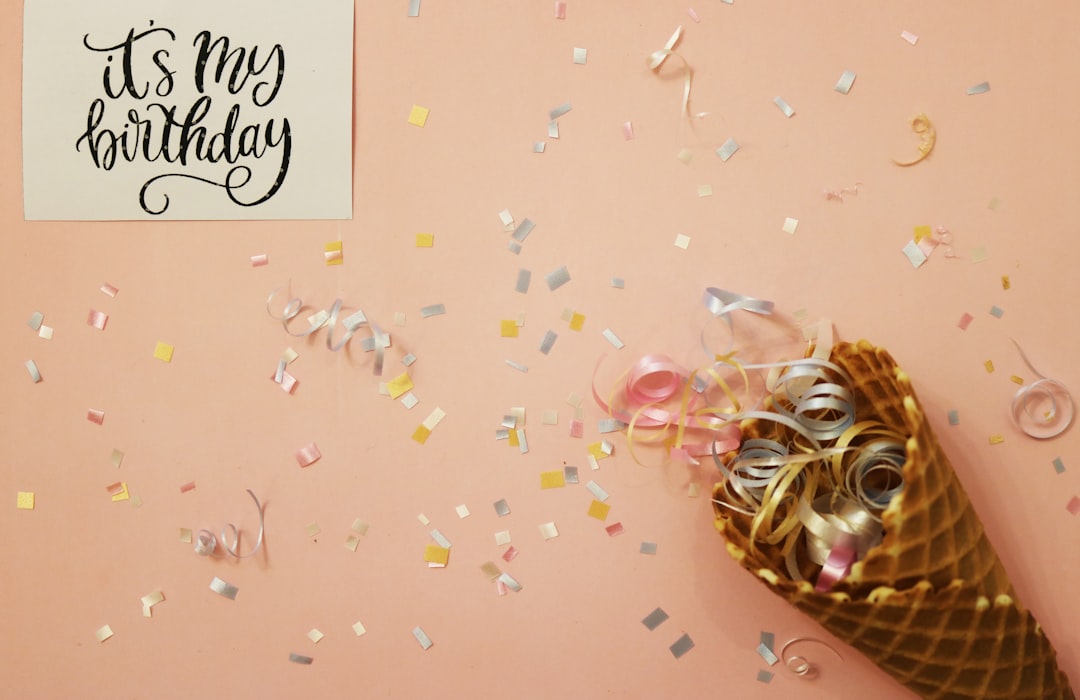
A keepable birthday card design comes from one playful idea executed cleanly, a friendly color and type combination, and the right print specs so it looks crisp in hand. This is a step-by-step on making a card from blank document to finished file — plus the sizes, wording, and tools that make it easy to repeat for the next birthday.
Birthday cards have more creative freedom than most seasonal pieces — the rules are looser and the tone is yours to set. For the broader seasonal context, see our holiday design guide, then follow the steps below for birthdays specifically.
Birthday Card Ideas to Start From
Pick one direction before you design — a clear concept beats a crowded one every time:
- Big-type celebration — “Happy Birthday” set huge in a playful display font, confetti or balloons as a light accent.
- Milestone number — a giant “30” or “50” as the hero, with the message tucked beneath.
- Photo card — a favorite photo of the recipient with a clean type overlay; personal and easy to print.
- Illustrated and playful — a cake, a character, or an inside-joke drawing in a flat, friendly style.
- Minimal and modern — one line of elegant type, a single small motif, and lots of space for a grown-up feel.
Birthday Card Color and Typography
Birthdays invite bright, celebratory color — confetti brights, warm pastels, or a bold two-color combo. Unlike Christmas or Halloween, there is no fixed palette, so match the color to the person: playful brights for a kid, refined tones for an adult, a favorite color for a personal touch.
For type, the festive formula is a playful rounded or display font for the headline paired with a friendly clean sans for the body. The display face carries the fun on “Happy Birthday” or the milestone number; the body font keeps your message readable. Two fonts, no more. For pairing a fun headline face with a legible body font, our font pairing guide is the reference to use.
Tailor the typographic energy to the recipient. A child’s card can carry a bouncy, chunky, hand-drawn display font and bright color; a milestone card for an adult often looks better with a clean modern face and a restrained palette, letting a giant number do the celebrating. The same “two fonts, one motif” discipline holds in both cases — what changes is the personality of the display face, not the number of fonts. Resist the urge to add a third font just because the occasion is fun; playfulness comes from color, scale, and motif, not from font clutter.
How to Make a Birthday Card: Step by Step
This works in Canva, Illustrator, InDesign, or Photoshop — the steps are the same:
- Set up the document. Choose your size (5 × 7 is the safe default), add 0.125″ bleed on every edge, set 300 DPI and CMYK for print.
- Lay the background. One celebratory color or a single subtle texture — keep it clean so the type pops.
- Place the headline. Set “Happy Birthday” or the milestone number large in your display font, in the upper or center third.
- Add one motif. Balloons, confetti, or a cake — sized to support, not crowd, the headline.
- Set up the inside. For a folded card, reserve the inside-right panel for your message in the body font.
- Proof it. Check spelling, confirm text sits inside the safe margin, and view at actual size.
- Export two files. A CMYK print PDF with crop marks, and an RGB version for an e-card or social.
Birthday Card Sizes and Print Specs
Use a standard size so the card fits stock envelopes and printer presets:
| Size | Dimensions | Best for |
|---|---|---|
| A2 (folded) | 4.25 × 5.5 in | Quick folded card, fits A2 envelopes |
| Standard (folded) | 5 × 7 in | The most popular card size |
| Flat / photo card | 5 × 7 in | Single-sided photo cards |
| Postcard | 4 × 6 in | No envelope needed |
Production rules to lock in:
- Resolution: 300 DPI for print, 72 DPI for screen.
- Color mode: CMYK for print, RGB for digital.
- Bleed: 0.125″ on every edge; text at least 0.125″ inside the trim.
- File: press-ready PDF with crop marks for a printer; high-quality JPG or PNG for home printing.
For a folded card, design the flat sheet at double the finished width (10 × 7 for a 5 × 7 card) as four panels: front, inside-left, inside-right, back.
Birthday Card Wording That Works
The design opens the card; the words make it land. Keep the message warm, specific, and short. A few reliable openers:
- Warm and simple: “Happy birthday! Hope your day is as wonderful as you are.”
- Milestone: “Here’s to 40 — and to everything still ahead. Cheers!”
- Funny and light: “Another year older, somehow still cooler than me. Happy birthday!”
- Heartfelt: “So grateful to know you. Wishing you a year full of good things.”
One specific detail — a shared memory, an inside joke, a particular wish — beats any generic line. Leave room in the layout for a handwritten note; it is what makes the card personal. This is the single most important design decision in a birthday card and the one people forget: if you fill every panel with type and illustration, there is nowhere to actually write. Reserve a clear, uncluttered area — usually the inside-right panel — with enough room for a few handwritten lines and a signature. A card the sender can personalize beats a beautiful card they can only sign their name on.
Print vs Digital Birthday Cards
For a digital card, export an RGB version at 1200–1500 px wide as a JPG, or a short MP4/GIF for animation. For social, resize to 1080 × 1080 px (square) or 1080 × 1920 px (story). Build the print version first and export the digital one separately — never just upload the print file, which will be oversized and color-shifted.
Tools for Birthday Card Design
- Canva — fastest for photo and template-based cards, with print ordering built in.
- Adobe Illustrator — best for vector illustration and scalable type.
- Adobe InDesign — best for folded, multi-panel cards.
- Adobe Photoshop — best for photo cards and textured designs.
Designing other personal cards too? See thank-you card design for sincere wording, and Christmas card design for the festive variation on the same fundamentals.
Frequently Asked Questions
What size is a standard birthday card?
The most popular birthday card size is 5 × 7 inches, followed by the A2 card at 4.25 × 5.5 inches; both fit standard envelopes. For folded cards, design the flat sheet at double the finished width — 10 × 7 for a 5 × 7 card — then fold to size.
How do I make a birthday card?
Set up a 5 × 7 document at 300 DPI in CMYK with 0.125 inch bleed, lay a clean background, place a large display headline, add one motif, reserve the inside for your message, proof carefully, and export a CMYK print PDF plus an RGB digital version.
What fonts are best for a birthday card?
Pair a playful rounded or display font for the “Happy Birthday” headline with a friendly clean sans for the message. The display face carries the fun while the body font stays readable. Limit yourself to two typefaces so the card looks intentional, not cluttered.
What should I write in a birthday card?
Keep it warm, specific, and short. Start with a simple “Happy birthday!” then add one personal detail — a shared memory, an inside joke, or a particular wish for the year. One specific line beats any generic greeting. Leave room for a handwritten note.
What is the best free tool for birthday card design?
Canva is the best free option for most people, with a large library of birthday templates, photo-card layouts, and built-in print ordering. For vector illustration or precise print control, Adobe Illustrator and InDesign are the professional choices.