Best Font Pairings for Resumes in 2026
The best resume font pairings do two unglamorous jobs at once: they read cleanly to a human skimming for six seconds, and they parse correctly through the applicant tracking system (ATS) that screens you before any human sees the page. That rules out anything decorative. What works is a restrained pairing of one font for your name and headings and one for body text, sized and spaced for fast reading. Here are the combinations that hold up.
If you want the broader logic of why certain fonts work together, our font pairing guide explains contrast and hierarchy. This piece narrows it to the resume.
What Makes a Font “Resume-Safe”
Three requirements. First, ATS compatibility: the font must be a common, well-supported typeface so parsers read your text correctly, which favors mainstream fonts over obscure or heavily stylized ones. Second, legibility at small sizes, because resume body text typically sits at 10–11pt. Third, a professional, neutral tone that does not distract from the content. Comic Sans aside, the biggest mistakes are fonts that are too thin, too condensed, or too quirky.
You generally have two safe routes: a single-family pairing (one typeface in different weights) or a classic serif-plus-sans pairing. Both are covered below.
Single-Family Pairings (The Safest Option)
Using one typeface across the whole resume, varying only weight and size, is the lowest-risk choice. It looks deliberate, parses cleanly, and never clashes.
- Calibri Bold + Calibri — The modern default. Bold for your name and section headers, regular for body. Universally installed and ATS-friendly.
- Garamond Bold + Garamond — A space-efficient serif that lets you fit more text without crowding. Reads as classic and considered.
- Helvetica/Arial Bold + Regular — Maximally neutral and available everywhere. Arial is the safe substitute when Helvetica is not installed.
- Lato Bold + Lato — A warmer humanist sans with many weights. Clean and contemporary; embed or export to PDF.
- Source Sans Pro Semibold + Regular — Designed for interfaces, so it stays crisp at small sizes. Open-source and free.
Serif-and-Sans Pairings for More Polish
If you want a touch more design without risking the ATS, pair a serif for your name and headings with a sans for body text, or vice versa. This is the same principle behind our serif and sans-serif pairing guide, applied conservatively.
- Georgia + Verdana — Both screen-optimized and pre-installed. Georgia headings feel established; Verdana body stays readable at 10pt.
- Cambria + Calibri — Office’s native theme pair. A safe, formal upgrade over Calibri alone.
- Merriweather + Open Sans — A bookish serif heading over a neutral sans body. Both free and designed for screens.
- Playfair Display + Source Sans Pro — Use only the name in Playfair for an editorial flourish; keep everything else in Source Sans. Best for creative roles.
- PT Serif + PT Sans — Built as a matched superfamily, so they harmonize automatically.
Fonts to Avoid on a Resume
- Comic Sans and Papyrus — Read as unprofessional, full stop.
- Times New Roman — Not wrong, but signals “default document” and dates your resume.
- Ultra-thin weights (Helvetica Neue Thin, etc.) — Disappear when printed or scanned.
- Condensed display fonts — Harder for ATS to parse and tiring to read.
- Script and handwriting fonts — Often misread by parsers; never use for body text.
Sizing, Spacing, and Format Rules
The pairing only succeeds with the right mechanics around it.
- Body text: 10–12pt. Stay at 11pt for most fonts; drop to 10pt only to save a line.
- Name: 18–24pt. Your name should be the largest element on the page.
- Section headers: 12–14pt, bold or letter-spaced caps for clear scanning.
- Line spacing: 1.15–1.5. Tight enough to fit one page, open enough to breathe.
- Always submit as PDF unless the posting specifically asks for .docx, to lock fonts and layout.
Quick Pick by Industry
| Field | Pairing | Why |
|---|---|---|
| Finance / law / corporate | Cambria + Calibri | Formal, conservative, safe |
| Tech / startup | Source Sans Pro (single family) | Clean, modern, ATS-friendly |
| Creative / design | Playfair Display name + Source Sans body | Editorial without clutter |
| Academic / research | Garamond (single family) | Space-efficient, traditional |
| General / unsure | Calibri (single family) | Universal and reliable |
For a deeper look at how type signals fit a specific sector, see our guide to font combinations by industry.
Keep the Resume and Cover Letter Consistent
A detail that quietly signals attention to craft: use the same font pairing across your resume, cover letter, and any portfolio or reference sheet you submit. When the documents share a typographic system, they read as one professional package rather than three files assembled in a hurry. Carry the heading font for your name and the section labels, and the body font for everything else, into every document. If you have a personal website or LinkedIn header graphic, echoing the same pairing there reinforces a small but real sense of a personal brand — the same consistency principle that makes companies’ materials feel trustworthy.
Practically, this is easiest if you build from a single base document. Set your two fonts and sizes once, then duplicate the file for the cover letter so the type is already correct. It removes a class of small inconsistencies — a slightly different heading size here, a stray default font there — that hiring managers may not name but do notice.
Designing for the Six-Second Skim
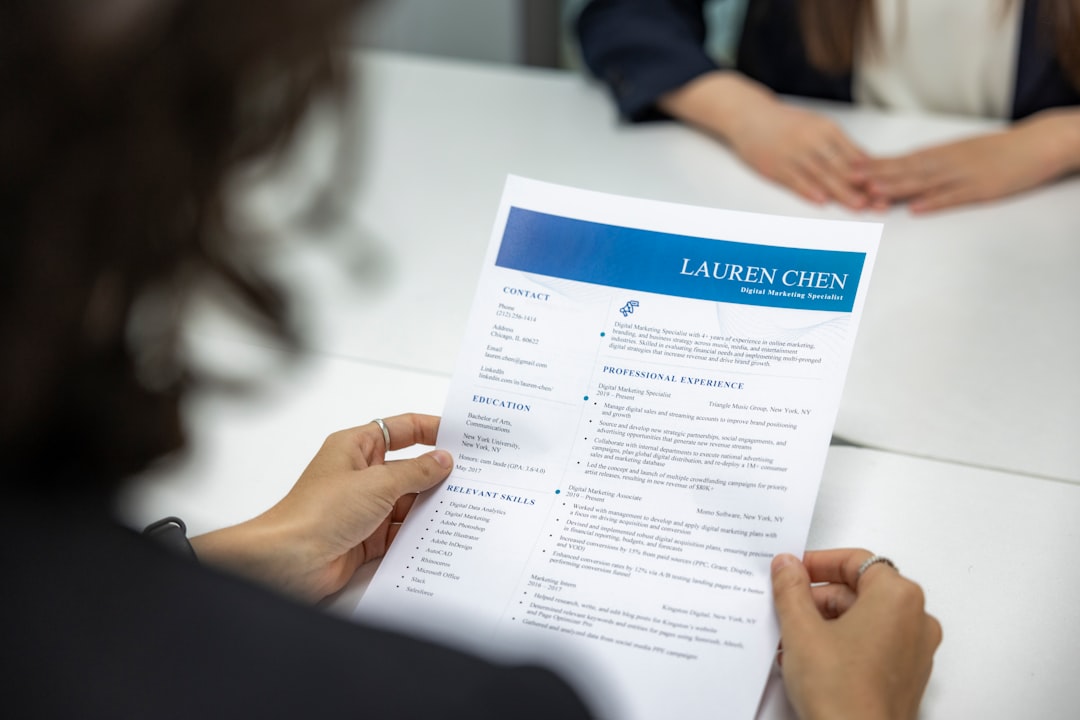
Recruiters typically scan a resume in seconds before deciding to read properly, so your typography has one job above all: guide the eye to the right things fast. Make your name the unmistakable anchor at the top, give section headers enough weight or letter-spacing to act as signposts, and keep body text calm so the headers stand out against it. Bold sparingly — bold job titles or company names, not whole sentences, because when everything is emphasized nothing is. The pairing you choose matters less than whether it creates a clear, scannable hierarchy. A plain Calibri resume with strong hierarchy will outperform a beautifully paired one where every line looks the same weight.
Frequently Asked Questions
What is the best font for a resume in 2026?
For most candidates, a single clean font used in two weights is best: Calibri, Garamond, or Source Sans Pro all work. They are widely installed, parse reliably through applicant tracking systems, and stay readable at 10–11pt. Reserve serif-plus-sans pairings for when you want a little extra polish.
Are two fonts on a resume too many?
No, two is fine and often looks more intentional: one font for your name and headings, one for body text. The risk is using three or more, or pairing two fonts that look almost identical. When in doubt, use one family in different weights.
Will my resume font affect ATS parsing?
It can. Decorative, condensed, or script fonts may be misread or rejected by some applicant tracking systems. Stick to mainstream, well-supported fonts like Calibri, Arial, Garamond, or Lato, and submit a PDF so your formatting and text stay intact.
What font size should resume body text be?
Between 10 and 12 points, with 11pt being the sweet spot for most fonts. Your name should be 18–24pt and section headers 12–14pt. Avoid going below 10pt to fit more content; tighten margins or trim words instead.
Try it live: Use our free font pairing generator to preview these combinations and copy the CSS in one click.