Worksheet Design: Clear, Usable Layouts
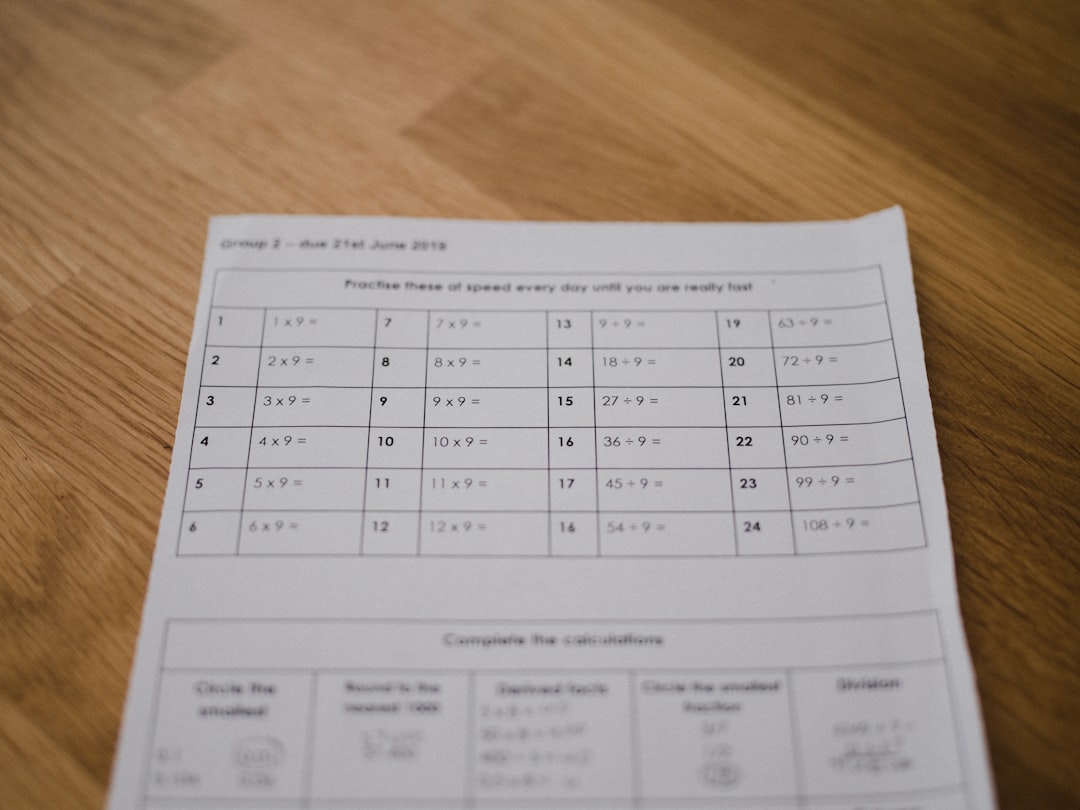
Good worksheet design is mostly restraint. The worksheet is the most-used document in any school and usually the least considered, churned out in Word the night before class. Yet a clear, well-spaced, readable worksheet measurably helps students do the work, while a cramped, confusing one wastes class time on “what does this question mean?” The good news is that the design choices that help are simple, free, and fast to apply once you know them. This guide covers how to make worksheets that students can actually use.
For where worksheets sit among posters, certificates, and the rest of a school’s materials, see our guide to design for schools and teachers. Here we focus on the page itself.
Write Instructions That Stand Out
Most worksheet confusion is an instruction problem, not a content problem. Put a clear instruction at the top of each section, phrased in plain, direct language (“Circle the verb in each sentence” beats “Identify the action words below”). Make instructions visually distinct from the questions, by bolding them or setting them slightly larger, so a student’s eye lands on what to do before what to answer. If a task has steps, number them. One unambiguous instruction per task saves you answering the same question fifteen times.
Give Students Room to Write
The single most common worksheet flaw is not enough space to answer. Students need physical room to write, especially younger ones with developing handwriting. Match the answer space to the expected response: a full line or two for a sentence, a labeled box for a diagram, several lines for a paragraph. Generous white space also makes a page feel approachable rather than overwhelming, and reduces errors caused by a student squeezing an answer into a sliver of margin. A worksheet with fewer questions and proper space beats a dense one every time.
Choose Readable, Dyslexia-Friendly Type
Typography on a worksheet is an accessibility decision. Many students read these pages while still learning to decode, and some have dyslexia or other reading differences. A few choices help all of them at no cost:
- Use a clear, evenly weighted font with distinct letterforms. Faces designed for legibility, with open shapes and well-differentiated letters like b, d, p, and q, reduce confusion for struggling readers. Dedicated dyslexia-friendly fonts exist, but a clean, plain sans-serif at a comfortable size also works well.
- Set a generous body size (12pt is a floor for older students; younger grades need larger).
- Left-align text rather than justifying it; justified text creates uneven gaps (“rivers”) that disrupt reading.
- Add line spacing. A little extra leading makes text easier to track across the line.
- Avoid long passages in all-caps or italics, both of which slow decoding.
For pairing a heading font with a readable body font for branded school templates, see our font pairing guide.
Design for the Photocopier
Almost every worksheet is photocopied, usually in black and white, so design for that reality from the start. The implications are concrete:
- Do not rely on color to carry meaning; a color-coded key becomes useless once copied in grayscale, and excludes color-blind students even in color.
- Keep backgrounds white. Tinted or textured backgrounds darken and smear on a copier, and waste toner.
- Use solid lines and clear shapes, which reproduce cleanly, rather than fine gradients or pale screens.
- Check the margins against your copier’s printable area so nothing gets cut off in duplication.
If a worksheet only works in full color, it will fail the moment it reaches the copy room. Build it to look intentional and fully usable in plain black and white.
Structure the Page Logically
A worksheet should guide the eye in a predictable order. Put a header zone at the top for the student name, date, and class, then the title and instructions, then the questions in a clear sequence, top to bottom. Group related questions, and use consistent numbering. White space between sections signals “new task” far better than a heavy border. The goal is that a student, and you when grading, can move through the page without hunting for what comes next.
| Element | Do | Avoid |
|---|---|---|
| Instructions | Bold, plain language, one per task | Vague wording buried in the questions |
| Answer space | Sized to the expected response | Cramming questions to save paper |
| Type | Clear font, 12pt+, left-aligned | Decorative fonts, justified text |
| Color | Optional; never load-bearing | Meaning that vanishes in grayscale |
| Layout | Logical top-to-bottom order | Crowded multi-column mazes |
Always Make an Answer Key
An answer key is part of the worksheet, not an afterthought. Build it as you write the questions, while the correct answers and intended reasoning are fresh. A key speeds your grading, lets you swap in a substitute teacher without losing a day, and catches your own ambiguous questions before students do. Keep it stored with the worksheet file so the pair never separates.
Tools and Format
Most teachers build worksheets in Word or Google Docs, which is perfectly fine; set up a clean template with the school header, a readable font, and tidy spacing, then reuse it. For worksheets you will distribute widely or post online, export to PDF so the layout cannot shift on someone else’s machine. Canva and PowerPoint suit more visual worksheets with diagrams or images. Whatever the tool, the same principles apply: clear instructions, room to write, readable type, and a page that survives the copier. For other student-facing materials sharing these readability rules, see our classroom poster design guide and the certificate design guide for rewarding finished work.
Build a Reusable Template
The fastest way to make every worksheet better is to stop starting from scratch. Build one clean template that already carries the school header, a name-date-class block, a readable body font at a sensible size, comfortable margins, and tidy default spacing, then save it and duplicate it for each new sheet. A good template bakes in all the right decisions, so a tired teacher inherits good design automatically instead of having to remember it at 9pm. Keep one or two variants, perhaps a lined-response layout and a grid or diagram layout, and you will cover most subjects. Share the template across a department or the whole school and you also gain consistency: worksheets from different teachers start to look like they belong to the same institution, which quietly raises the perceived quality of everything students take home. Revisit the template once a year to fix anything that has drifted, and it will keep paying off for as long as you teach.
Frequently Asked Questions
What font is best for worksheets?
Use a clear, evenly weighted font with distinct letterforms, especially well-differentiated b, d, p, and q, which helps struggling and dyslexic readers. A clean plain sans-serif at 12pt or larger works well, as do dedicated dyslexia-friendly fonts. Left-align the text and add a little extra line spacing for easier tracking.
How much space should I leave for answers?
Match the answer space to the expected response: a line or two for a sentence, a labeled box for a diagram, several lines for a paragraph. Younger students with developing handwriting need more room. A worksheet with fewer questions and proper space outperforms a dense one crammed to save paper.
Should worksheets be designed in color or black and white?
Design for black and white, since most worksheets are photocopied in grayscale. Never use color to carry meaning, keep backgrounds white, and use solid lines rather than pale screens or gradients. A color-only worksheet fails in the copy room and excludes color-blind students even when printed in color.
What makes a worksheet dyslexia-friendly?
Clear letterforms with distinct shapes, a generous type size, left-aligned (not justified) text, extra line spacing, and uncluttered layouts with plenty of white space. Avoid long passages in all-caps or italics. These choices help dyslexic students decode the page and make worksheets easier for every reader.
Why should I make an answer key?
An answer key speeds grading, lets a substitute teacher run the lesson, and catches ambiguous questions before students hit them. Build it while writing the worksheet, when the correct answers and reasoning are fresh, and store it alongside the worksheet file so the two never get separated.