Property Brochure Design: Listings That Sell
A property brochure is what you reach for when a one-page flyer is not enough — a higher-value listing that deserves a multi-page story with full-bleed photography, a floor plan, and the neighborhood lifestyle spelled out. Done well, it makes a serious buyer feel the home is worth a premium price. This guide covers the page-by-page structure, fold and size options, print specs, and tools to produce a brochure that sells.
Brochures sit at the top of your collateral system. For how they relate to flyers, signs, and your logo, start with our pillar guide to real estate branding, and for general layout fundamentals see our brochure design primer.
When to Use a Brochure Instead of a Flyer
A single-sheet flyer covers most listings. Reach for a multi-page brochure when the property and price justify the extra production cost and the story needs room to breathe:
- Luxury and high-value homes where buyers expect a premium presentation.
- Architecturally distinctive or large properties with many spaces worth showing.
- Listings with strong lifestyle/neighborhood appeal — waterfront, acreage, walkable urban.
- New construction or developments that need floor plans, finishes, and options laid out.
For everything else, a strong listing sheet is faster and cheaper — see our real estate flyer design guide.
Formats and Folds
Brochures come in a few standard configurations. The right one depends on how much content you have and the feel you want.
| Format | Flat size → finished | Best for |
|---|---|---|
| Bi-fold | 11×8.5 → 5.5×8.5 (4 panels) | Concise feature sheet with a few large photos |
| Tri-fold | 11×8.5 → 3.67×8.5 (6 panels) | Quick rack/handout brochure |
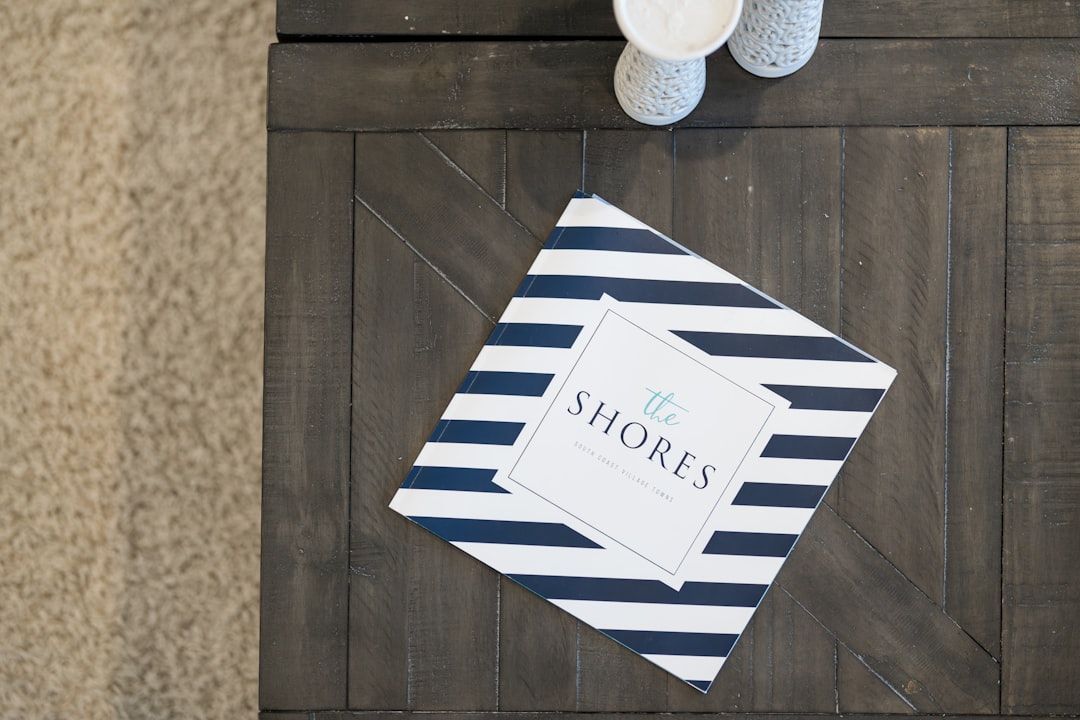
| Booklet (saddle-stitch) | 8.5×11 pages, 8–16 pp | Luxury feature book; full-bleed photography |
| Folded large-format | 11×17 → 8.5×11 | Premium single-fold with big hero spreads |
For luxury listings, a saddle-stitched booklet with heavy paper stock signals the most quality. For a fast, lower-cost piece, a bi-fold or tri-fold does the job.
Page-by-Page Structure
Sequence the brochure so it builds desire, then delivers the practical details. A reliable order for an 8–12 page booklet:
- Cover: one stunning full-bleed exterior or twilight hero photo, the address, and a short tagline. Minimal text — let the image sell.
- Opening spread: a lifestyle headline and two to three sentences setting the scene, paired with a wide interior shot.
- Feature spreads: kitchen, primary suite, living spaces, and outdoor areas — large photos with brief, benefit-led captions.
- Specs page: beds, baths, square footage, lot size, year built, and standout features in a clean, scannable list.
- Floor plan: a clear, labeled plan (and site plan for larger lots).
- Neighborhood/lifestyle: schools, amenities, commute, and what living there feels like.
- Back cover / agent page: your headshot, name, phone, email, brokerage lockup, and license number — the required footer.
Photography Is the Whole Product
A brochure is a photography showcase; everything else is captioning. Commission a professional shoot with wide-angle interiors, exteriors, twilight images, and drone or aerial shots for larger properties. Reserve full-bleed pages for your strongest images and give them room — one magnificent photo per spread beats four small ones. Every image must be at least 300 DPI at its placed size, or it will look soft in print.
Direction matters as much as image count. Brief your photographer on the specific spaces and angles that justify the asking price — the view from the primary suite, the chef’s kitchen, the sunset over the water — rather than dutifully shooting every room. Twilight exteriors, in particular, do disproportionate work on a cover, turning an ordinary house into an aspirational one. Budget for the shoot before anything else; on a high-value listing it is the single line item that most directly affects perceived value.
Typography and White Space
Use the same two typefaces as the rest of your brand — one for headlines, one for body and captions — and let the photography carry the visual interest. A refined serif like Playfair Display (free, Google Fonts) for headlines paired with a clean sans like Inter (free) for captions and specs reads as upscale and legible. Be generous with margins and white space; a luxury brochure that feels crowded undercuts the premium message. Keep captions short and set body and spec text large enough to read comfortably, roughly 9–11pt.
Print Specifications
Brochures are unforgiving in print, so set specs correctly from the start:
- Resolution: 300 DPI for all images and the exported file.
- Color mode: CMYK for commercial printing; proof your brand colors so they do not shift.
- Bleed: 0.125″ (1/8″) on every full-bleed photo, with a safe margin keeping text off the trim.
- Page count: for saddle-stitched booklets, total pages must be a multiple of 4.
- Paper stock: heavier matte or silk stock (e.g., 100 lb text or cover) feels premium; ask your printer for samples.
- File format: export a print-ready PDF (PDF/X) with bleed and crop marks.
Tools to Build a Property Brochure
Adobe InDesign is the professional standard for multi-page layout — it handles master pages, precise typography, facing-page spreads, and clean print export better than anything else. Canva offers editable real estate brochure templates and is the faster route for agents without design experience, with a Brand Kit to lock fonts, colors, and logo. Use Adobe Photoshop to retouch and color-correct photos before placing them. Build one master template per format, then swap photos and details per listing.
Because a printed booklet has real production cost and lead time, plan for both. Confirm your printer’s turnaround before you promise a brochure on the sign-in table, and consider ordering a small first run to proof the paper, color, and binding in hand before committing to the full quantity. A digital flip-book or PDF version of the same layout is worth producing alongside the print piece — it costs nothing extra to export and lets you email the brochure to out-of-area buyers and share it in listing presentations.
Pair the brochure with consistent collateral across the listing — our guides to open house flyer design and yard sign design keep the on-site experience matching the book.
Frequently Asked Questions
What should a property brochure include?
A full-bleed hero cover, a lifestyle opening spread, feature spreads for the kitchen and key rooms, a clean specs page, a labeled floor plan, a neighborhood section, and an agent back page with your headshot, contact details, brokerage lockup, and license number. Lead with photography and keep captions short.
What size is a real estate brochure?
Common options are a bi-fold or tri-fold from an 11×8.5 flat sheet, an 8.5×11 saddle-stitched booklet of 8 to 16 pages, or a folded 11×17. Booklets must total a multiple of four pages. Choose based on content volume and how premium you want it to feel.
When should I use a brochure instead of a flyer?
Use a multi-page brochure for luxury, large, architecturally distinctive, or lifestyle-driven listings where the price justifies premium production and the story needs room. For standard listings, a single-page flyer is faster, cheaper, and perfectly effective for sign-rider boxes and showings.
What program is best for property brochures?
Adobe InDesign is the professional standard for multi-page layout, master pages, and print-ready export. Canva is the faster choice for agents without design experience and offers editable templates plus a Brand Kit. Use Photoshop to color-correct and retouch listing photos before placing them.
What print settings does a property brochure need?
Set images and export to 300 DPI, use CMYK color mode, add 0.125 inch bleed on full-bleed photos with a safe text margin, and keep booklet page counts a multiple of four. Export a print-ready PDF with crop marks and ask your printer about heavier matte or silk paper stock.