Medical Brochure Design: Patient-Friendly Layouts
A medical brochure succeeds only if a worried, distracted, possibly low-vision patient can read it once and understand what to do next. That makes it one of the hardest formats in design: it has to be calm, clear, accessible, and honest while explaining genuinely complex or scary information. This guide covers the reading level, layout, type, and CTA choices that turn a dense leaflet into something patients actually read and act on.
A brochure is a touchpoint of your wider healthcare branding system, so it should look and sound like the same organization that made your signage and logo. For format mechanics — folds, panels, and print specs — our general brochure design guide covers the production side; here we focus on what makes a brochure patient-friendly.
Write for the Patient, Not the Practice
The single biggest failure in medical brochures is writing for clinicians instead of patients. Lead with the patient’s question — “What is this procedure?” “Will it hurt?” “What do I do before my appointment?” — and answer in plain language. Aim for roughly a 6th–8th grade reading level. Define unavoidable medical terms in parentheses: “hypertension (high blood pressure).”
- Use short sentences and short paragraphs.
- Prefer “you” and active voice: “Take one tablet” beats “Patients should ensure the administration of one tablet.”
- Break instructions into numbered steps.
- Cut jargon, hedging, and filler ruthlessly.
Plain language is an accessibility feature, not a dumbing-down. The clearest writing serves everyone, including educated patients reading under stress.
Layout and White Space
Calm layout signals calm care. Crowded, edge-to-edge text reads as overwhelming exactly when the patient is least able to cope. Use generous white space to let the content breathe and to guide the eye through a clear path.
- Establish a strong hierarchy: clear headings, subheads, and body so readers can scan to the section they need.
- Use a simple grid; align everything; resist filling every gap.
- Chunk content — one idea per section, with descriptive headings that work even if that’s all someone reads.
- Keep line length comfortable (roughly 45–75 characters) so text is easy to track.
White space is not wasted space. In patient materials, it’s a usability and reassurance tool.
Typography for Patient Materials
Legibility comes first because the audience skews older and lower-vision. Set body copy in a clean, high-x-height sans-serif at a generous size — 12pt minimum in print, larger for senior-focused materials, and 16px+ for the digital PDF version. Strong, free choices include Inter, Source Sans 3, and Public Sans (designed for government accessibility). A calm, readable serif like Source Serif 4 (free) can work for body text in a more traditional brochure, but avoid anything thin or high-contrast.
- Never set body copy in light weights — they fail at low contrast and small sizes.
- Use tabular figures for dosages, times, and phone numbers.
- Maintain WCAG AA contrast (4.5:1 for body text); aim for AAA on critical instructions.
Imagery and Color
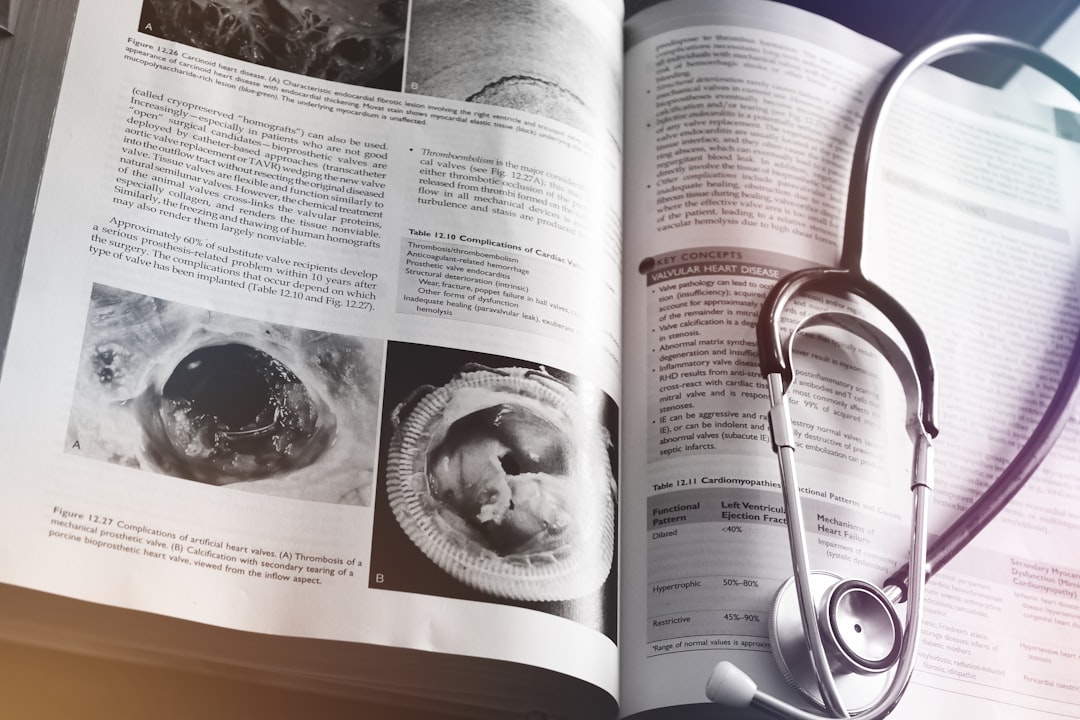
Imagery should reassure, not alarm. Use calm, natural photography of real, age-diverse, consented patients — or clean, friendly illustration for sensitive topics where photos would be too clinical. Keep color within the brand palette (the trustworthy blues, greens, and teals of healthcare), and never use color as the only way to convey meaning. Diagrams that explain anatomy or steps should be simple, labeled, and uncluttered.
Clear Calls to Action
Every patient brochure should make the next step obvious. Whether it’s “Call to book,” “Bring this list to your appointment,” or “Visit our portal,” the CTA must be visually prominent, specific, and easy to act on. Repeat key contact details (phone, address, hours, website) in a consistent, easy-to-find spot. Don’t make an anxious patient hunt for how to reach you.
- State one primary action clearly.
- Make it visually distinct (size, color, position).
- Include all contact details in a predictable place.
- Keep instructions concrete and step-based.
Privacy and Accuracy
Patient materials carry real responsibility. In the US, anything involving patient stories, photos, or testimonials must respect HIPAA — get documented consent and handle identifying information carefully. Privacy rules differ by region (GDPR, PIPEDA, and others), so verify the requirements where you operate. Equally important: medical content must be accurate and reviewed by a qualified clinician before printing. Design clarity is worthless if the underlying information is wrong.
Accessibility Beyond Print
Plan for more than the folded paper. Provide an accessible digital version (tagged PDF or, better, an HTML page) that works with screen readers and reflows on phones. Offer large-print and translated versions for the communities you serve. The same content, delivered in the format each patient can actually use, is what real accessibility looks like — and it mirrors the inclusive thinking behind good clinic signage and wayfinding.
Choosing the Right Format and Fold
Format follows content, not habit. The default tri-fold is fine for a quick service overview, but it forces content into narrow panels that fight long instructions. For step-by-step procedures or detailed pre-op guidance, a simple booklet or a single-page handout often reads far better because each step gets room to breathe. Match the fold to how the patient will use the piece: a wallet-sized card for “what to bring,” a flat sheet for the fridge, a booklet for in-depth education.
- Tri-fold: short overviews, service menus, take-one displays.
- Single sheet: instructions and checklists patients post at home.
- Booklet: detailed education, multi-step procedures, post-op care.
- Wallet card: appointment prep, emergency contacts, medication lists.
Whatever the format, design for the actual reading situation. Many patients read in a waiting room, a car, or at the kitchen table while stressed — so the piece must work without a designer there to explain it.
Common Medical Brochure Mistakes
- Writing for clinicians instead of patients, with unexplained jargon.
- Cramming every panel full to “use the space,” creating an overwhelming wall of text.
- Thin or undersized type that fails older and low-vision readers.
- Burying or omitting the call to action and contact details.
- Using alarming or generic stock imagery instead of calm, authentic visuals.
- Skipping clinical review, so the design is polished but the content is inaccurate.
Most of these come from optimizing for the practice’s convenience rather than the patient’s comprehension. Keep the patient’s reading experience as the single guiding constraint and the common mistakes largely solve themselves.
Bringing It Together
A patient-friendly medical brochure is the brand in miniature: plain words, calm space, legible type, reassuring imagery, and an obvious next step — all consistent with your logo, signage, and tone. When the brochure feels like the rest of the experience, patients trust it, read it, and act on it. That consistency, more than any single clever layout, is what makes the piece work.
Frequently Asked Questions
What reading level should a medical brochure use?
Aim for roughly a 6th–8th grade reading level. Use short sentences, active voice, and “you,” and define unavoidable medical terms in parentheses, such as “hypertension (high blood pressure).” Plain language is an accessibility feature that helps everyone, including educated patients reading under stress.
What font size is best for patient brochures?
Use a clean, high-x-height sans-serif at 12pt minimum in print, larger for senior-focused materials, and 16px+ in digital versions. Inter, Source Sans 3, and Public Sans (all free) are strong choices. Avoid thin weights, use tabular figures for dosages and times, and meet WCAG AA contrast.
How do I make a medical brochure less overwhelming?
Use generous white space, a clear heading hierarchy, and short chunks of one idea each. Keep line length comfortable, align everything to a simple grid, and resist filling every gap. Calm layout signals calm care and helps anxious patients scan straight to the section they need.
Do medical brochures need to comply with HIPAA?
In the US, yes, whenever they include patient stories, photos, or testimonials — get documented consent and handle identifying details carefully. Privacy rules vary by region (GDPR, PIPEDA, and others), so verify locally. Also have a qualified clinician review all medical content for accuracy before printing.
What should the call to action be on a patient brochure?
One clear primary action — “Call to book,” “Bring this list to your visit,” or “Use our portal” — made visually prominent and specific. Repeat phone, address, hours, and website in a consistent, easy-to-find spot so an anxious patient never has to hunt for how to reach you.