Color Picker Chrome Extension
A free Chrome extension from Made Good Designs. Pick any colour on screen, see the palette of the page you are on, find out which font a site uses, and save images to your MGD boards. When we have a brand guide for the site you are visiting, it shows that too.
Coming soon to the Chrome Web Store. This page will link to it as soon as the listing is approved.

What it does
Colour picker and page palette
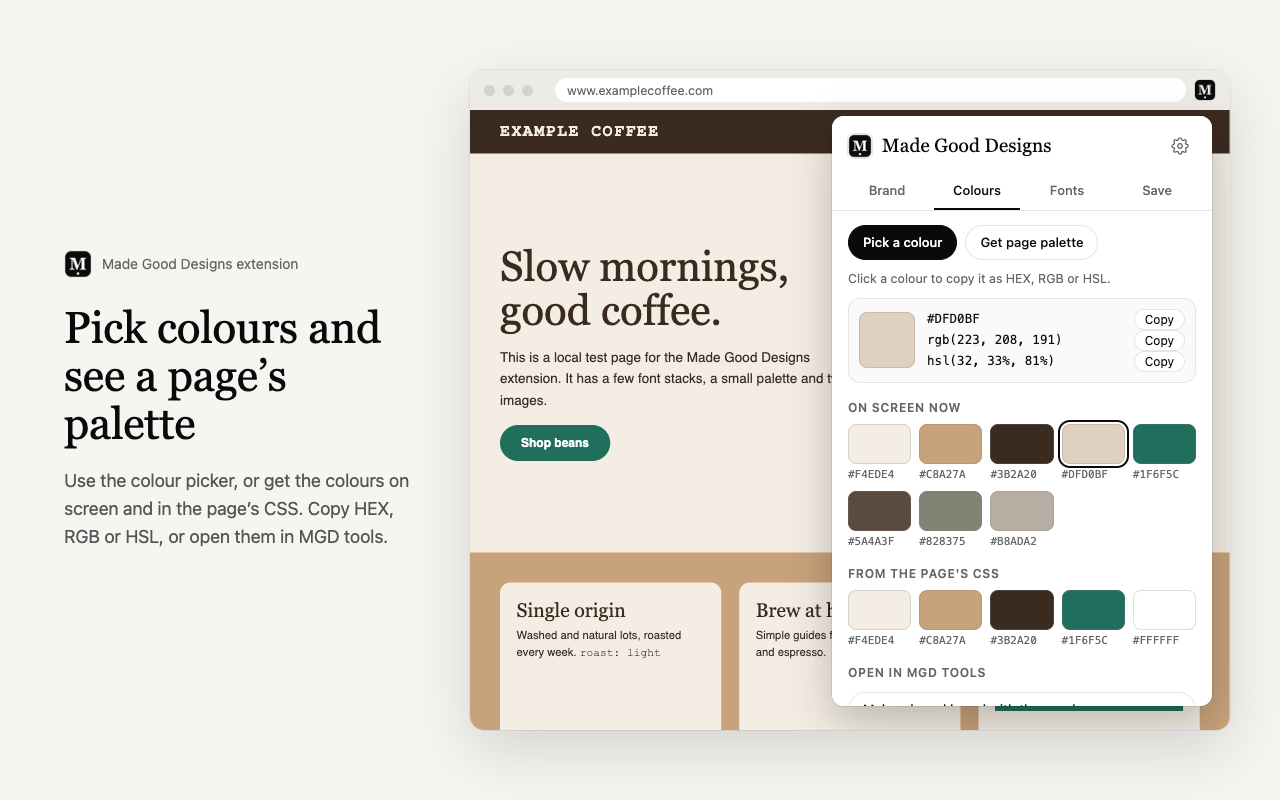
- Pick any pixel on screen and copy it as HEX, RGB or HSL.
- See the palette of the page: the most-used colours on screen plus the colours in its CSS.
- Send your colours to free MGD tools: make a brand board or build a website palette from one colour.
Font finder
- Hover any text to see its font stack, the font most likely showing, size, weight, line height and colour.
- Pin a card and copy its CSS.
- List every font used on the page.
Save to boards
- Right-click an image or a page and choose Save to MGD board.
- A small madegooddesigns.com window opens where you pick a board. It uses the same sign-in as the Save to MGD bookmark.
Brand guides for the site you are on
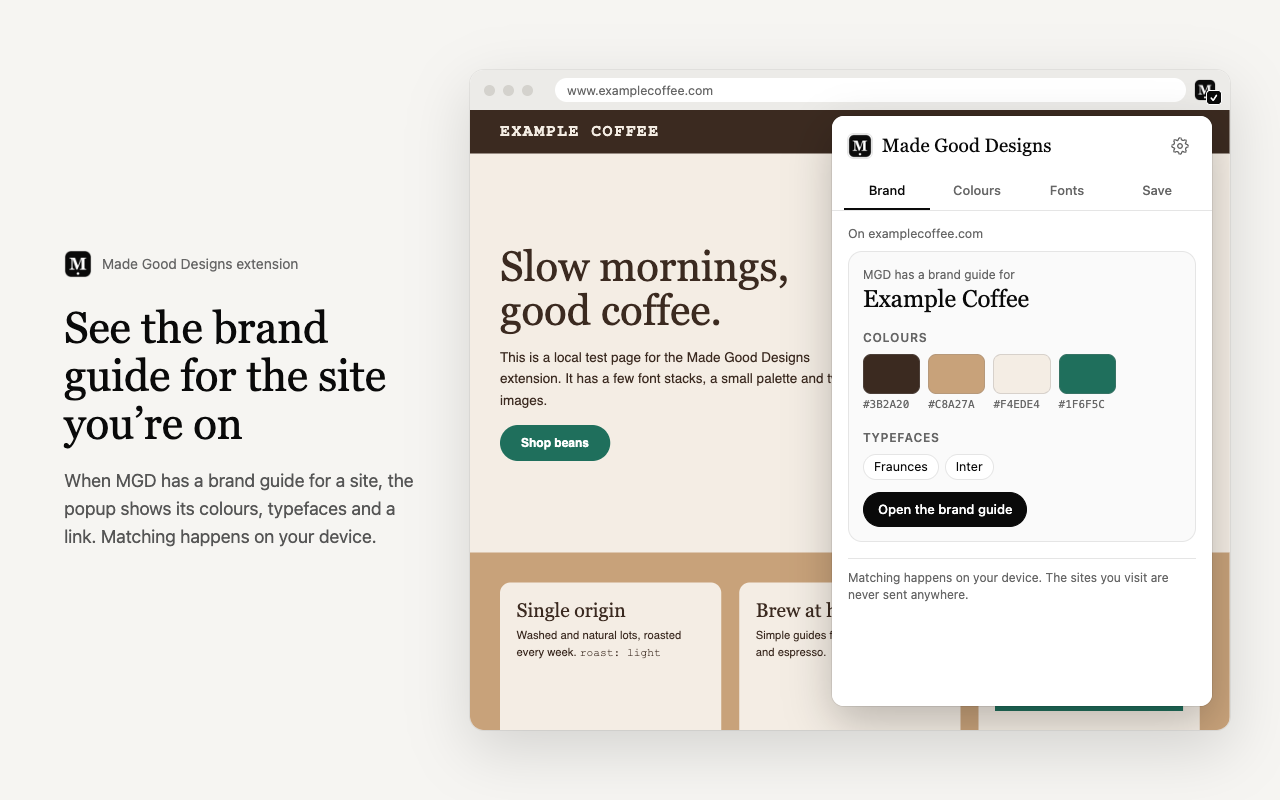
Made Good Designs has brand guides for more than 20,000 brands, and the extension recognises the websites of more than 10,000 of them. When the site you are on has a guide, the extension shows its colours and typefaces with a link to the full guide. You can switch on a toolbar badge in Settings to see this at a glance; it is off unless you turn it on.
Frequently asked questions
Is the extension free?
Yes. Every feature is free, with no account needed for the colour and font tools. Saving to a board uses your free Made Good Designs sign-in.
How do I pick a colour from a web page?
Open the extension, go to Colours and click Pick a colour. Then click any pixel on the page. The colour is shown as HEX, RGB and HSL, and you can copy any of them.
Can it show every colour used on a page?
Yes. Page palette lists the most-used colours on the visible part of the page, plus the colours set in the page's CSS.
How does the font finder work?
Click Identify fonts, then hover any text. A card shows the font stack, the font most likely showing, and the size, weight, line height and colour. Click to pin a card; press Esc to stop. The font showing is an estimate, and the card says so.
Does the extension track the sites I visit?
No. It has no analytics, and it never sends the addresses of the pages you visit anywhere. The brand guide lookup happens on your device against a public list it downloads once a day.
Why does it ask for permissions?
Only for what each feature needs: the current tab when you click (activeTab, scripting), the right-click menu, local storage for your settings, a daily check for the brand list, and madegooddesigns.com. The full list is in the privacy section below.
Which browsers does it work in?
Chrome, and other browsers built on Chromium that install extensions from the Chrome Web Store. The colour picker needs Chrome 95 or newer.
Privacy policy for the extension
Last updated: 21 November 2026
The short version: the extension does not collect any data.
What the extension does not do
- It does not collect, store or send your browsing history.
- It does not send the addresses of the pages you visit to us or to anyone else.
- It does not read or send the content of the pages you visit, except when you choose to save something to a board.
- It has no analytics, no tracking and no ads.
- It does not sell or share data, because it does not have any.
How the brand guide lookup works
Once a day, the extension downloads a public list of our brand guides from madegooddesigns.com. It is the same file for everyone, and the request is sent without cookies, a referrer or any information about you. When you open the extension, it compares the current site’s address with that list on your device. If you switch on the optional toolbar badge, it does the same comparison as each tab loads, still on your device.
Colours and fonts
The colour picker, page palette and font finder run only when you click them, and only on the tab you are looking at. The page palette uses a screenshot of the visible part of the tab, which is processed inside the extension and then discarded. Your recent colour picks and settings are kept in your browser’s local extension storage. Removing the extension clears them.
Saving to boards
When you choose to save an image or a page, the extension opens a madegooddesigns.com window with the page address, page title and, if you picked one, the image address, so you can choose a board. Nothing is saved unless you confirm it there. Saving needs you to be signed in, and anything you save is handled under our main privacy policy.
Permissions
- activeTab and scripting: run the colour and font tools on the current tab when you click them, and read its address for the brand guide lookup.
- contextMenus: add the right-click menu items.
- storage: keep your settings and recent colour picks on your device.
- alarms: check for an updated brand guide list once a day.
- madegooddesigns.com: download the brand guide list and open the save window.
- tabs (optional, off by default): only if you switch on the toolbar badge. Switching it off removes the permission.
Changes and contact
If the extension ever needs to handle data differently, we will update this page and the store listing before the change ships. Questions: contact us.