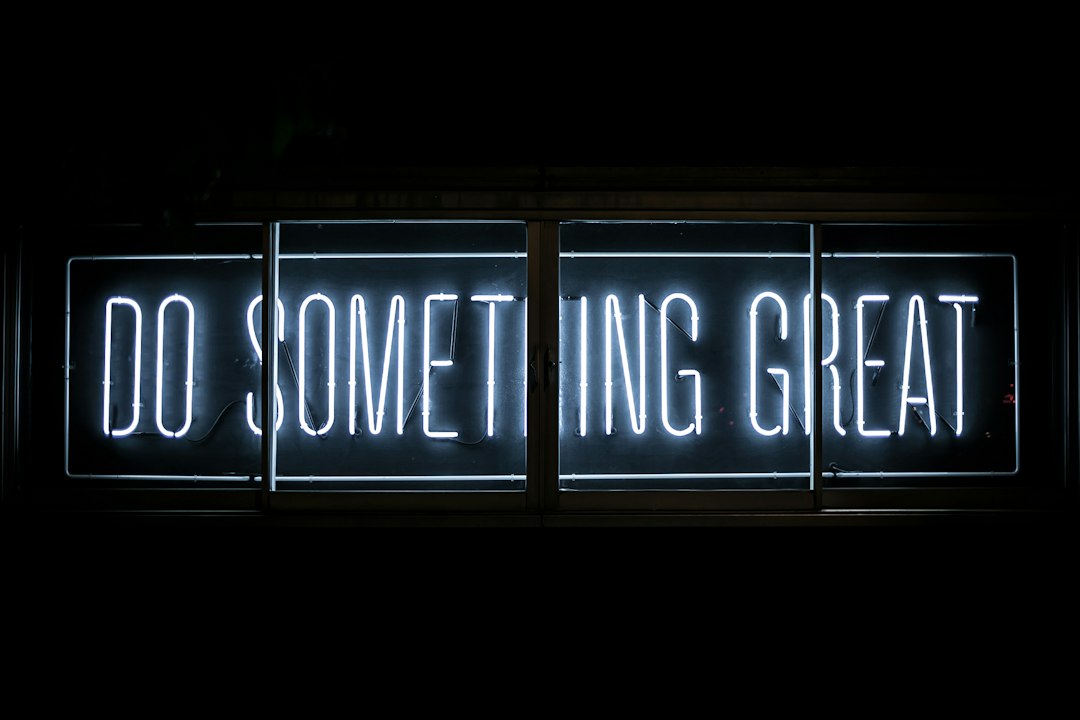
Quantico font pairings have to work with its angles. The Google Fonts description says Quantico is an angular typeface family inspired by old beer packaging and military lettering, built from 30 degree angles and completely straight lines. It comes from MADType, the foundry of Matthew Desmond, was added to Google Fonts in 2011, and is free under the SIL Open Font License. The Google Fonts source repository for Quantico on GitHub, read for this guide, holds the four-style family. With chamfered corners instead of curves, Quantico feels rugged, technical and a little military, good for gaming, outdoor gear and sports, and best balanced by fonts with real curves.
Is Quantico a heading or body font?
Quantico is mainly a heading and interface font. Its angular letters look strong in titles, labels, buttons and logos, and its Bold makes punchy headlines. Unlike many techno faces it has a bold and italics, so short paragraphs and UI text are possible. For long reading, the straight-line construction becomes tiring, so pair it with a smoother text font. In interfaces, Quantico Bold suits tab labels and buttons, and Quantico Italic suits short status messages or badges. Keep its use consistent: if it sets headings, do not also use it for long captions, or the page loses contrast.
Quantico weights, styles and licence
On Google Fonts, Quantico has 4 styles: Regular 400, Italic, Bold 700 and Bold Italic. It is a static family, with no variable axis. Having a true italic and bold is unusual among angular display faces and makes Quantico practical for interfaces. The italic keeps the same 30 degree logic, so emphasis still looks like part of the system. Its narrow, chamfered shapes also survive embroidery, laser cutting and stencilling, which suits uniforms, signs and equipment labels. The licence is the SIL Open Font License. In plain words, you can use it free for personal and commercial work, embed it on websites and in apps, use it in logos, print and video, and modify it, but you cannot sell the font files on their own.
Best fonts to pair with Quantico
All five partners are free Google Fonts. Each has curves that soften the straight-line Quantico headings.
| Pairing | Use as | Why it works |
|---|---|---|
| Quantico + Roboto | Heading + Body | Roboto is a clean, slightly mechanical sans that keeps text calm under angular Quantico titles. |
| Quantico + Open Sans | Heading + Body | Open Sans gives friendly, open body text that balances the hard angles of Quantico. |
| Quantico + Lato | Heading + Body | Lato is warm and rounded in paragraphs, a soft counterpoint to chamfered Quantico headlines. |
| Quantico + Barlow | Heading + Body | Barlow has slightly rounded, road-sign shapes that suit rugged outdoor and sports themes with Quantico. |
| Quantico + PT Sans | Heading + Body | PT Sans is a practical humanist sans that keeps guides and manuals readable under Quantico headings. |
To try the first pairing, load both families from Google Fonts and assign the roles in CSS:
<link href="https://fonts.googleapis.com/css2?family=Quantico&family=Roboto&display=swap" rel="stylesheet">
h1, h2, h3 { font-family: "Quantico", sans-serif; }
body { font-family: "Roboto", sans-serif; }
Quantico + Barlow (for outdoor and tactical gear)
Barlow is a low-contrast sans with many weights and widths. Use Quantico Bold for product names and headlines, and Barlow for specs, sizing tables and descriptions. The angular headings feel rugged, while Barlow keeps details clear. This suits outdoor gear, workwear, airsoft and adventure travel brands. Use Barlow Condensed for dense spec sheets if space is tight, since it belongs to the same family and keeps the tone consistent. Our Barlow font pairings guide has more ideas.
Quantico + Roboto (for games and apps)
Roboto is a familiar interface sans. Pair Quantico titles, menu items and labels with Roboto body text and settings. The angular headings give a game or app a strong identity, while Roboto handles everything functional. This works for strategy games, fitness trackers and tech apps. Keep Quantico for no more than two levels of heading and use Roboto Medium for buttons, so tappable elements look different from titles. See our Roboto font pairings guide for more.
Quantico + Lato (for craft beer and food packaging)
The description mentions old beer packaging as an inspiration, so Quantico suits labels and brewery branding. Use Quantico for beer names and badges, and Lato for tasting notes, ingredients and the website text. Lato adds warmth so the brand feels friendly rather than military. Browse the Lato font pairings guide for further options.
How to pair fonts with Quantico yourself
Quantico is all straight lines and angles, so choose a partner with curves: a neo-grotesque, a rounded sans or a humanist sans. Avoid other angular or square faces such as Aldrich, Orbitron or Black Ops One next to it. Use the bold for headlines and keep the italic for short emphasis. Test it in your real colours, since thin angled joins can look rough in light text on dark backgrounds at small sizes. It comes from the same foundry as Aldrich, and Atomic Age in this group offers a retro alternative. Try your own combinations in the font pairing generator.
Frequently Asked Questions
What font pairs best with Quantico?
Roboto is a safe partner for apps and games. Open Sans and Lato soften the tone, Barlow suits outdoor brands, and PT Sans fits manuals and guides.
Is Quantico free?
Yes. Quantico is free on Google Fonts under the SIL Open Font License, which allows personal and commercial use, embedding on websites and in apps, and use in logos and print. You cannot sell the font files on their own.
Who designed Quantico?
Quantico comes from MADType, the foundry of Matthew Desmond, who also made Aldrich and Lustria for Google Fonts. It was added to Google Fonts in 2011.
Is Quantico a military font?
The Google Fonts description says it was inspired by military lettering and old beer packaging. Its 30 degree angles and straight lines give it a rugged, stencil-like feel without actual stencil breaks.
Does Quantico have italics?
Yes. Quantico has four styles on Google Fonts: Regular, Italic, Bold and Bold Italic.